Preset Factory Default User Groups:
• admins: By factory default, users of this group can execute all functions of
the MOBOTIX camera. They have access to the Admin menu and the Quick
Installation wizard, the hardware setup, network, ISDN and VoIP settings, FTP
and e-mail configurations, all camera screens and they can view the camera
from MxViewer, for example. It is not possible to delete this group and there
has to be at least one user of the admins group.
• users: By factory default, users of this group have access to all camera
screens, the Setup menu for image and exposure settings as well as event
control.
• guests: By factory default, users of this group only have access to the
Guest screen with the live image and limited frame rates. Accessing the
Setup menu or the Admin menu is not possible.
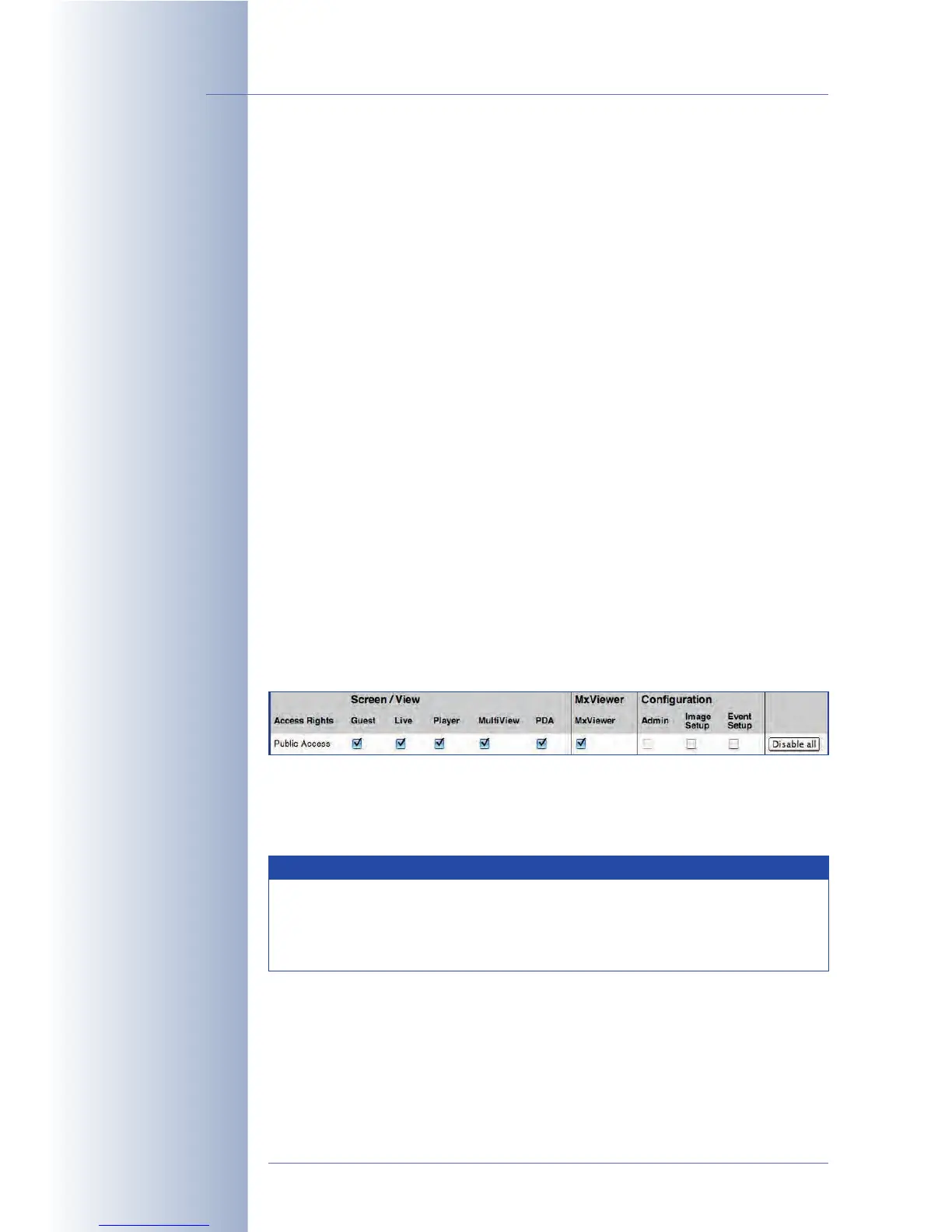
Public Access
Activate the checkboxes for the screens/views, configurations and functions in
the Public Access row to make them publicly accessible, i.e. they do not require a
user name and password to access them. By factory default, all screens and the
functions of the Setup menu are public, whereas access to the Admin menu is not
public.
For security reasons, access to the Admin menu cannot be made public. This is
only possible for users of an existing group. This prevents situations where the
administration area of a MOBOTIX camera would become publicly accessible (i.e.
without entering a user name and password).
Note that the screens and functions activated in the
PP
PP
uu
uu
bb
bb
ll
ll
ii
ii
cc
cc
AA
AA
cc
cc
cc
cc
ee
ee
ss
ss
ss
ss
row take priority
over the settings of individual user groups. If public access has been activated for
the
LL
LL
ii
ii
vv
vv
ee
ee
screen, users of the guests group also have access to this screen
although the
LL
LL
ii
ii
vv
vv
ee
ee
screen has been deactivated for the guests group.
© MOBOTIX AG • Security-Vision-Systems • Made in Germany
www.mobotix.com • sales@mobotix.com • 10.10.2006
84/288
Software Camera Manual Part 2
admins, users and guests
are predefined user
groups
Public access can be
blocked completely (see
section
Making a
MOBOTIX Camera
Secure
)
Note
Note that the screens and functions activated for public access take
priority over the settings of individual user groups. To be able to
change the setting of such a function, deactivate the corresponding
checkbox in the Public Access row.



 To Next Page