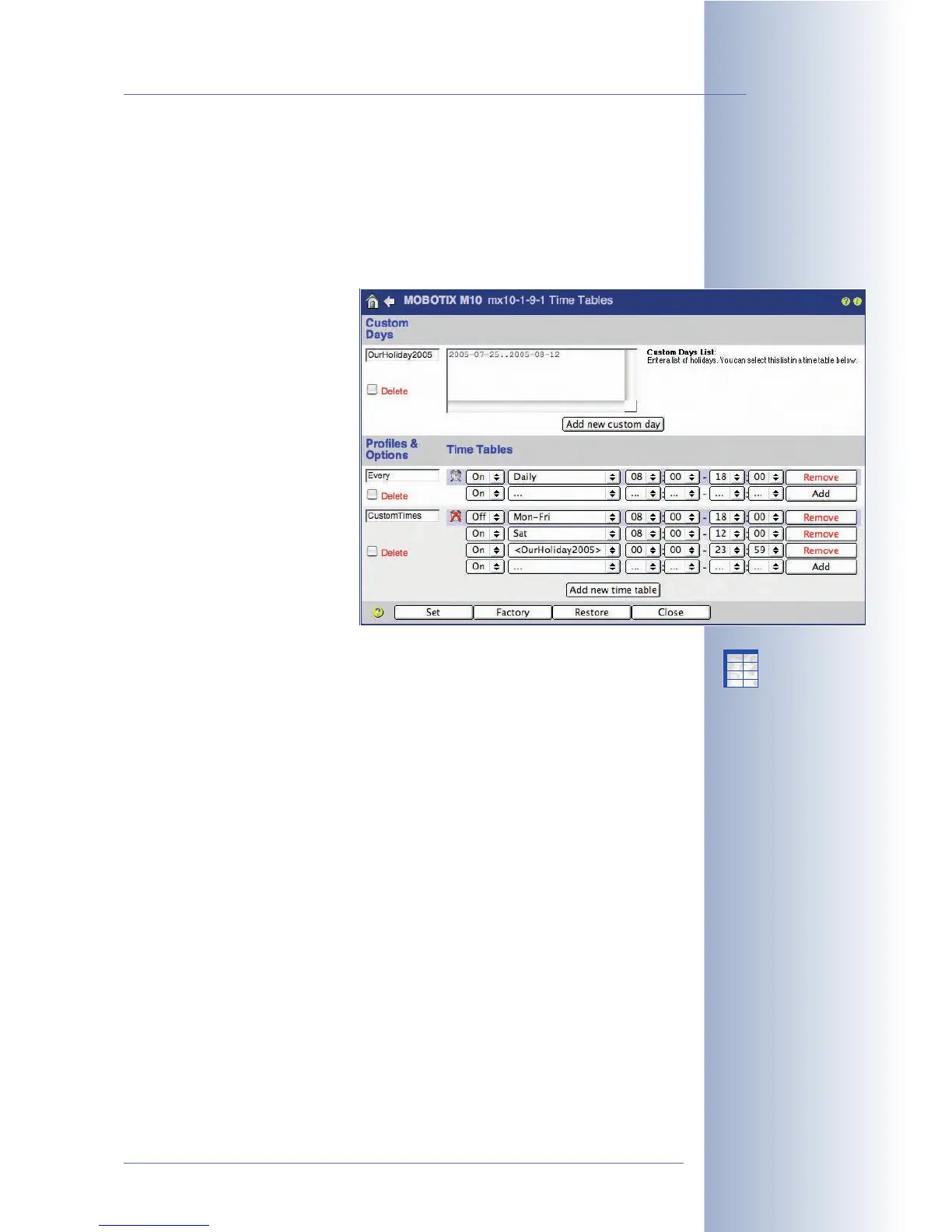
7.8.6 Time Tables
The Admin Menu > Time Tables dialog allows defining time profiles. The camera
can use these profiles (max. ten) to control the camera
Arming
(section 7.5), the
Actions
and the
Messages
(see section 7.7), for example. You could use the time
tables to control the complete alerting mechanism or FTP transfers of the camera
according to opening hours, company vacation times or holidays.
The Time Tables dialog contains
two sections: Custom Days and
Time Tables. The Custom Days
section allows setting special
date/time ranges (i.e. vacations,
holidays, etc.). Once defined, you
can use the custom days as cus-
tom time ranges in every time
table profile.
The number of time ranges per
profile depends on the camera
model (Secure models: 12 time
ranges per profile, IT models: 4
time ranges, Basic and Web
models: 1 time range).
Custom Days
Upon delivery or after resetting the camera, this dialog contains several sample
custom days. Two of these custom days are also used in the sample
MyCustomTimes time table profile.
Click on the Add new custom day button at the bottom of the dialog to create a
new custom day. Enter a descriptive name for the custom day in the corresponding
text field. Remember the name as it is added to the time range dropdown list of the
time table profiles.
The custom days can specify single days (as in NewYearHoliday), time ranges
(as in OurHoliday2005) and lists of days. It is also possible to mix days and day
ranges in these lists. Lines starting with a # are indicating a comment (as in Cus-
tomDay3) and will be ignored by the camera software.
After changing the custom days, remember to click on the Set button as this will
add the changed custom days to the time selector list of the time table profiles.
© MOBOTIX AG • Security-Vision-Systems • Made in Germany
www.mobotix.com • sales@mobotix.com • 10.10.2006
189/288
Software Camera Manual Part 2
Time table profiles for
scheduled camera control
Custom days allow setting
special time ranges (i.e.
vacations, holidays, etc.)
X
X
-
-
-
-
X
X
Kamerafunktionen
Kameramodell



 To Next Page