• Counting Period: Sets the timeframe within which the events are counted
before the camera triggers an EC event (maximum value is 3600 seconds =
60 minutes).
• Event Count: Sets the number of events that are counted within the time-
frame specified above for triggering an EC event.
• Condition: Select the condition for triggering an EC event. The
More/equal
option will trigger an EC event if the number of events is equal to or higher
than the specified number of events within the specified timeframe. The
Less
option will trigger an EC event if the number of events is lower than the speci-
fied number of events within the specified timeframe.
• Start Action: This option determines how often the EC event will be triggered.
The
First
option will trigger the event only once, i.e. when the camera first
detects that the condition has been met. The
Every
option will trigger the
event repeatedly (about once every second) as long as the condition is true.
Using the scenario of the conveyor belt introduced previously, the
Every
option would trigger one alarm per second while the belt is standing still; the
First
option would only trigger once, when the belt stops moving. The next
alarm would only follow if the conveyor belt would resume normal operation
and then stop again.
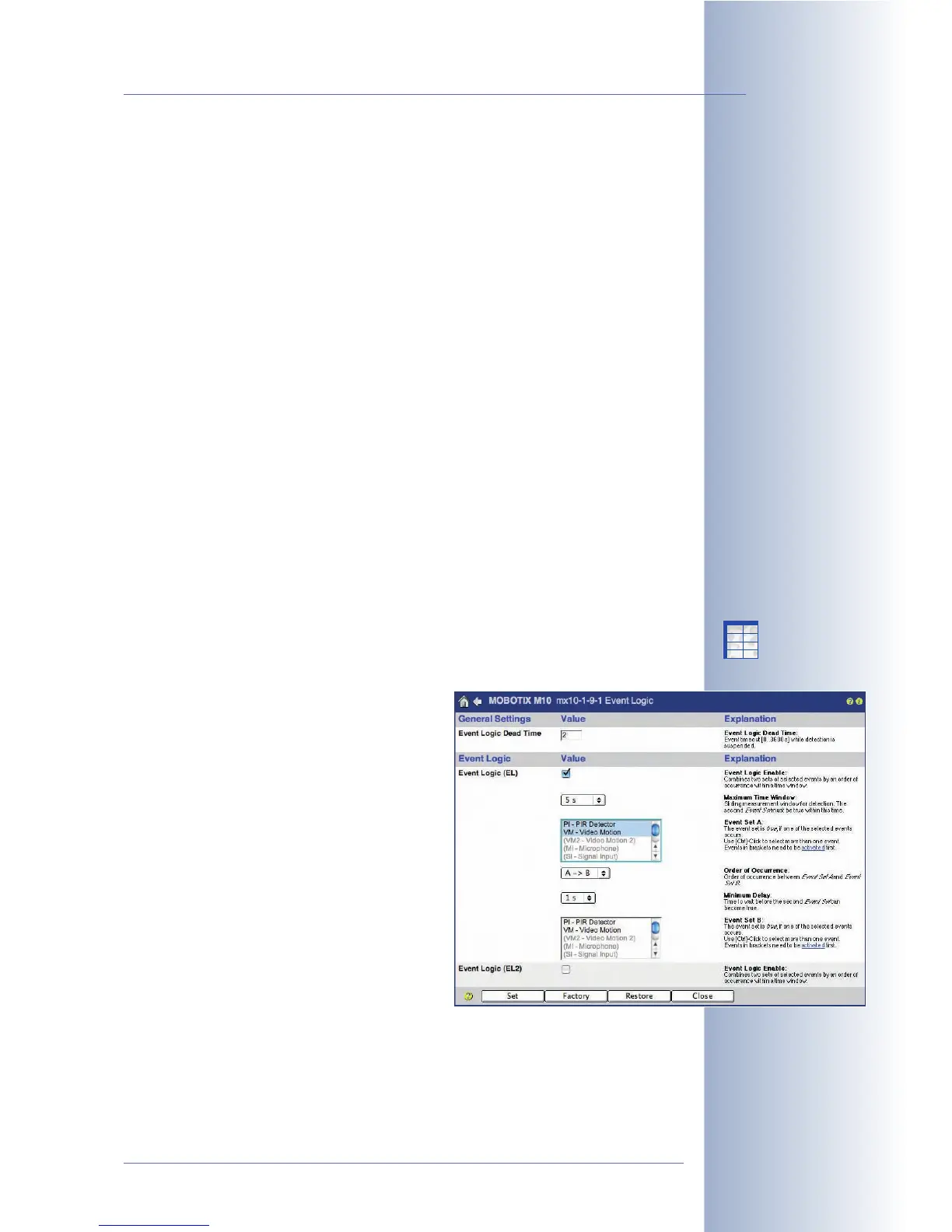
7.6.4 Event Logic (EL Event)
The event logic feature (available from software version 2.2.2) provides a method
of triggering events only if two other events occur within the specified timeframe.
Moreover, you can also set an event order, if required.
This dialog allows configuring two independent
event logic events (EL and EL2). Similar to the
event filter, this feature creates events (EL and
EL2), which are then used to trigger actions and
messages.
The camera will trigger an EL event if it detects
an event from Event Set B within the time span
set in Maximum Time Window after an event
from Event Set A has occurred, but only if the
Minimum Delay has passed between the
events from both event sets.
© MOBOTIX AG • Security-Vision-Systems • Made in Germany
www.mobotix.com • sales@mobotix.com • 10.10.2006
167/288
Software Camera Manual Part 2
X
X
-
-
-
-
X
X
Kamerafunktionen
Kameramodell



 To Next Page