9.2 VoIP Settings for IP Telephony
In order to use IP telephony, the MOBOTIX camera has to be connected to a LAN or
a DSL router with an Internet connection. In addition, the camera needs to be prop-
erly configured according to the access data from your SIP provider. Registering
with a SIP provider is usually done on the website of the provider (find a list of pro-
viders on sipcenter.com, for example). As a general rule, you should get the access
data on the provider's website itself or within minutes by e-mail.
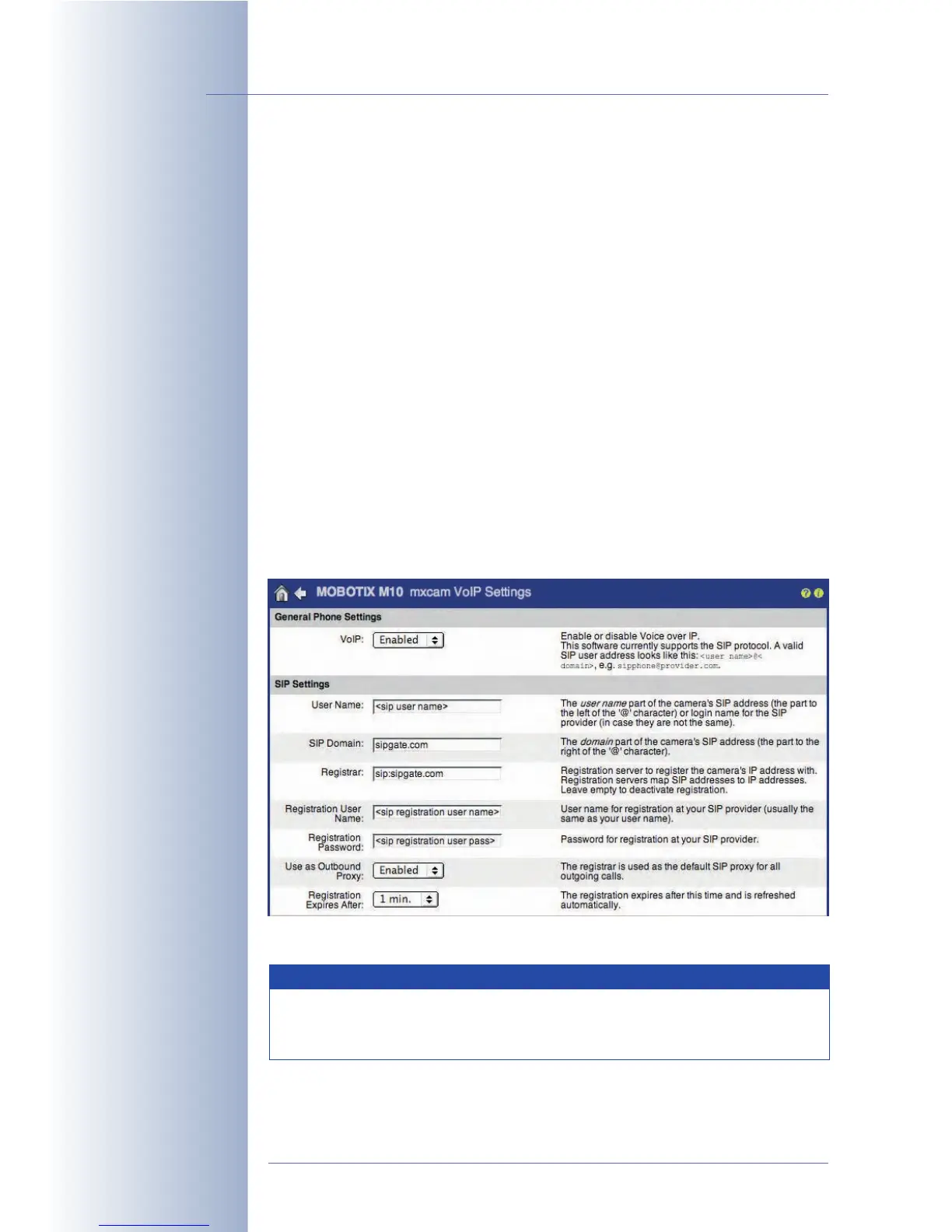
Open Admin Menu > VoIP Settings to configure the MOBOTIX camera for using its
IP telephony features. A successful VoIP configuration is required for using the
Camera Phone, the Phone Profiles (outbound voice calls of the camera) and
the Dial-In Connection via IP telephony.
Click on the VoIP Messages and Call Log link at the bottom of the dialog to get
information and status messages of the SIP connection. Use this dialog to check
if logging into the SIP provider has worked properly. For additional information on
this topic, see chapter 12,
Troubleshooting
.
VoIP Settings
• VoIP: This is the "main switch" of the IP telephony features of the MOBOTIX
camera.
© MOBOTIX AG • Security-Vision-Systems • Made in Germany
www.mobotix.com • sales@mobotix.com • 10.10.2006
238/288
Software Camera Manual Part 2
If you would like to use an
ISDN phone connection,
you can skip section9.2
Open VoIP Settings to
configure the camera's
SIP client
Using IP telephony only with devices on the LAN is a special case.
This test scenario is valuable to gather experience with IP telephony,
since it does not require Internet access or a SIP provider.
Note



 To Next Page