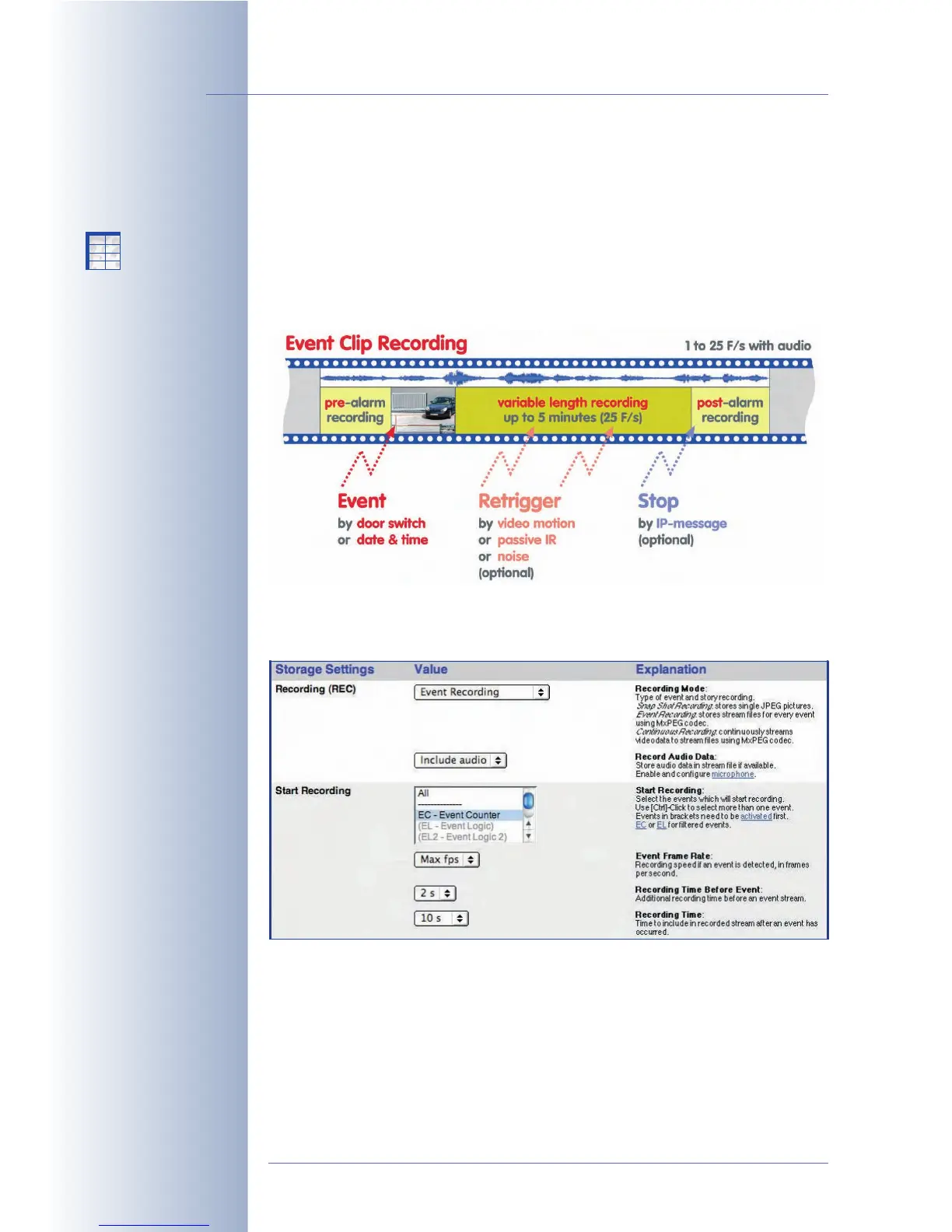
8.2.4 Settings of Event Recording
Event Recording can be used to record video clips in an event-controlled manner,
including realtime sound from the camera microphone, if desired. Moreover, the
camera can include a certain time before and after the event in the recording. The
event frame rate can be set from one image every five seconds to a maximum of
30 frames per second. For playing back these video clips in MxPEG format, you
can use the camera's Player screen (Internet Explorer on Windows required) or
MxViewer for Windows.
Settings
• Audio: If Record Audio Data has been set to Include Audio, the video clip
will include the sound from the camera microphone.
© MOBOTIX AG • Security-Vision-Systems • Made in Germany
www.mobotix.com • sales@mobotix.com • 10.10.2006
212/288
Software Camera Manual Part 2
Video sequences incl.
audio
Setup Menu>
Recording>
Event Recording
Realtime
audio recording
X
X
-
-
-
-
X
X
Kamerafunktionen
Kameramodell



 To Next Page