9.9.2 Remotely Controlling the Camera Using a Softphone
In addition to the regular telephony features, you can use the softphone keys
for remote-controlling the MOBOTIX camera. If you click on any key of the soft-
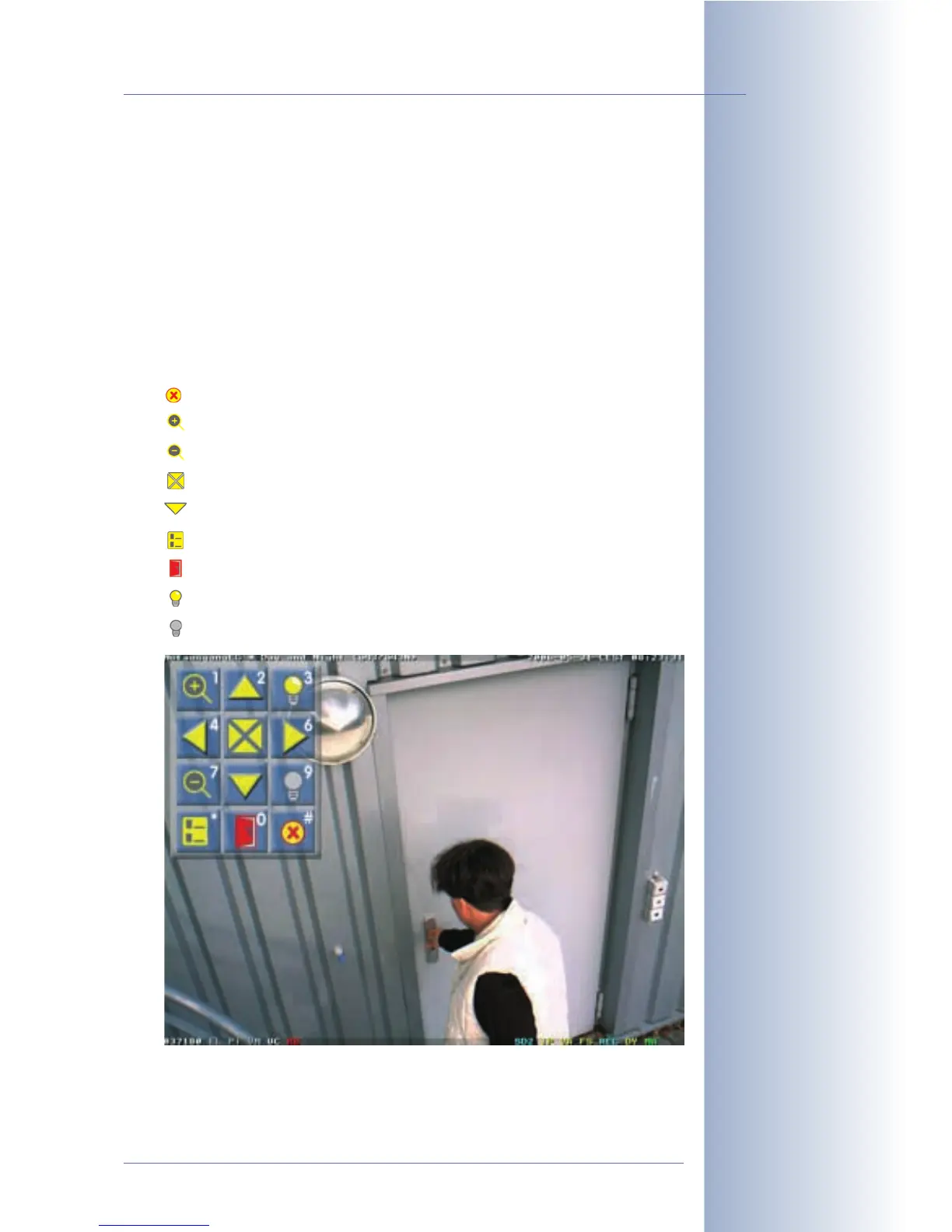
phone, the camera automatically displays a legend in the live image, which illus-
trates the camera commands that are currently available (see below).
For example, you can zoom into the camera image, move the zoomed image area
or display the camera's event list. You could also use one (or two) of the camera's
signal output lines to switch external appliances (e.g. open doors, switch on lights;
this feature is model-dependent).
The legend shows the commands and the corresponding keys:
• Hide legend (#)
• Activate 2x zoom of the camera (1)
• Deactivate the zoom (7)
• Center image area (5)
• Move zoomed image area in the corresponding direction (2, 4, 6, 7)
• Show event list (*)
• Switch signal output e.g. door opener (0)
• Switch signal output 2 on (3), e.g. to switch on the lights
• Switch signal output 2 off (9), e.g. to switch off the lights
© MOBOTIX AG • Security-Vision-Systems • Made in Germany
www.mobotix.com • sales@mobotix.com • 10.10.2006
269/288
Software Camera Manual Part 2
In order to use the
Signal Output2, a
MOBOTIX M22 or M12
(IT or Secure model) is
required
Displayed legend for re-
mote-controlling the cam-
era using the softphone
keys



 To Next Page