7.6.2 Video Motion Detection
The Setup Menu > Event Settings dialog allows setting the parameters of the
MOBOTIX camera's Video Motion detection feature. Video motion detection is a
software feature of the MOBOTIX camera, which evaluates changes in pixel bright-
ness between two succeeding live images of the camera; this will take place up to
30 times per second, depending on the frame rate. The camera will use its intelli-
gent algorithms and the values of the pertinent parameters to decide when to trig-
ger the VM (Video Motion) event. This feature also allows differentiating between
small and large objects and provides the means to adapt the camera software to
the current surveillance task.
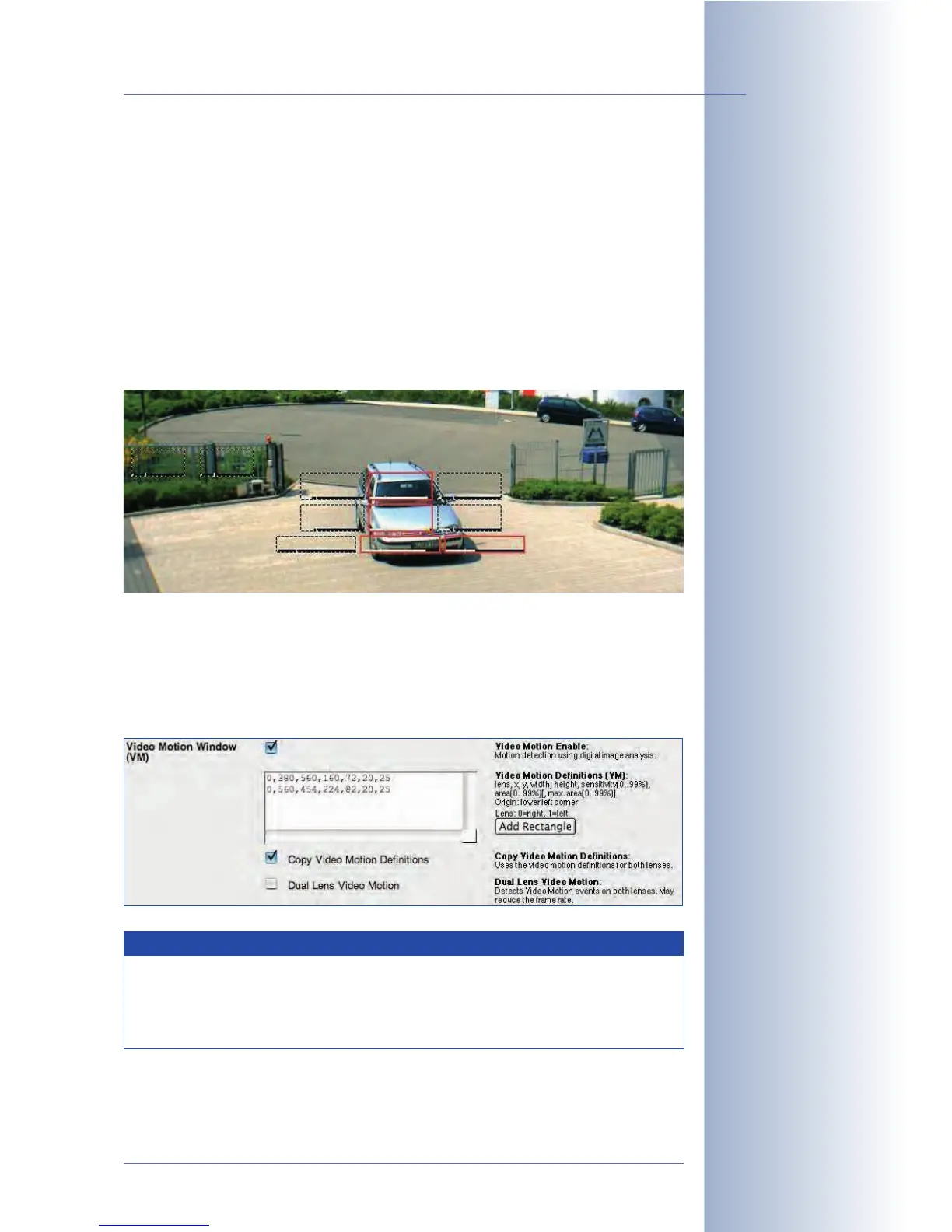
You can define one or more motion detection windows; Dual and Night models
even allow setting different windows for each image sensor. Using the mouse to
create the windows is usually the easiest method (see section
Creating video
motion windows using the mouse
further below). If required, the default values can
be adjusted in the Video Motion Definitions (VM) field (see section
Configuring the
VM event and the video motion windows
further below).
© MOBOTIX AG • Security-Vision-Systems • Made in Germany
www.mobotix.com • sales@mobotix.com • 10.10.2006
159/288
Software Camera Manual Part 2
Video motion detection
can also be used at night
with the MOBOTIX Night
models, when using infra-
red lights, for example
VM windows can be set
differently for each im-
age sensor
Video motion windows
Hint
Motion detection using the video motion (VM) event is very reliable. For
best results, use several small windows instead of one large window.
Experience shows that vertical windows are most efficient for detecting
moving persons.



 To Next Page