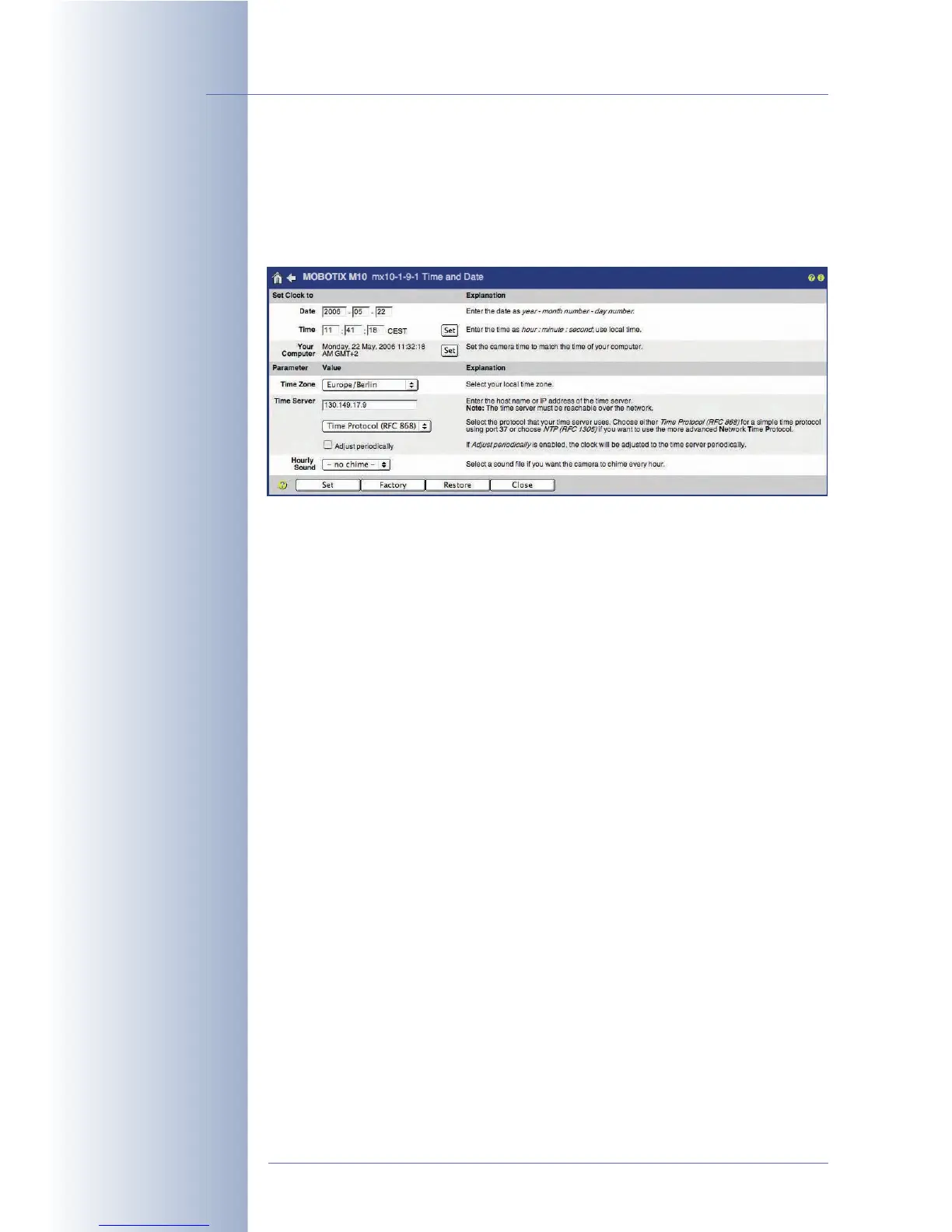
5.4.2 Date and Time / Time Zones and Time Server
The MOBOTIX camera has a real-time clock that is buffered by a rechargeable bat-
tery, making it independent of the actual camera power supply. When booting, the
camera operating system's clock is synchronized with the real-time (hardware)
clock and again every 6 hours.
Date and Time
Open the Admin Menu > Time and Date dialog to change the camera's date,
time and time zone settings (e.g.
Europe/London
for the U.K.).
Time Server
To prevent the real-time clock from deviating from the actual time, you can use a
time server to periodically get the precise time. The time server used for synchroniz-
ing the clock can be on the Internet, on your local network or it can be another
MOBOTIX camera. This provides for easy and reliable synchronization of larger
installations with several cameras. Two protocols are available for synchronizing
the real-time clock of the MOBOTIX camera with a time server:
• NTP, Network Time Protocol (RFC 1305)
When using NTP, the camera will synchronize the clock on an ongoing
basis using one or more NTP time servers on the Internet (e.g.
time.nist.gov or ptptime1.ptb.de).
• Time Protocol (RFC 868)
When using Time Protocol, the MOBOTIX camera will automatically synchro-
nize the clock when booting and then again every six hours.
Recommendation:
• NTP (RFC 1305) is recommended for cameras with a permanent network
connection.
Advantages of NTP:
••
••
High degree of precision of the camera's internal clock.
••
••
Time differences are reduced to a minimum.
© MOBOTIX AG • Security-Vision-Systems • Made in Germany
www.mobotix.com • sales@mobotix.com • 10.10.2006
92/288
Software Camera Manual Part 2
The MOBOTIX camera's
real-time clock can be
synchronized using a time
server
NTP time server only on
the local network!



 To Next Page