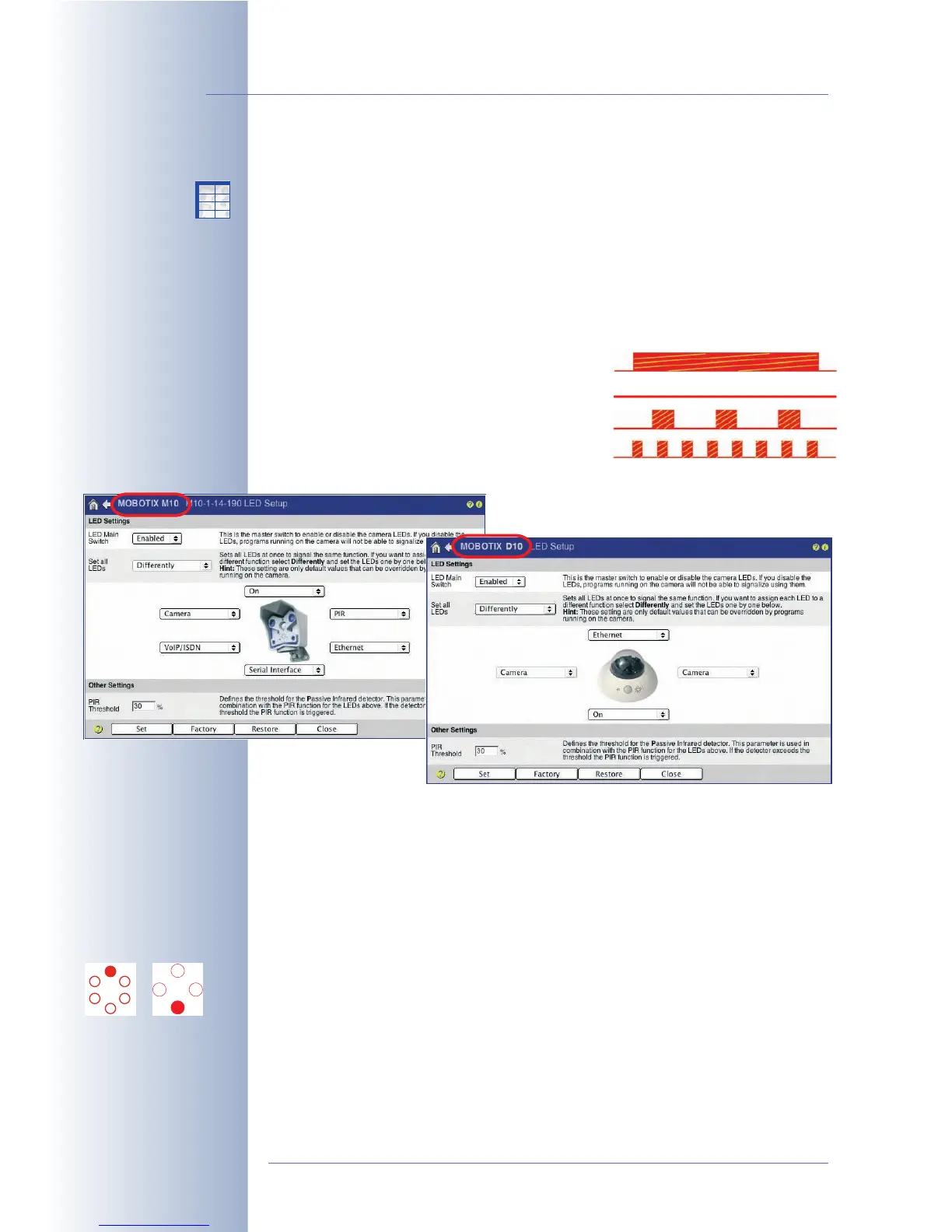
5.4.3 LED Signals and LED Configuration
Depending on the camera type, MOBOTIX cameras have six, four or two LEDs,
which use blinking, flashing and permanent light to signal certain status or other
information of the camera or its sensors.
Open Admin Menu > LED Setup and Setup Menu > General Event Settings >
Event LED Setup to activate, deactivate or configure the LEDs according to your
needs.
LED Signal Types (M12/D12)
• On: LED is always on
• Off: LED is always off
• Blink: LED is always blinking
• Flash: LED is always flashing (blinking fast)
Factory Default LED Signals (M12/D12)
As per factory default, the LEDs have been activated (LED Main Switch:
Enabled
,
Set all LEDs:
Differently
) and certain signals have been preset. Using the Set all
LEDs parameter allows setting all LEDs to the same status with only one click.
The following signals have been preset by factory default:
• On/Power
The On/Power LED serves as Power On indicator of the camera. The LED is on
permanently if the camera's power supply has been connected and the
camera is ready.
© MOBOTIX AG • Security-Vision-Systems • Made in Germany
www.mobotix.com • sales@mobotix.com • 10.10.2006
96/288
Software Camera Manual Part 2
M12/D12 LED Signals
M12/D12
On/Power LED
M12 D12
X
X
-
-
-
-
X
X
Kamerafunktionen
Kameramodell



 To Next Page