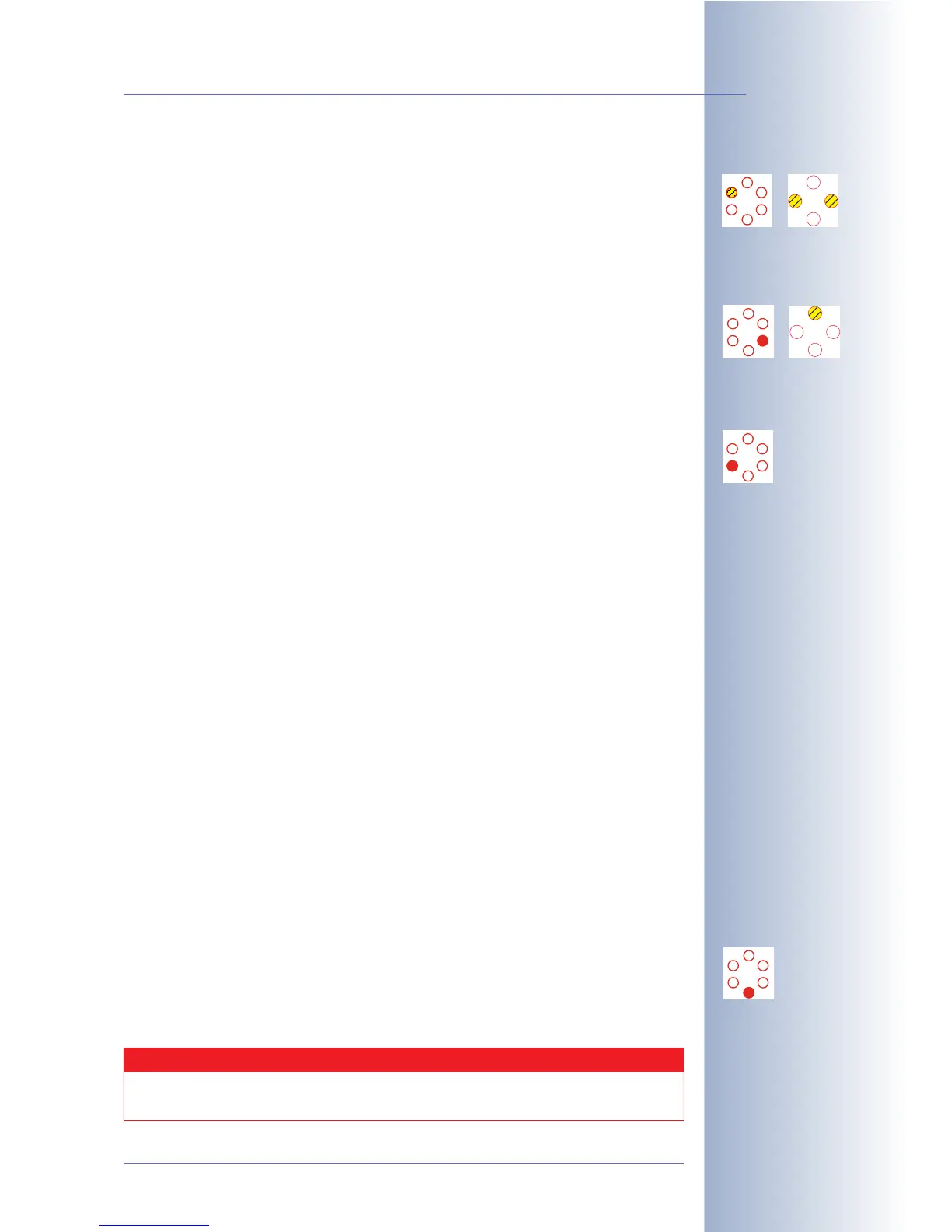
• Camera
The camera LEDs flash with every image obtained from the image sensor, i.e.
they usually flash very fast. If they are flashing in a slower rhythm, the image
sensor delivers a lower frame rate, e.g. when exposure times are long. In
addition, the two LEDs will start
blinking
when the camera records and stores
images. You can change this behavior in Setup Menu > General Event Set-
tings (see below:
Event/Image Processing
).
• Network/Ethernet
The network LED (above the 10BaseT socket of M12 models) will show short
periodic flashes if a LAN connection exists. The LED is on as long as data is
being transferred via the network interface.
• VoIP/ISDN
ISDN operation:
The VoIP/ISDN LED will show short periodic flashes if an ISDN connection is
active. This is the case, for example, if an active ISDN (S0) bus is connected to
the camera and control data is exchanged. If an image is transferred via
ISDN, the LED will stay ON until the transfer has been completed, i.e. for a
longer period of time.
VoIP operation:
When using VoIP, the LEDs signals have the following meaning:
• LED flashes once per second: VoIP has been set up.
• LED flashes twice per second: Camera has been successfully registered
with SIP server.
• LED flashes four times per second: Error (e.g. SIP server cannot be
reached).
Voice connection is active (VoIP or ISDN):
If a voice connection has been established via the VoIP (SIP) or ISDN interface,
the LEDs signals have the following meaning:
• LED is always on: Listen or Speak is active.
• The lower three LEDs are on (M12): The camera's speaker is active and
plays back the sound from a voice connection (the camera "speaks").
• The upper three LEDs are on (M12): The camera's microphone is active
and sends back the sound from camera microphone (the camera "lis-
tens").
• Serial Interface/RS232
The RS232 LED will show short periodic flashes if a serial interface connection
is active. This is always the case if the hardware handshake line (DSR, pin 6)
is active. If data is transferred via the serial interface, the LED is on while data
is being transferred.
© MOBOTIX AG • Security-Vision-Systems • Made in Germany
www.mobotix.com • sales@mobotix.com • 10.10.2006
97/288
Software Camera Manual Part 2
Camera LEDs (Event)
M12 D12
Network LED
M12 D12
VoIP/ISDN
M12
RS232
M12
Caution
If deactivated (LED Main Switch), the LEDs blink only when the camera
is starting. Beyond that, the LEDs will not signal anything.



 To Next Page