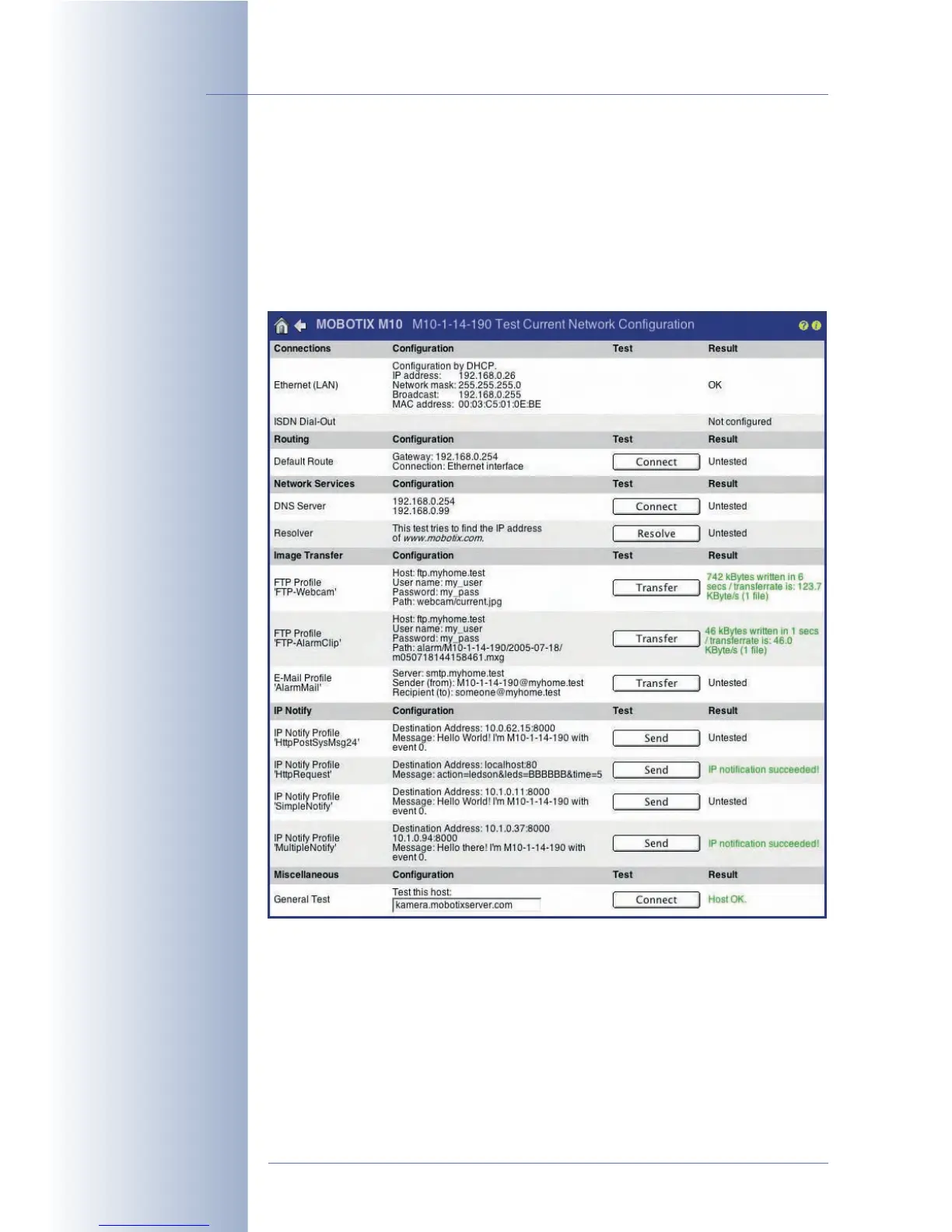
5.3 Connection Test
The MOBOTIX camera displays an overview of the active interface and the config-
ured profiles (FTP, e-mail, IP Notify) in the Admin Menu > Test Current Network
Configuration dialog. This is a centralized and easy-to-use collection of tests for
checking all settings and profiles of this camera. For some of the tests, the camera
uses ping commands to check connections or RAS results (FTP, e-mail, IP Notify
network messages).
Upon opening the dialog, the camera also opens the Network Test Log for dis-
playing the test results.
You should execute all tests one by one starting from the top and carefully ana-
lyze the test results. Make sure that the camera has been rebooted after you have
changed the configuration, particularly after having modified parameters of the
Ethernet, ISDN, file server or DynDNS configurations.
© MOBOTIX AG • Security-Vision-Systems • Made in Germany
www.mobotix.com • sales@mobotix.com • 10.10.2006
80/288
Software Camera Manual Part 2
Always run the network
tests from top to bottom
Result:
Green = OK
Red = error
Log window does not
appear:
Popup blocker deactivated
for this IP address?



 To Next Page