7.9 Time Tasks
7.9.1 Overview
The time task feature of the MOBOTIX camera allows executing specific tasks at
precise points in time—down to the minute. The tasks comprise FTP file trans-
fers, sending e-mails, phone calls, network messages, playing back sound files,
executing administrative tasks (rebooting the camera, loading configuration set-
tings) as well as the scheduled triggering of events. This very powerful feature can
execute tasks such as the following:
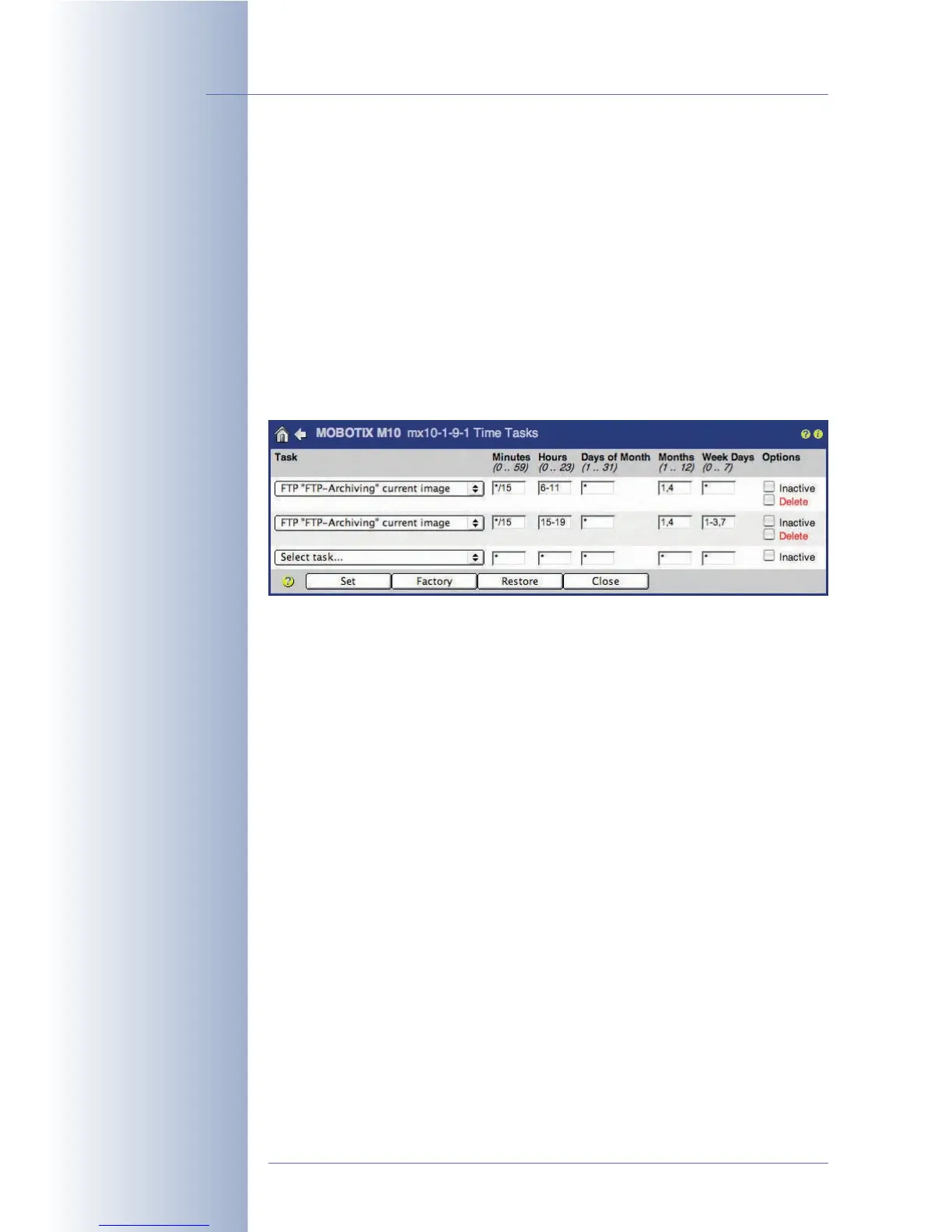
Update the live image on the FTP (web) server every 15 minutes in January and
April between 6 am and 11 am and between 3 pm and 7 pm, but only on Mon-
days, Tuesdays, Wednesdays and Sundays.
7.9.2 Time Tasks
Open Admin Menu > Time Tasks to configure a scheduled task. Each row con-
tains the information for one task. Select the type of task you would like to execute
in the first column. The remaining five fields allow setting the precise times at which
the selected task will be executed. In addition, you can deactivate tasks temporarily
without having to delete them.
Selecting a Task
• Restore last configuration: The camera can restore the configuration with
all camera parameters, which was last saved to the flash memory of the
camera. This also means that all (temporary) changes not stored in the flash
memory will be discarded.
For example, you might use this task to regenerate all cameras that are
accessible directly from the Internet on a daily basis. Users may thus change
camera settings for testing purposes, but the camera will return to the last
configuration stored in the camera's flash memory at the specified points in
time.
• Rebooting the camera: This task will reboot the camera at the specified
points in time. By factory default, the camera will reboot every morning at
3:36 am.
© MOBOTIX AG • Security-Vision-Systems • Made in Germany
www.mobotix.com • sales@mobotix.com • 10.10.2006
198/288
Software Camera Manual Part 2
Example: Time Tasks
Available tasks



 To Next Page