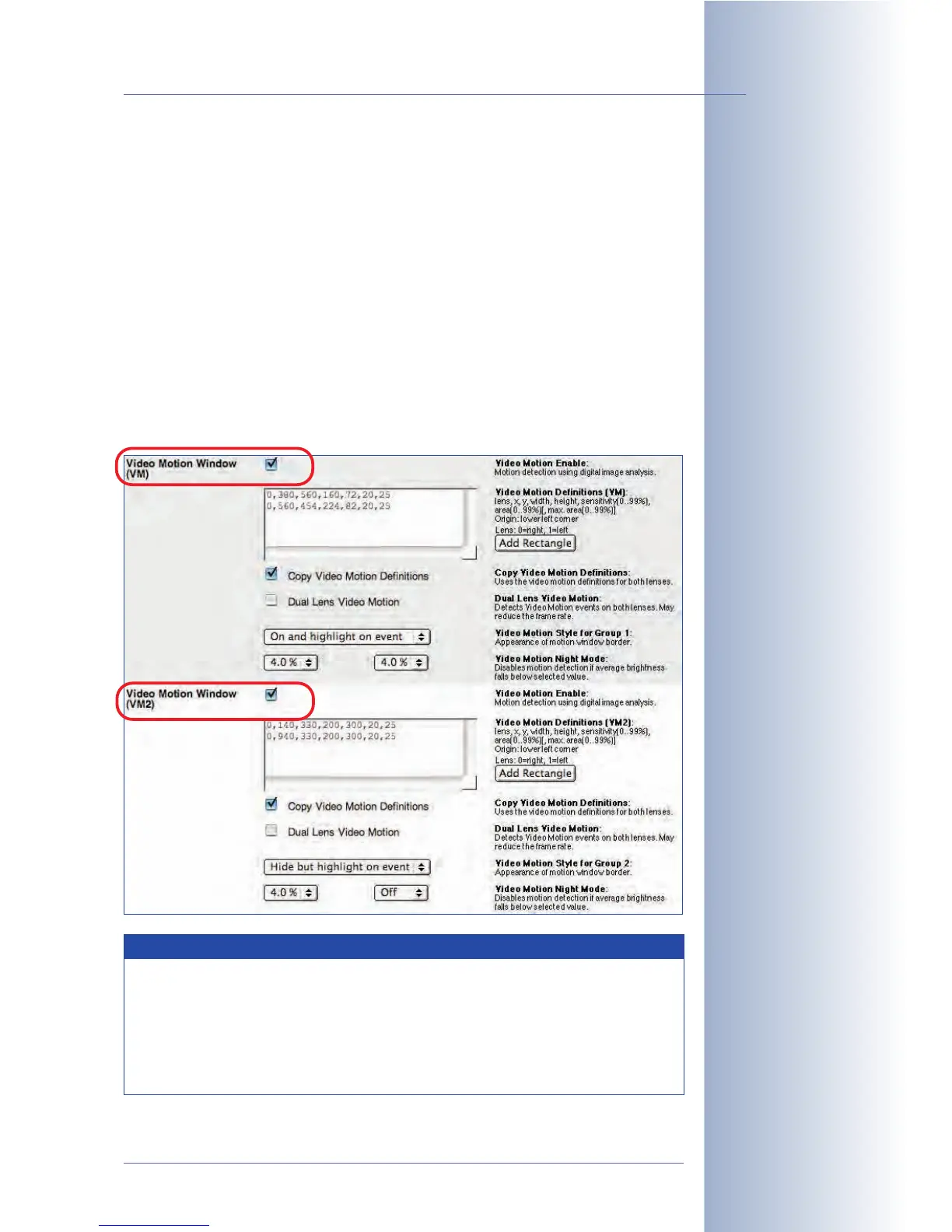
Second set of video motion windows (VM2)
From software version 2.2.2, the camera allows defining a second set of video
motion windows (VM2). This feature allows carrying out different actions or mes-
sages for different video motion windows, for example.
For example, you could cover the three entrance doors of a building by defining
three separate video motion windows in the VM set. In case of an alarm, the
MOBOTIX camera would automatically call the alarm center. In addition, the VM2
set would cover the windows of the building by a different set of video motion win-
dows. In case of an alarm (e.g. the lights are switched on in a room), the camera
would store an event image with the timestamp, but would not alert the alarm cen-
ter.
In this scenario, one MOBOTIX camera can execute the surveillance tasks, which
would otherwise require two separate cameras.
© MOBOTIX AG • Security-Vision-Systems • Made in Germany
www.mobotix.com • sales@mobotix.com • 10.10.2006
165/288
Software Camera Manual Part 2
VM and VM2 can be evalu-
ated as separate events
or they can be combined
in Setup Menu> Event
Logic
Evaluating direction of
movement: VM + VM2 + EL
Hint
In conjunction with the event logic settings (see section 7.6.4,
Event
Logic (EL)
) and the VM and VM2 events, you can detect a direction of
movement (e.g. "
only create an alarm if VM window 1 detects a move-
ment and VM window 2 detects a movement within 2 seconds of
VM 1
"). Such a setup could be used to store the images of vehicles that
are exiting the compound, while ignoring those that are entering.



 To Next Page