Using the profiles
The following dialogs use Time Table profiles:
Setup Menu:
• General Image Settings: Used by the Camera Time Switch to automatically
switch from one image sensor to the other.
Obscure Image Area (OA): Controls the times during which the camera
hides image areas from view.
• General Event Settings: Controls the arming status of the complete event
and action processing and the recording functions.
• Recording: Activates or deactivates the recording functions.
• Actions: Activates or deactivates the action profile.
• Messaging and Messaging 2: Activates or deactivates the corresponding
message profile.
• Enhanced Signal Out Options: Controls the arming status of the signal
output.
Admin Menu:
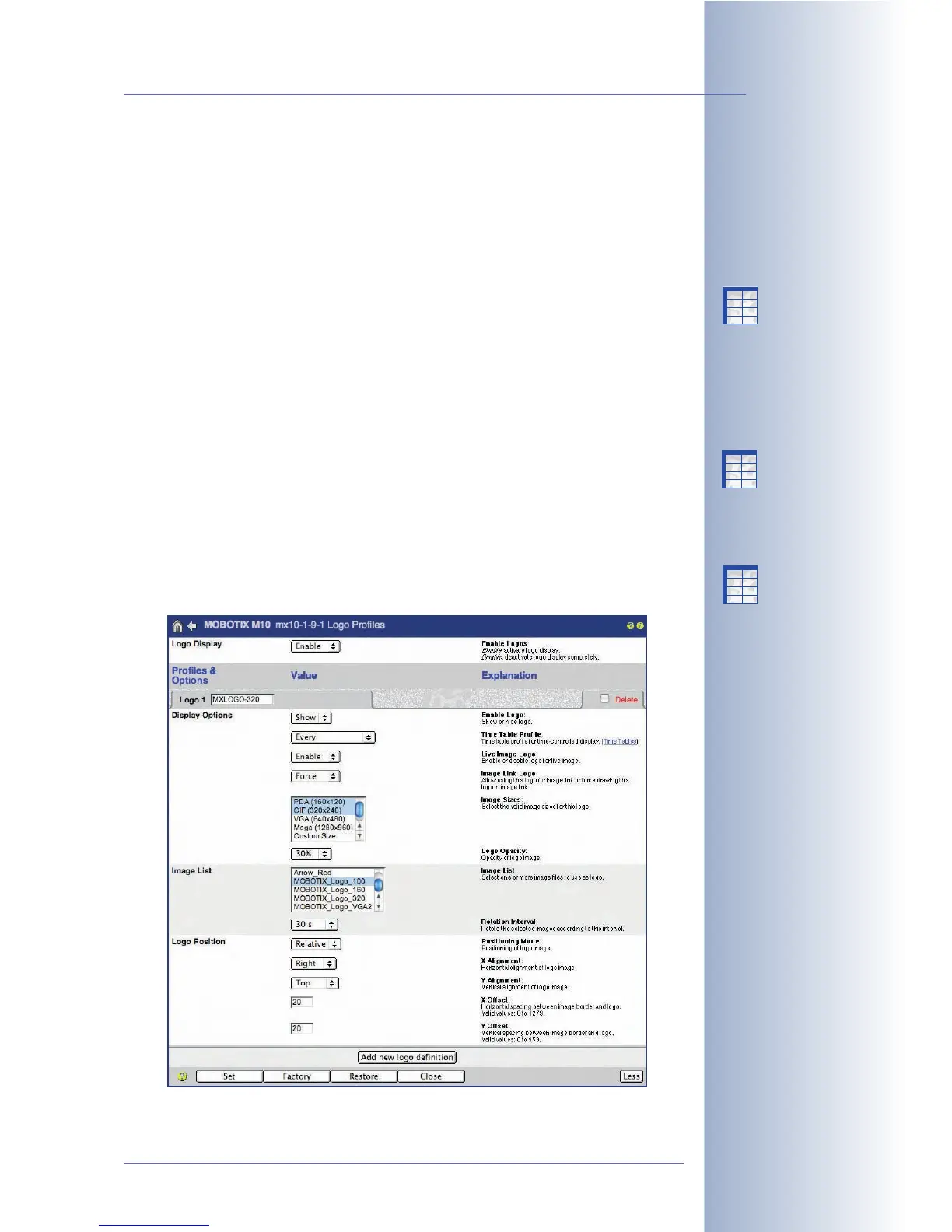
• Logo Profiles: Automatic display of logos.
© MOBOTIX AG • Security-Vision-Systems • Made in Germany
www.mobotix.com • sales@mobotix.com • 10.10.2006
191/288
Software Camera Manual Part 2
Time table profiles are
used for a variety of dif-
ferent camera functions!
X
X
-
-
-
-
X
X
Kamerafunktionen
Kameramodell
X
X
-
-
-
-
X
X
Kamerafunktionen
Kameramodell
X
X
-
-
-
-
X
X
Kamerafunktionen
Kameramodell



 To Next Page