Available events (model-dependent):
Passive Infrared Sensor (PI), Video Motion windows (VM, VM2), Microphone (MI),
Signal Input (SI), Signal Inputs (SI2, SI3, SI4), Periodic Event (PE), Time Task (TT), User
Click (UC), IR Remote Control (IR), IP Receive (RC), Com In (CI), Temperature (TP),
Illumination (IL), Random Event (RD), Event Filter (EC) and Event Logic (EL, EL2) as well
as the Recording events (Recording Begin RB, Recording End RE, Recording
Terminate RT, Recording History RH).
The following actions and messages are available (model-dependent):
Signal Out Action (SO), File Transfer Action (FT), Visual Alarm (VA), Sound on Event
(SD), E-Mail (EM), Phone Call-Out (CL), IP Notify (IP) and LED signalling.
The following recording modes are available (model-dependent):
Event-controlled recording (clips) with/without audio (sound), Continuous Recording
with/without audio, Snap Shot Recording and History Recording.
For more detailed information on events, actions and messages, see chapter 7,
Events, Actions and Messages
. Chapter 8,
Recording
, describes the different
recording modes.
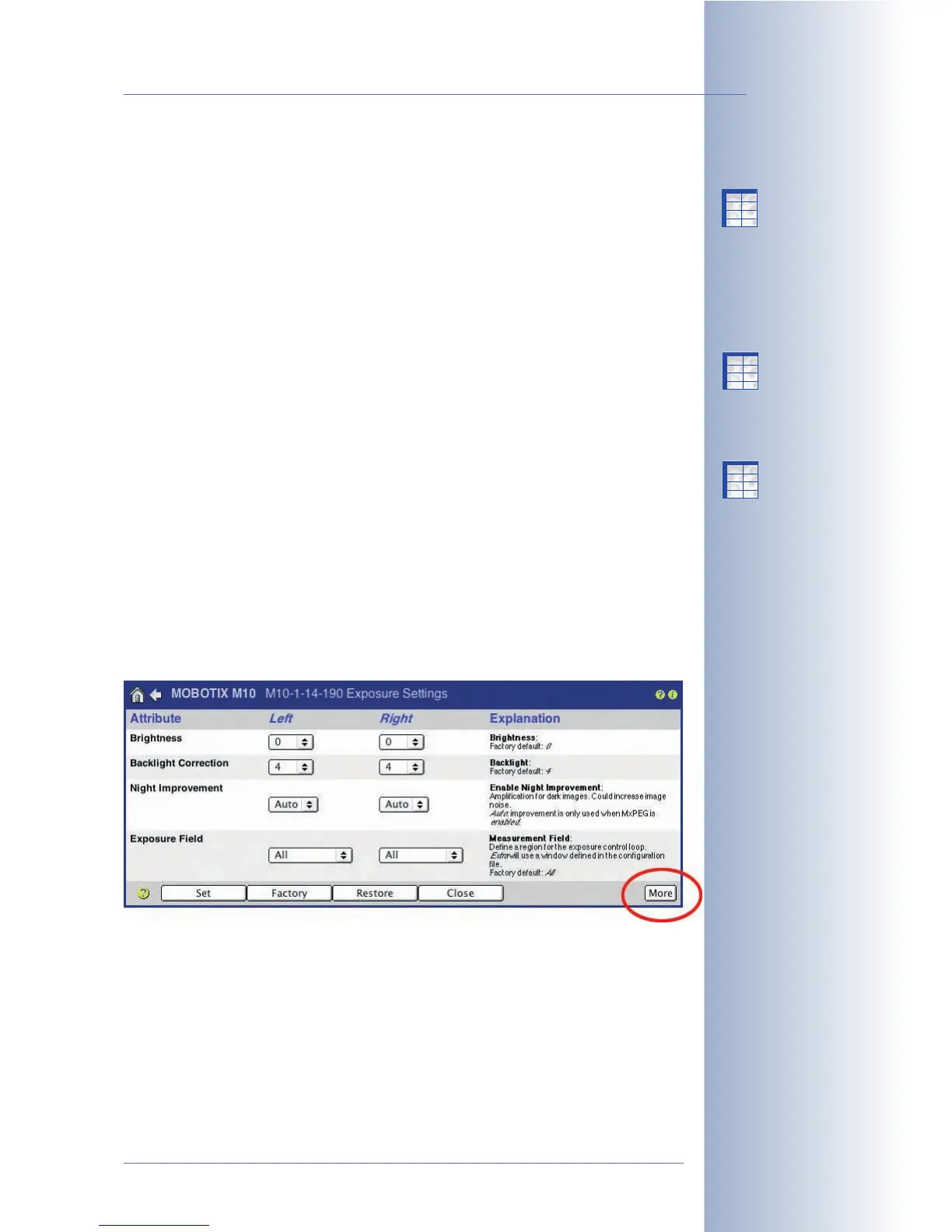
The "More" and "Less" buttons
When opening some of the camera dialogs, only the most important configuration
options are displayed by default. These dialogs have a More button in the bottom
right corner; click on it to display additional options. If all options are displayed,
click on the Less button to hide the additional options.
© MOBOTIX AG • Security-Vision-Systems • Made in Germany
www.mobotix.com • sales@mobotix.com • 10.10.2006
63/288
Software Camera Manual Part 2
Events
Actions, Messaging
Recording Types
More:
Display advanced features
Less:
Hide advanced features
Adding the line
expandmenu=on in the
homepage section of the
configuration file will
always display all options
when opening a camera
dialog
X
X
-
-
-
-
X
X
Kamerafunktionen
Kameramodell
X
X
-
-
-
-
X
X
Kamerafunktionen
Kameramodell
X
X
-
-
-
-
X
X
Kamerafunktionen
Kameramodell



 To Next Page