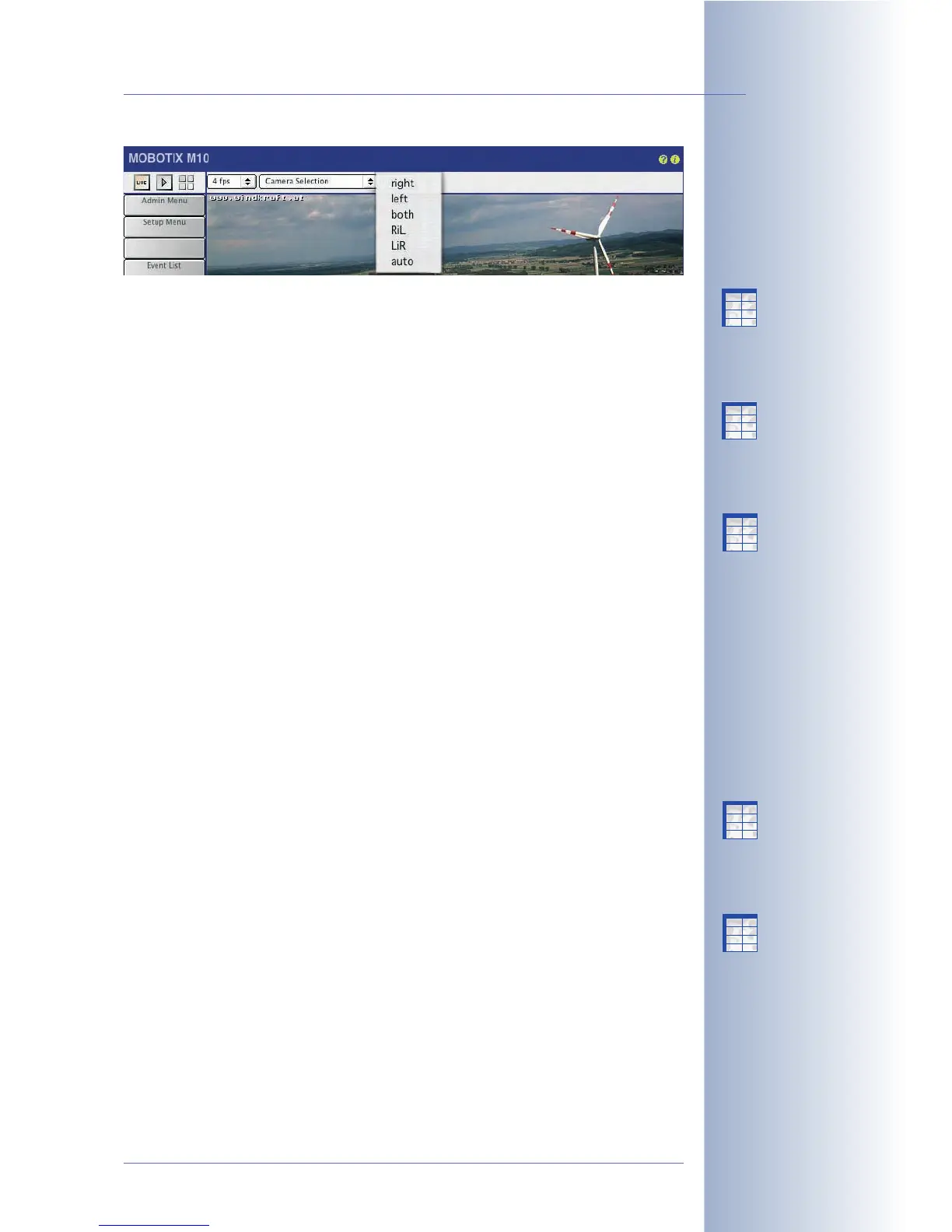
MOBOTIX Dual model, combining the
Auto
option with a Time Table profile
will let the camera switch sensors automatically at the preset times. When
the Time Table profile is active, the camera uses the right sensor; otherwise,
the left sensor will be used. For additional information on this topic, see
chapter 7.8.6,
Time Tables
.
• Display Mode: This Quick Control is preset to
Full Image
; selecting the
EiP
op-
tion (Event in Picture) will show the last event as a small image in the bottom
right corner of the live image. The
PiZ
(Picture in Zoom) option will show the
full image as a small image in the bottom right corner of the zoomed image
(2x, 4x).
• Resolution: This control sets the image size of the live image. You can choo-
se from the following resolutions:
Mega (1280x960)
,
VGA (640x480)
,
CIF
(320x240)
,
PDA (160x120)
,
D-1 PAL (768x576)
and
Custom Size
.
• JPEG Quality, Brightness, Backlight, Color Saturation, Sharpness: Using
these controls will change the camera's live image immediately, allowing
you to see the result on the spot.
• Exposure Windows: Use this control to set the predefined exposure measu-
rement windows. The
All
option (default setting) uses the entire image area
to determine the correct exposure. The
Hide Windows
/
Show Windows
opti-
ons allow controlling if the measurement windows are displayed in the live
image (green frames). The
Extra
option uses the custom exposure window.
For additional information on this topic, see section 5.7.6,
Exposure Windows
and the following sections.
• Zoom Control: This control allows setting the desired zoom factor of the live
image (
1x Zoom
,
2x Zoom
and
4x Zoom
). A zoomed (and maybe also pan-
ned) image section can be stored using the
Set Default View
option. Use the
Load Default View
option to move the visible image area to the same positi-
on. The
Center Pan
button centers the zoomed view.
• Browser: Use this Quick Control to set the operating mode for showing the
live image in the browser window. For additional information on this topic,
see the following section 4.3.3,
Browser Settings, Operating Mode
.
• Manage Settings: Among other functions, this control allows storing the cur-
rent settings in the permanent (Flash) memory of the camera. For additional
information on this topic, see section 4.3.4,
Saving the Settings
.
For additional information on the image settings, see section 5.5.2,
General Image
Settings
.
© MOBOTIX AG • Security-Vision-Systems • Made in Germany
www.mobotix.com • sales@mobotix.com • 10.10.2006
23/288
Software Camera Manual Part 2
Night models automatical-
ly switch between day and
night lenses!
X
X
-
-
-
-
X
X
Kamerafunktionen
Kameramodell
X
X
-
-
-
-
X
X
Kamerafunktionen
Kameramodell
X
X
-
-
-
-
X
X
Kamerafunktionen
Kameramodell
X
X
-
-
-
-
X
X
Kamerafunktionen
Kameramodell
X
X
-
-
-
-
X
X
Kamerafunktionen
Kameramodell



 To Next Page