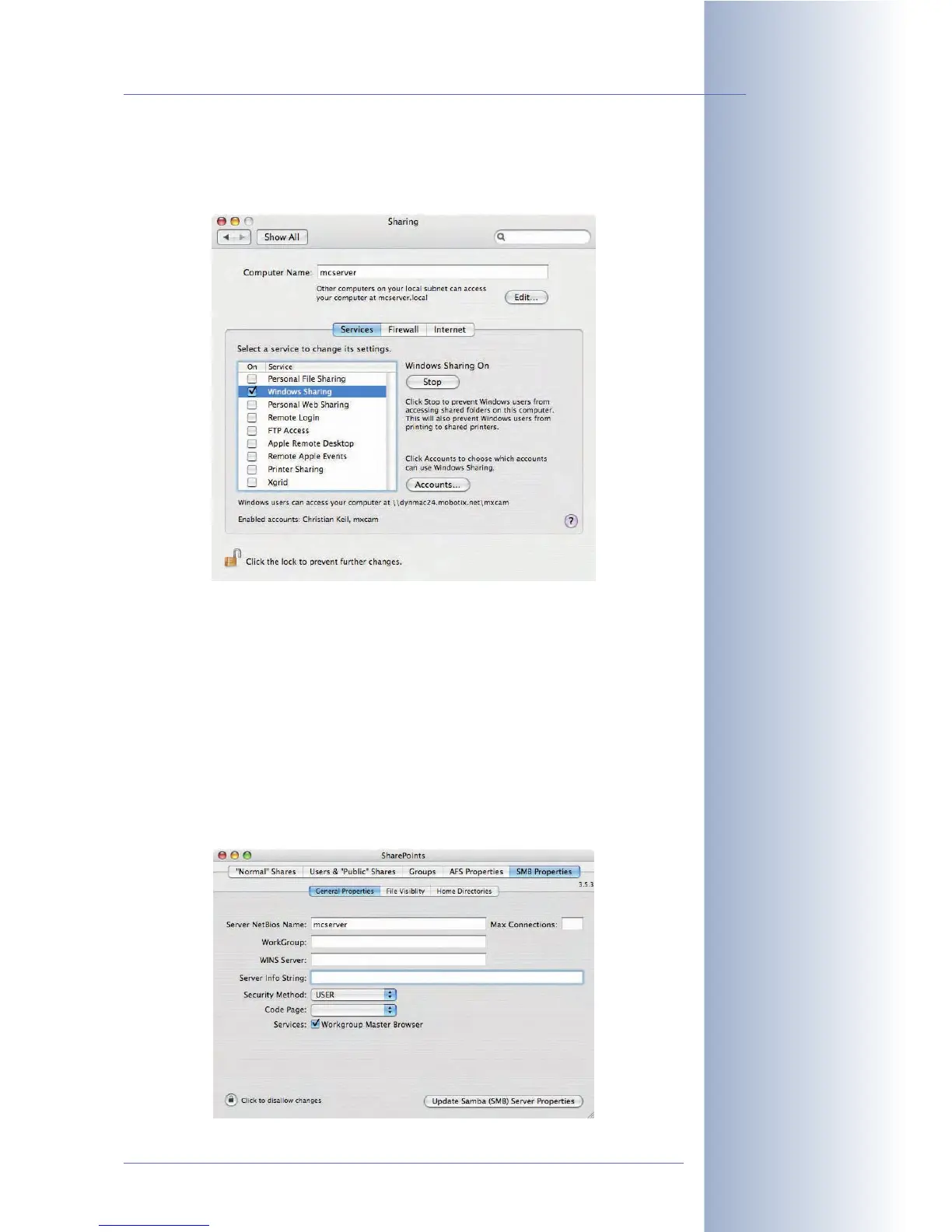
• Step 3: Open System Preferences > Sharing and activate the
Windows
Sharing
option.
• Step 4: In the Finder, create a new folder with a name of your choice (e.g.
mxdata).
• Step 5: Install SharePoints (www.hornware.com, donationware) and cre-
ate a share point for the folder (mxdata) and the user (mxcam) you just cre-
ated:
SharePoints > SMB Properties > General Properties:
• Server Netbios Name: Enter the computer name of the Mac OS X com-
puter in this field (e.g. mcserver). To find the computer name of the Mac
OS X computer, open System Properties > Sharing.
© MOBOTIX AG • Security-Vision-Systems • Made in Germany
www.mobotix.com • sales@mobotix.com • 10.10.2006
231/288
Software Camera Manual Part 2
Caution: From OS X ver-
sion 10.4, you also have to
specify the account, which
may use Windows sharing
(mxcam in the example).
A warning and a dialog box
will appear automatically.
Do not forget to make a
donation when using
SharePoints
Install the donationware
application SharePoints
(www.hornware.com)



 To Next Page