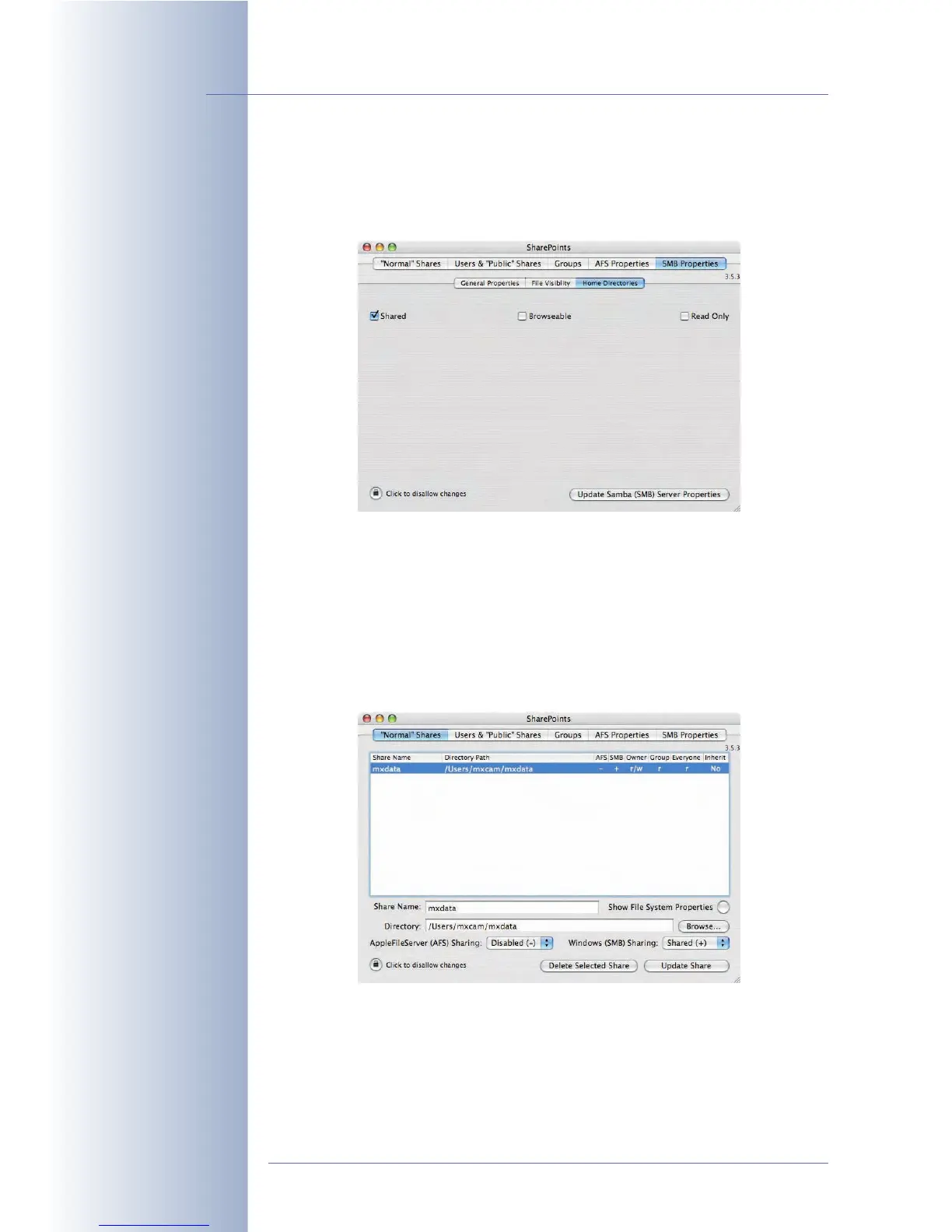
SharePoints > SMB Properties > Home Directories:
• Make sure that the Shared option has been activated.
• Click on the Activate Samba (SMB) Server Properties or the Update
Samba (SMB) Settings button, whichever is appropriate.
SharePoints > "Normal" Shares:
• In the Directory field, enter the name of the shared folder (e.g. /
mxdata).
• Enter a Share Name (e.g. mxdata).
• Make sure that the correct owner and group have been set in Show File
System Properties (mxcam in this case).
© MOBOTIX AG • Security-Vision-Systems • Made in Germany
www.mobotix.com • sales@mobotix.com • 10.10.2006
232/288
Software Camera Manual Part 2
Activate Shared check-
box!
Configure Share!



 To Next Page