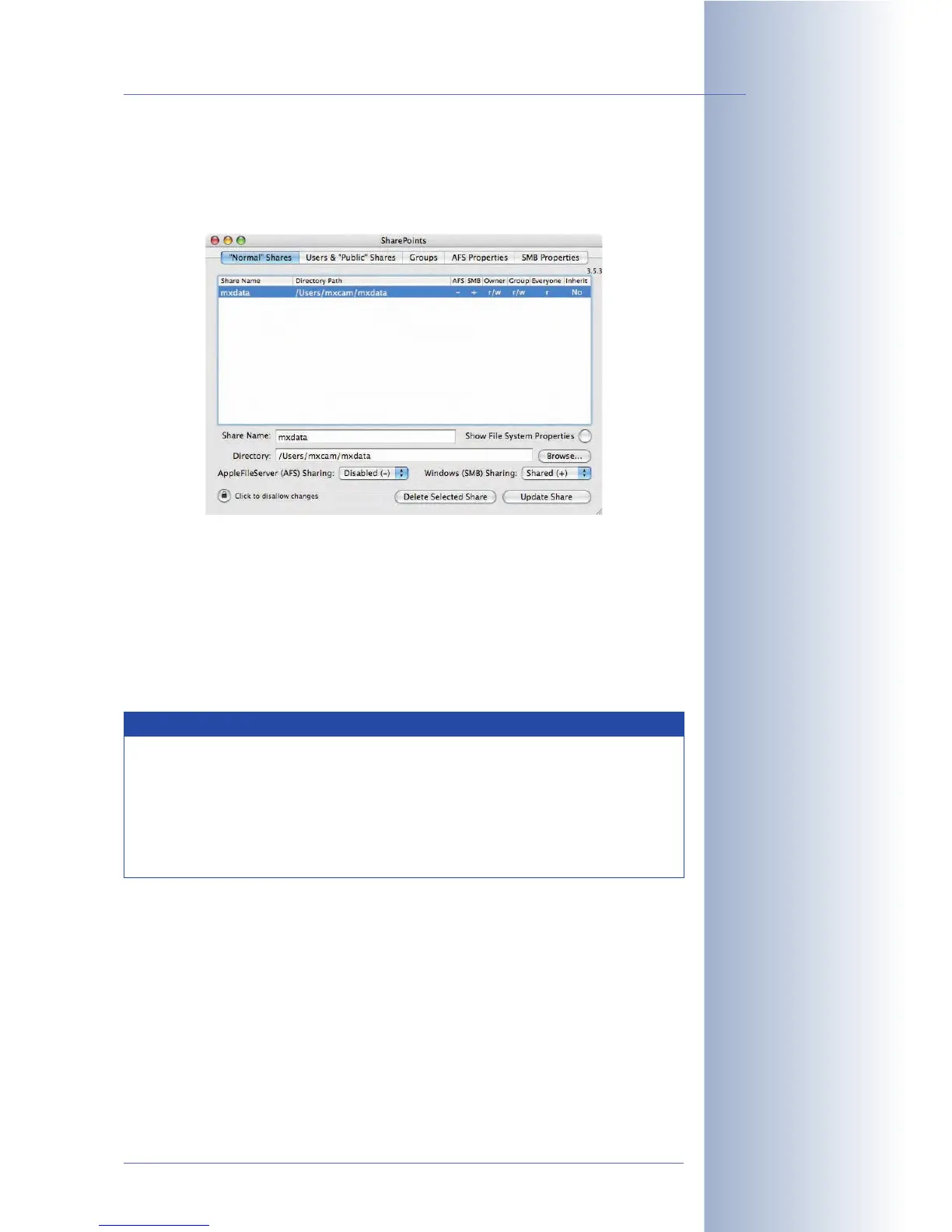
• Activate Windows (SMB) Sharing: Shared (+).
• Click on the Create New Share or the Update Share button, whichever is
appropriate.
• Step 6: Close SharePoints and the System Properties. Log out the current
user (Apple > Log Out mxcam). For recording on the Mac OS X computer, it
is not necessary that a user is logged in. Likewise, rebooting the Mac OS X
computer is not required.
© MOBOTIX AG • Security-Vision-Systems • Made in Germany
www.mobotix.com • sales@mobotix.com • 10.10.2006
233/288
Software Camera Manual Part 2
Activate Share!
Notes
Make sure that the latest software updates and security patches have
been applied to the Mac OS X file server. The operating system should
be Mac OS X 10.3 or higher.
Using SharePoints (www.hornware.com) for managing the shares
is not required, but this application will greatly facilitate setting up the
shares.



 To Next Page