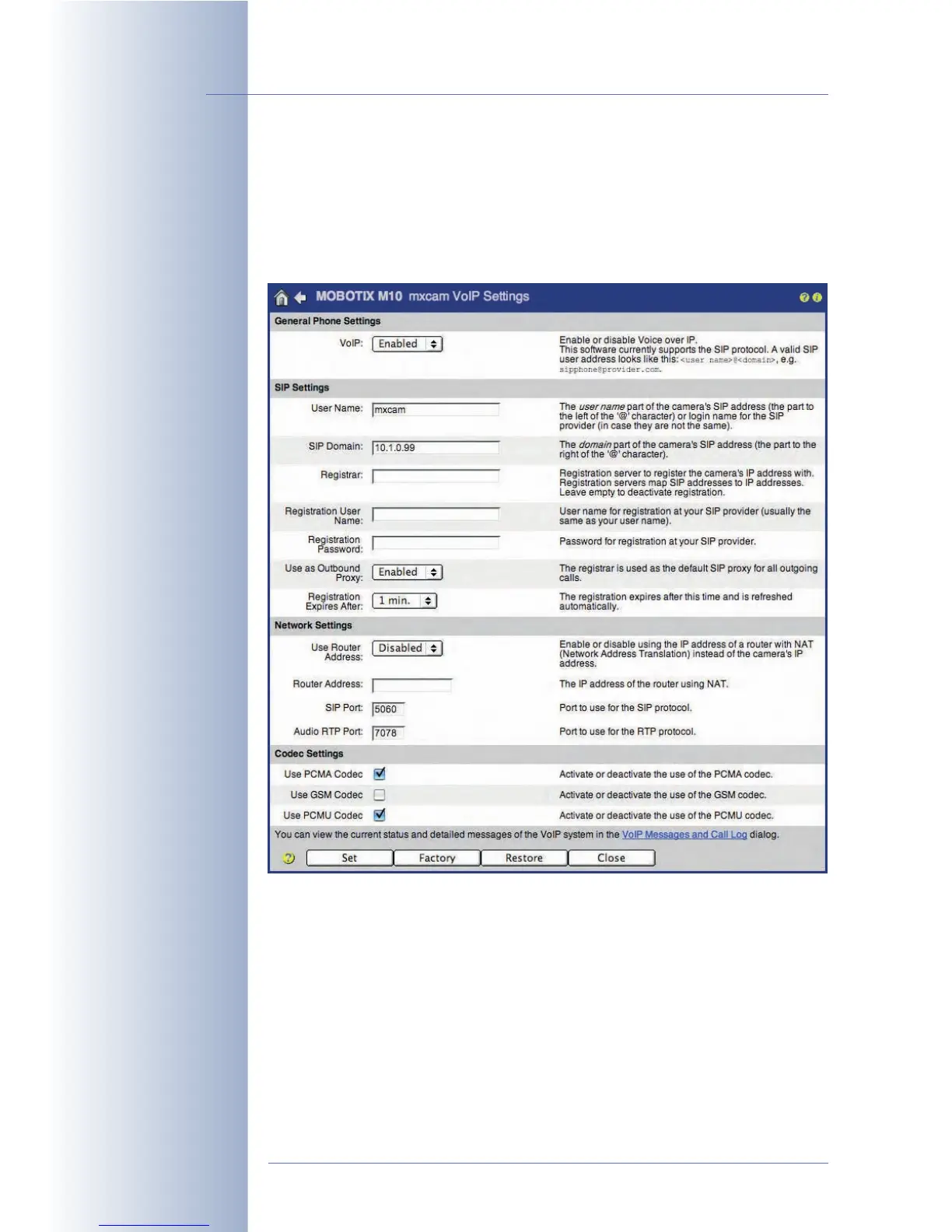
Configuring the VoIP Settings
Set the VoIP parameters (Admin Menu > VoIP Settings).
•VoIP:
Activated
• User Name: mxcam (freely definable)
• SIP Domain: 10.1.0.99 (IP address of your MOBOTIX camera)
The MOBOTIX camera can now be reached using the SIP address
mxcam@10.1.0.99.
© MOBOTIX AG • Security-Vision-Systems • Made in Germany
www.mobotix.com • sales@mobotix.com • 10.10.2006
262/288
Software Camera Manual Part 2



 To Next Page