• Security Settings: Restrictive browser security settings may complicate or
even prevent using the browser-based user interface of the MOBOTIX came-
ra. Make sure that JavaScript or Active Scripting (whichever is appropriate)
are activated. It is recommended to add the camera IP addresses to the list
of trusted sites. This is especially important if you intend to install the MxPEG
ActiveX plug-in of older camera software versions for fast video and audio
streaming (see section 4.3.3,
Browser Settings, Operating Mode
).
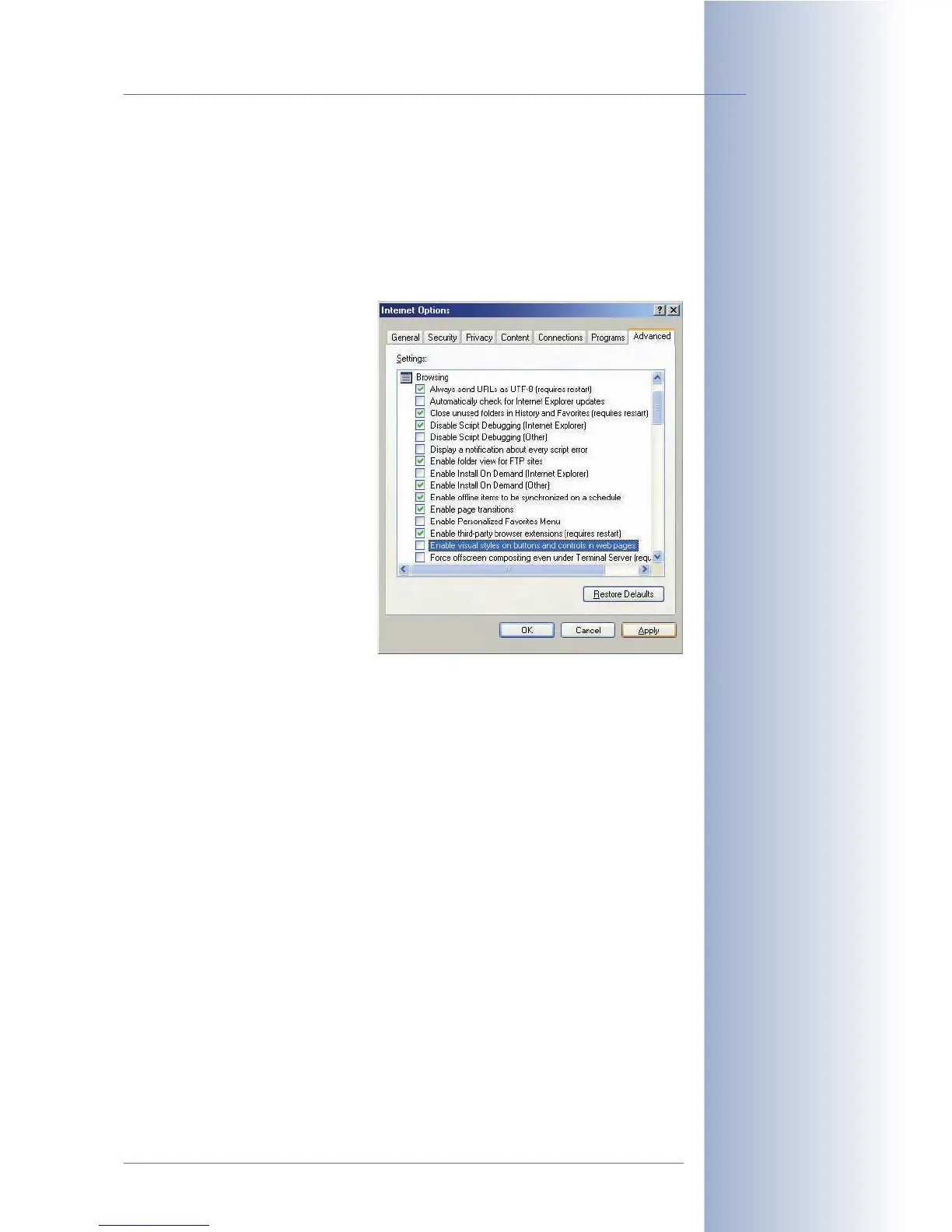
• Colored Buttons: Under
Windows XP, the buttons in
the browser view are not
shown colored since the Inter-
net Explorer by default uses
the visual effects of the opera-
ting system for the browser
buttons. In order to display
button colors, you can deacti-
vate the use of these visual ef-
fects in the Internet options
of the Internet Explorer.
For more information on finding and solving errors, read chapter 12,
Troubleshooting
.
© MOBOTIX AG • Security-Vision-Systems • Made in Germany
www.mobotix.com • sales@mobotix.com • 10.10.2006
47/288
Software Camera Manual Part 2
Activate JavaScript/
ActiveScripting!
Activating the colored
softbuttons in Internet
Explorer



 To Next Page