226 Chapter 4 Use the Océ TDS700 productive scanner
Auto align
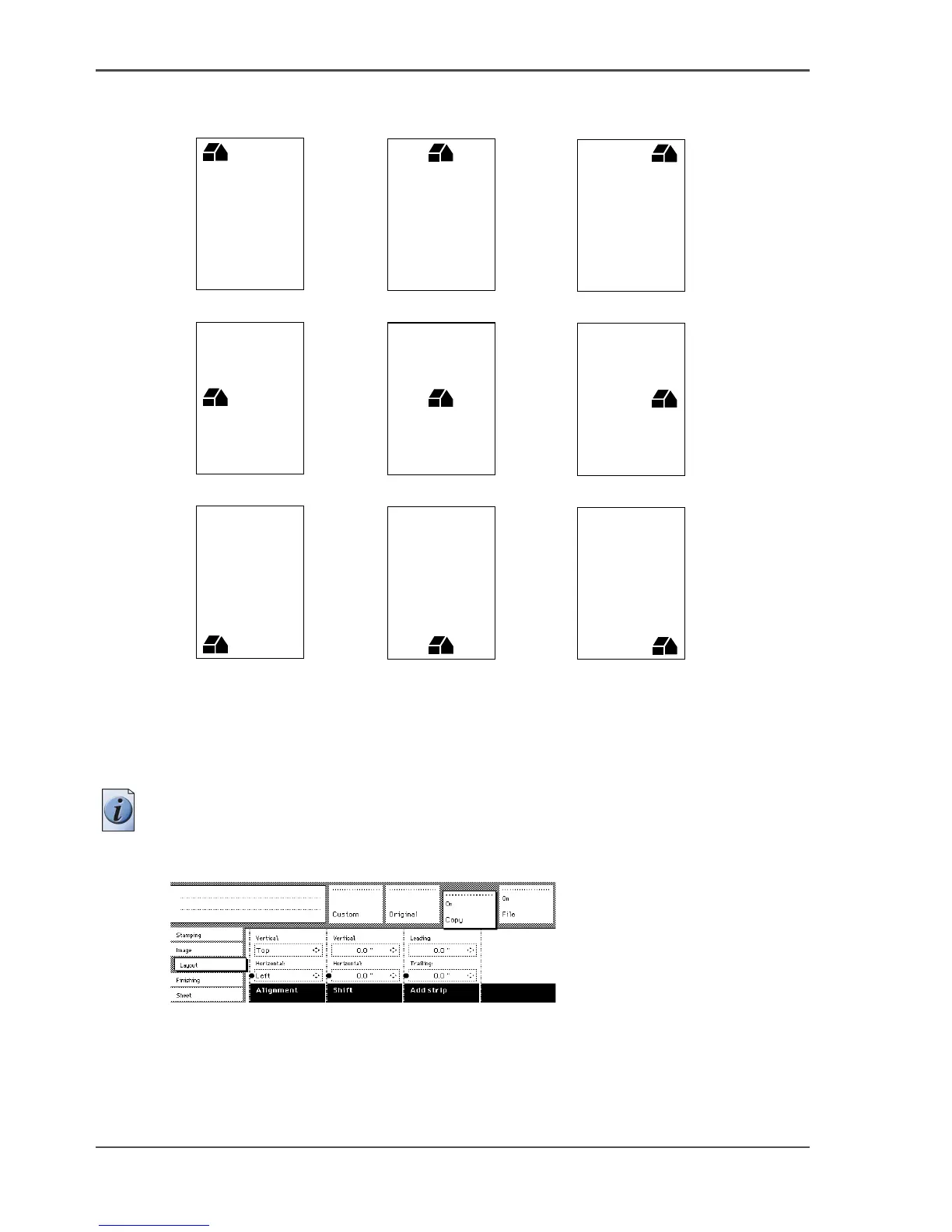
Illustration
[145]
[145] Auto align options with standard cut option active
Select default settings for auto shifting with standard cut option
Note: You must switch on standard cut length to get output like the one in the
example above.
1. 1 Open the ‘Layout’ card in the ‘Copy’ section.
[146]
[146] Automatic shift with the Align function
2.
Press the ‘Align’ function key and select a horizontal alignment value (Left, Centre
or Right) with the arrow keys.
7
8
9
4
5
6
1
2
3




 To Next Page