Mixer : Mixer Pages
10 - 214
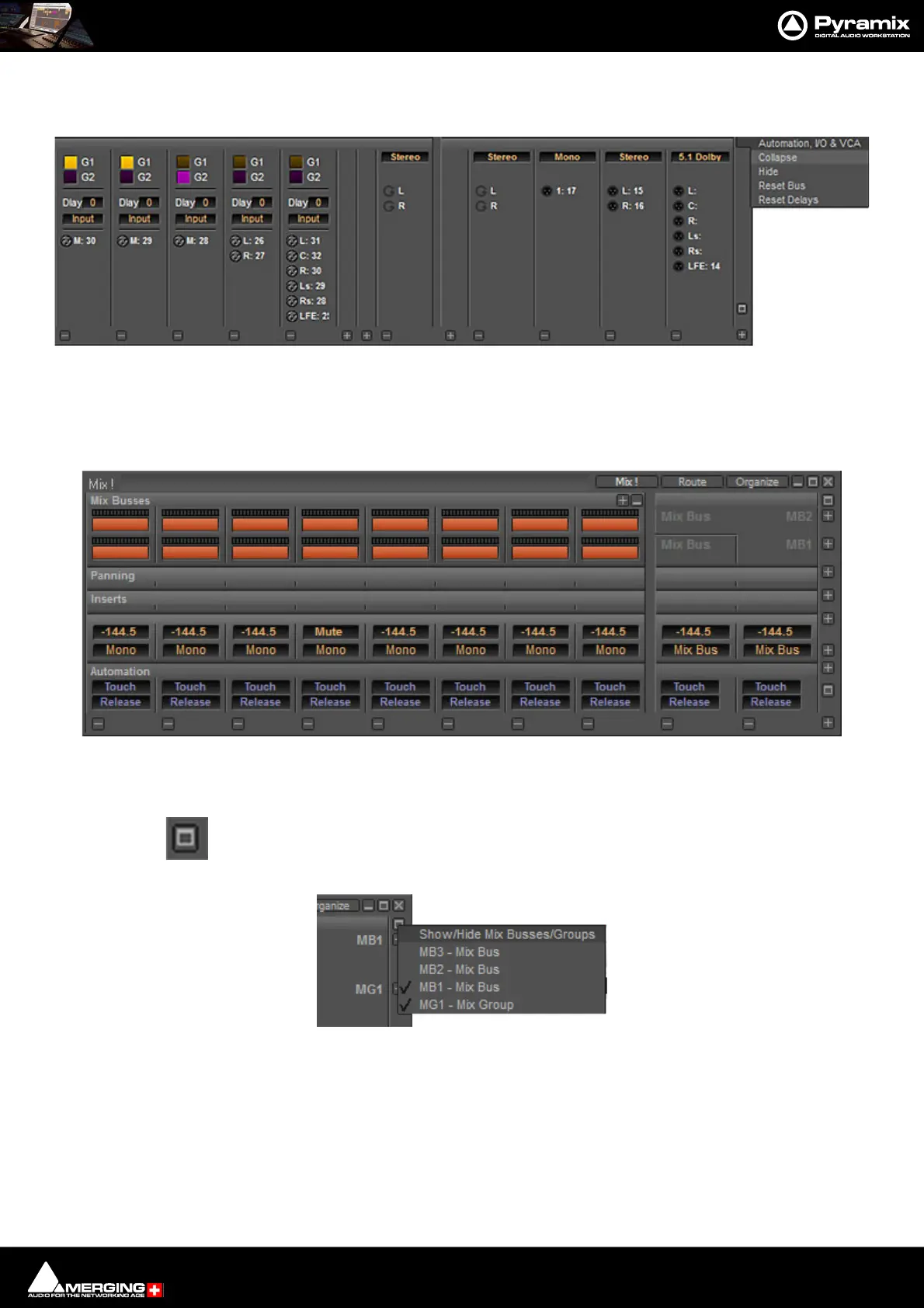
Automation, I/O & VCA This row is modal. When collapsed it shows two Automation buttons per strip.
When expanded it shows the I/O and VCA Group assignments.
Expand / Collapse Vertical
Expand / Collapse and Hide can reduce clutter by concealing unused controls. This is a simple mixer with all areas
Collapsed vertically:
The small, grey + - boxes on the right of the mixer surface toggle horizontal areas of the mixers surface shown full
size or collapsed. They also pop-up context menus when the cursor is above them. (see below)
This button near the top of the mixer on the right-hand edge pops up a Show/Hide Mix
Buses/Groupsmenu:
Ticked Bus rows are shown full height. If all Buses are hidden a single row is displayed to represent all the Buses
present in the mixer.
The individual Bus rows expand/collapse when clicked on the meter area in an Input Strip and collapse all other
bus rows.
Input, Delay & VCA Group row & Automation, I/O & VCA drop-down
Simple 8 X 2 X 1 mixer Window with all areas hidden
Show/Hide Mix Buses/Groups menu
mixer + - pop-up menus



 To Next Page