Mixer : Mixer Pages
10 - 215
Expand / Collapse Horizontal
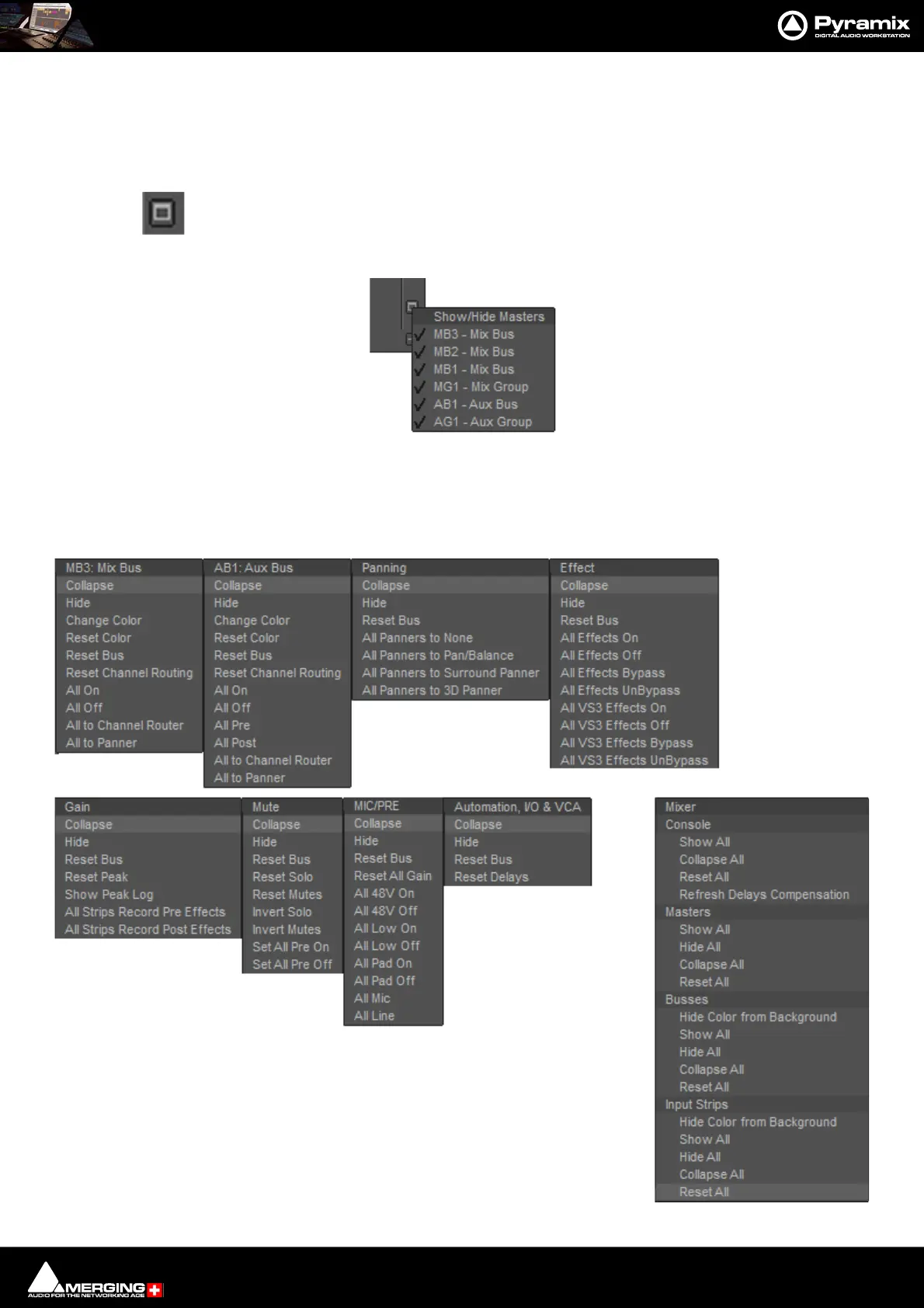
The - buttons at the bottom of each Strip collapse the strip to a narrow gray band and also pop-up a menu. The
button changes to + when the Strip is collapsed. Clicking again restores the strip to full with. Bus strips also have a
+ button to the right of the Bus label. It toggles the meters between narrow and wide. In the case of a Bus with
many channels the strip width is increased to accommodate the meters when expanded.
This button near the bottom of the mixer on the right-hand edge pops up a Show/Hide Masters
menu:
Ticked Bus Master Strips are shown. Unticked Strips are hidden.
+- Row Menus
Each + - box also pops-up a menu relevant to the row of the mixer it deals with when the cursor is above it. E.g. :



 To Next Page