Video : Video Output
21 - 523
Output Window
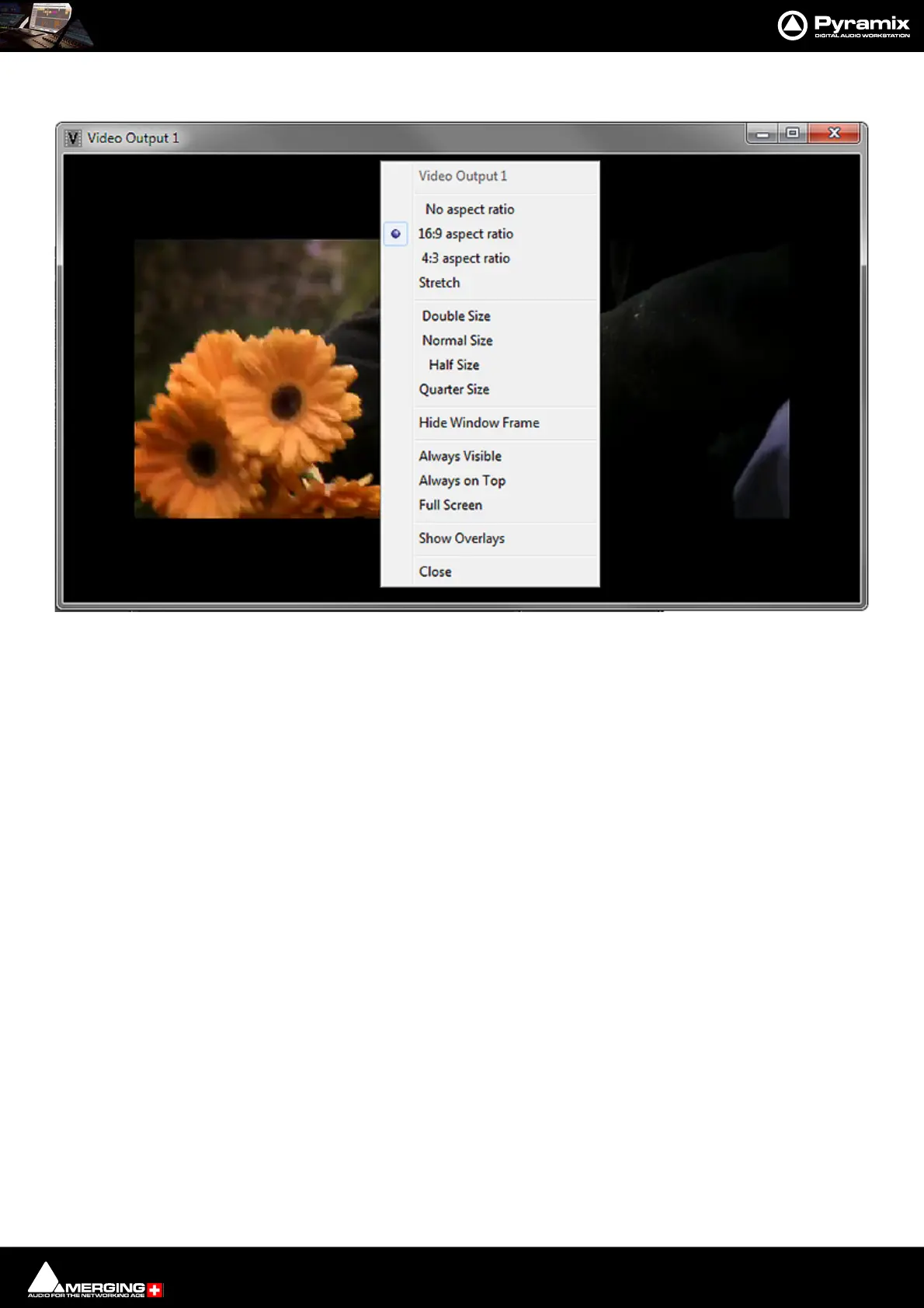
Right-clicking anywhere in the window pops-up a context menu.
Video Output 1 Information only. Shows which of the video outputs is feeding the Window.
No aspect ratio Output Window may be resized to any shape by clicking and dragging the edges/
corners.
16:9 aspect ratio The Video Output Window is fixed at 16:9 aspect ratio when resized.
4:3 aspect ratio The Video Output Window is fixed at 4:3 aspect ratio when resized.
Stretch Image is resized to fit the Video Output Window. This may result in a distorted
image.
Double Size Sets the Video Output Window size to Double. normal size.
Normal Size Sets the Video Output Window size to Normal normal size.
Half Size Sets the Video Output Window size to Half normal size.
Quarter Size Sets the Video Output Window size to Quarter normal size.
Hide Windows Frame Hides the Windows border around the video. In this mode the Video Output win-
dow can be moved by clicking and dragging and can be resized from the Right-
Click context menu to Double, Normal, Half or Quarter sizes.
Always Visible Overrides the Toggle Video Output Window function and keeps the Video Output
Window visible.
Always on Top The Video Output Window is always displayed on top of any other Windows or dia-
logs on screen.
Full Screen Displays the Video Output full screen. (On the monitor the window is on in a multi-
screen system.)
Show Overlays Toggles Overlays shown/hidden.
Video Output Window with context menu



 To Next Page