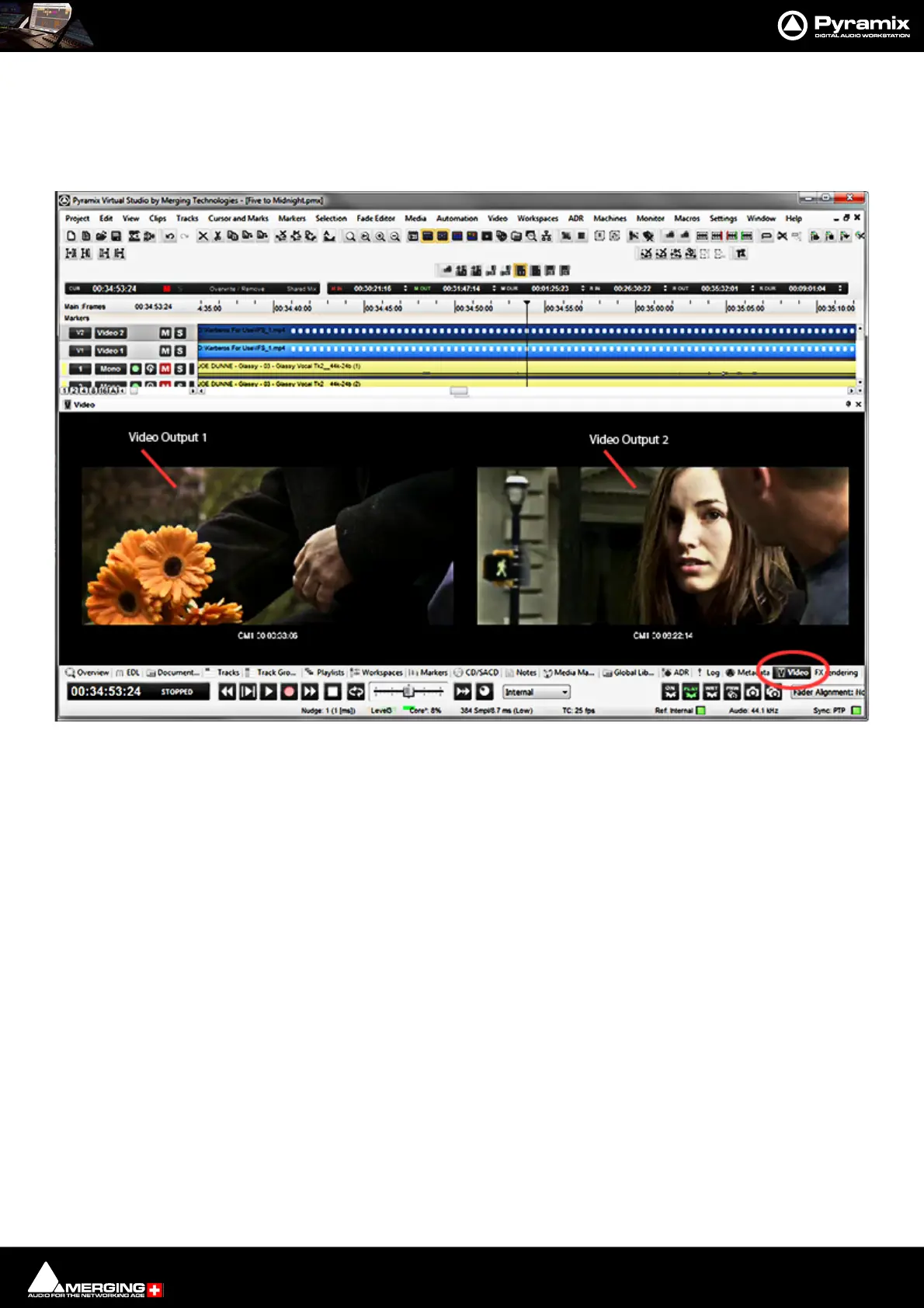
Video : Video Output
21 - 524
Overlays
Each of the Video Outputs supports independent Overlays of TimeCode, Name and Tex t. Overlays are set-up in
the Settings > All Settings > Video > Overlays page. Please see: Overlays on page 769
Video Tab
If the Video Tab is not already present it can be added by selecting View > Editor Tabs > Video.
Patched Video Outputs are displayed in condensed form. There are no controls or menus in the Video Tab.
Notes
• Video Editing: We recommend using Pro Res or DNxHD files for editing and performance purposes.
• There is no control over the video output(s) assignment (yet). Video Output 1 will be output to the first
detected Video hardware, Video Output 2 to the second, and so on. Multiple output cards are supported.



 To Next Page