Remote Control : EMC
24 - 583
EMC
Scope
EMC includes HUI and Mackie Control Support.
The following controllers are supported and validated:
• Mackie MCU in HUI and MackieControl modes
• Yamaha DM1000 in HUI mode
• Yamaha DM2000 in HUI mode
• Raditec SAC2-k in HUI mode (MackieControl is not working properly)
• Tascam US-2400 in HUI mode (US-2400 MackieControl mode is specifically configured for other DAWs
than Pyramix)
Note: Please see also: Controllers Table on page 579
Key
Valid Remote Control Support and Remote Control – Midi Enhanced Midi protocol keys are required to use EMC.
Configuration
Configuring a Remote EMC Connection
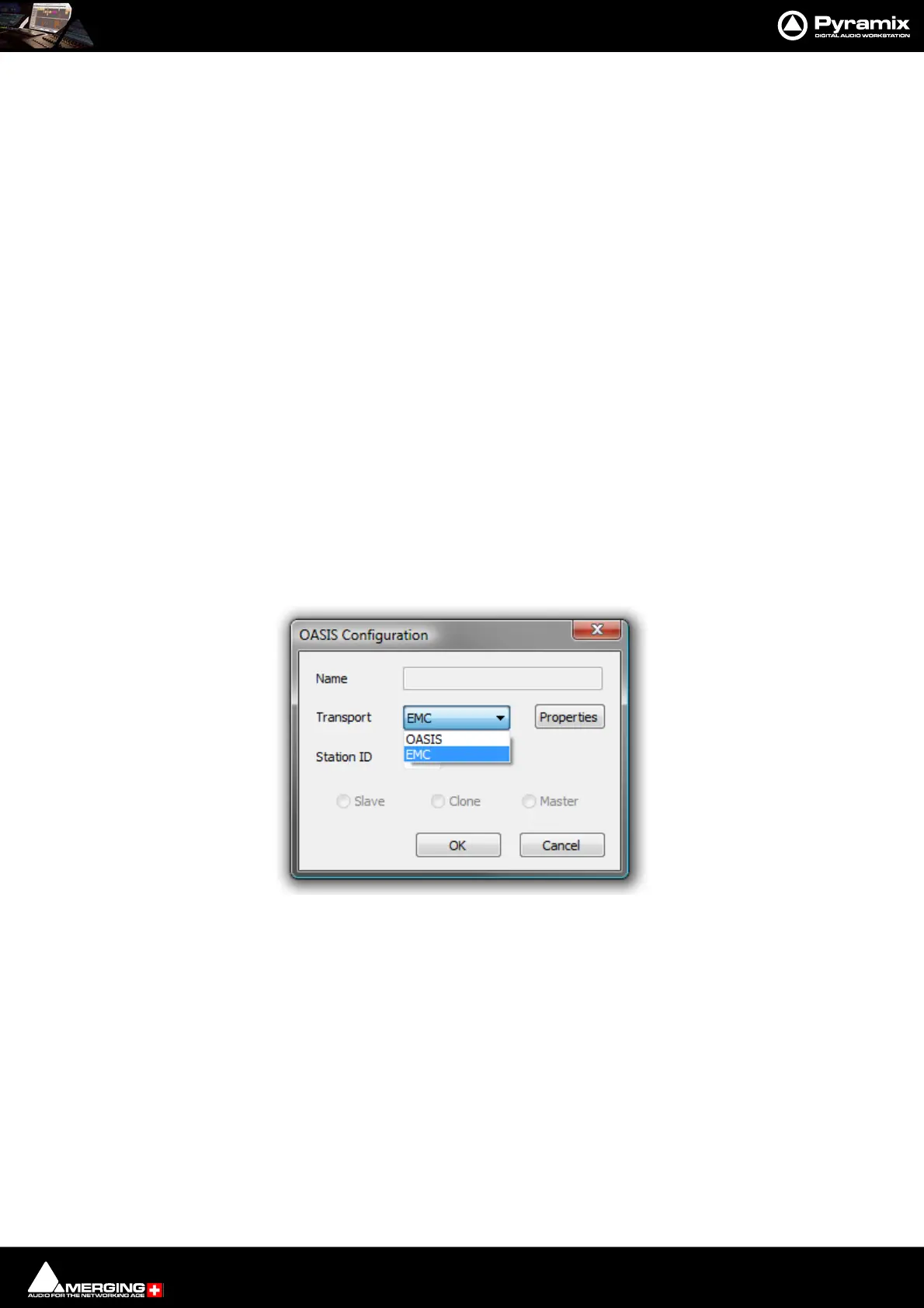
Since EMC is implemented as a subset of OASIS, to configure a remote connection, an OASIS controller must be
added in Settings > All Settings > Remote Control and then EMC must be chosen by clicking the Properties
button which opens the OASIS Configuration dialog:
Faders, Solo, Mute, Pan, Surround Panning, Auxes, Vu-Meter, Advance channel display, Strip tools,
transport (Internal and Externals machines), Bank switching and Jog are all fully supported. Please see the EMC
User Guide for full configuration details.
OASIS Configuration Dialog



 To Next Page