CD/SACD Mastering and Album Production : Album Publishing
26 - 612
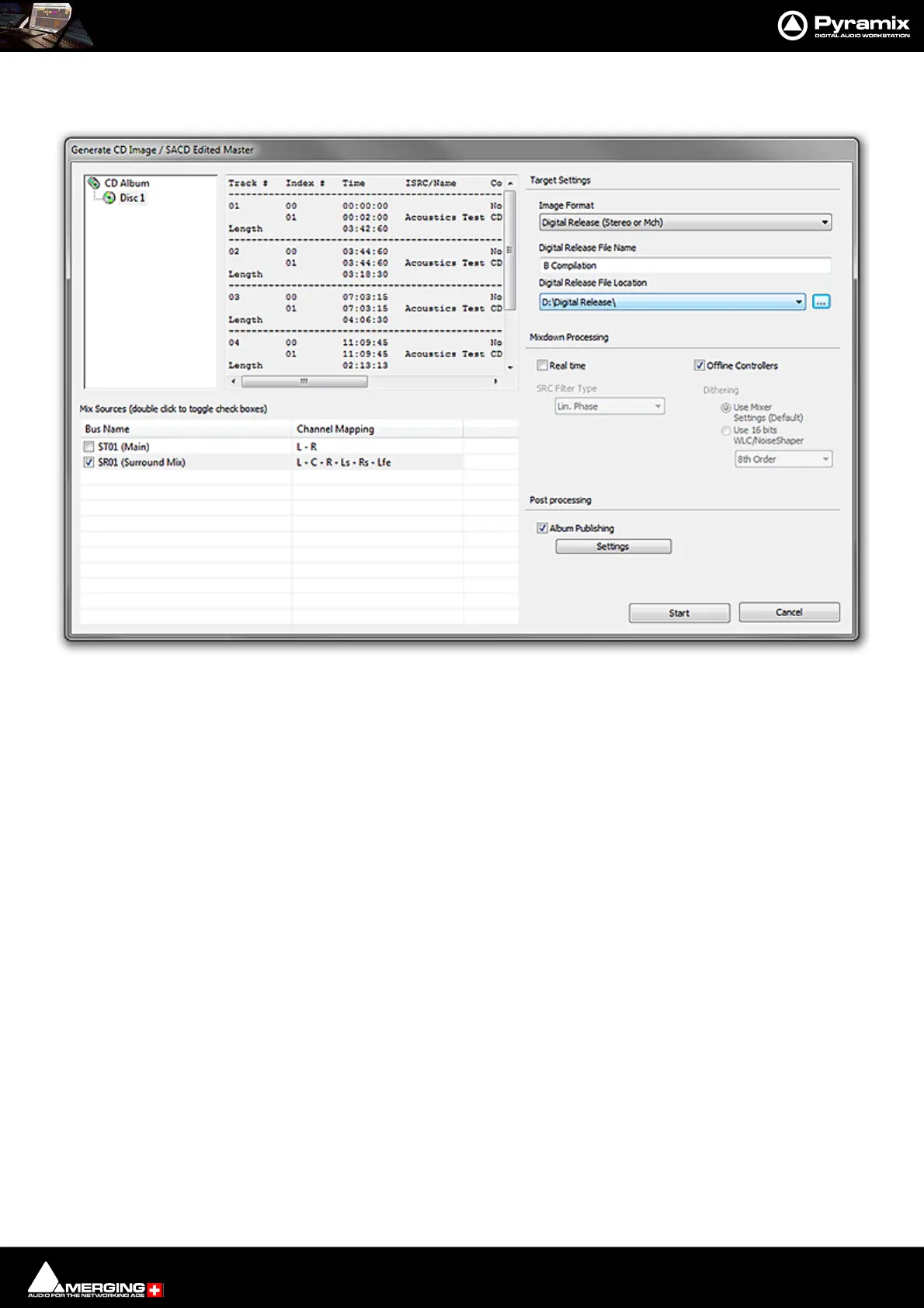
Various items in the Generate CD Image / SACD Edited Master window change to reflect the Digital Release selec-
tion:
Target Settings
Image Format
Digital Release (Stereo or Mch)
Note: Multichannel only possible when supported by the target format.
Digital Release file Name
The file has the same name as the CD Album by default. Type an alternative in the field if required.
Image Location
Click on the down arrow to choose a folder (mounted currently) where the file will be written. Or click on the ...
button to open the Choose a media folder to mount dialog.
Note: The Image file is retained. If you wish to delete it, use a Windows file browser to navigate to
the location chosen and delete the file.
Mix Sources
Double clicking the box on a Mix Source toggles it active or inactive. Only one bus may be selected at a time. If a
multi-channel bus is selected a drop-down offers a choice of channel mappings.
Mixdown Processing
Real Time
Tick the box if you want to generate in real time or if you wish to listen to the output while the image is being gen-
erated.
Generate CD Image / SACD Edited Master : Digital Release (Stereo or Mch)



 To Next Page