Media Management & Libraries : Media Management Tab Window
4 - 63
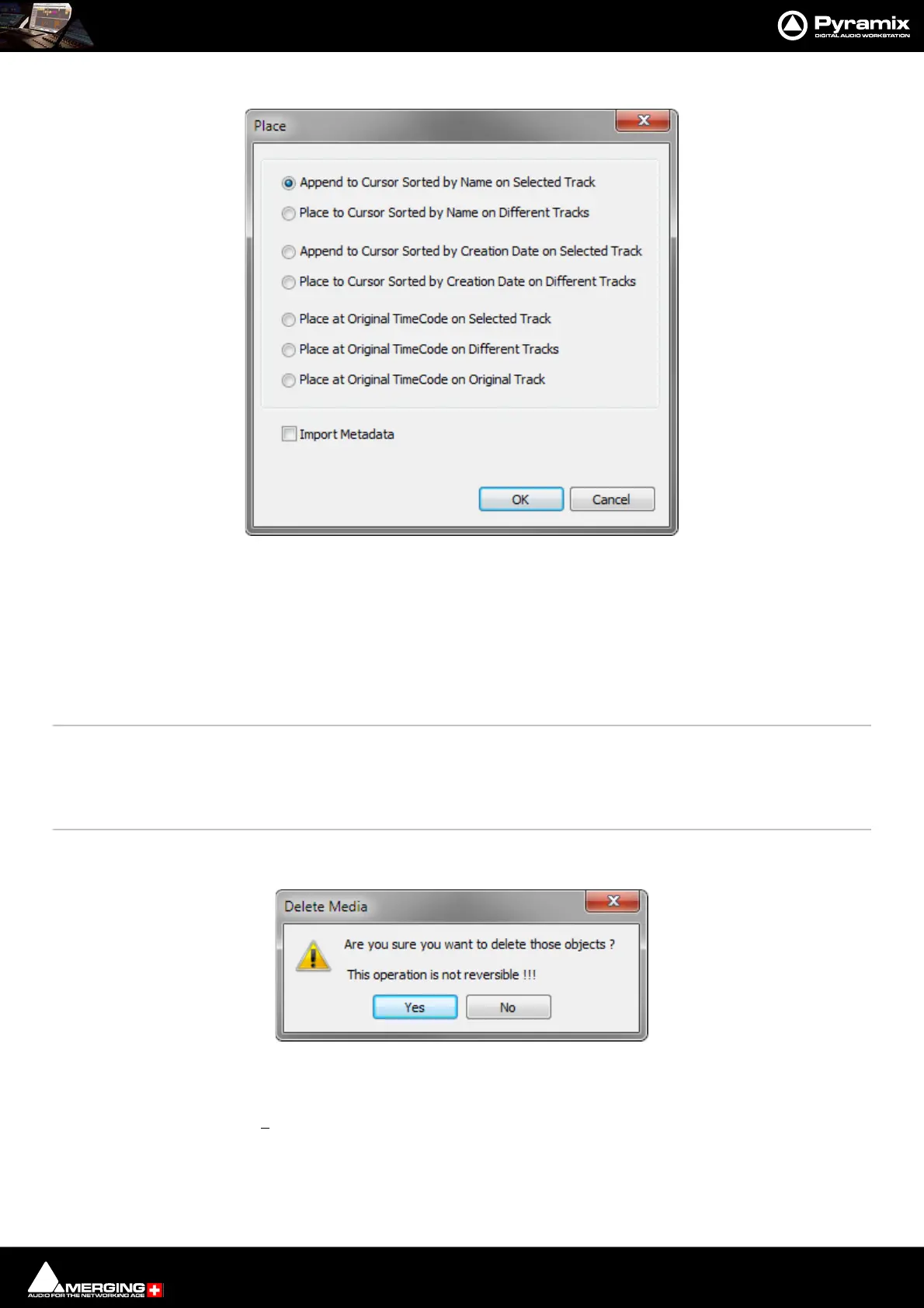
Place (Ctrl + P) Opens the Place dialog:
The selected object(s) will be placed in the Timeline according to the rule chosen here.
The selected object will be placed in the timeline on the selected Track and Playhead Cursor position at its Sync
Point or, if no Sync Point has been set, at its In Point.
Import Metadata when checked, Metadata in a BWF file will be imported into the Metadata Tab window when
you click on OK as well as the chosen Place action.
Placement Tool Opens the Placement Tool for placing the object. Please see: The Placement Tool on
page 194
Locate Selects the first instance of the current object in the Timeline and positions the Playhead
Cursor at the start of it.
Show Usage Selects all instances of the current object in the Timeline and zooms to make them all vis-
ible.
Delete Media Deletes the selected MasterClip(s). A confirmation dialog pops-up when this option is
chosen:
Clicking on Yes DEL ET ES the Media File(s), No cancels.Deletes the selected Master Clip
and Associated Media Files
Important! De
lete Media does what it says. This command:
PERMANENTLY REMOVES AUDIO (and its associated Waveform file(s) from the drive.
Collect Selected Media to current Project Media Folder
Media Management Edit menu Place dialog
Delete Media confirmation dialog



 To Next Page