Settings : Remote Control
29 - 760
Settings
Inhibit Video Record
When checked prevents record arming of video in order to ensure video cannot be accidently overwritten.
Pre Roll
Shows the current Pre Roll time for the external machine. Type in the box to change the value.
Post Roll
Shows the current Post Roll time for the external machine. Type in the box to change the value.
Driver Properties
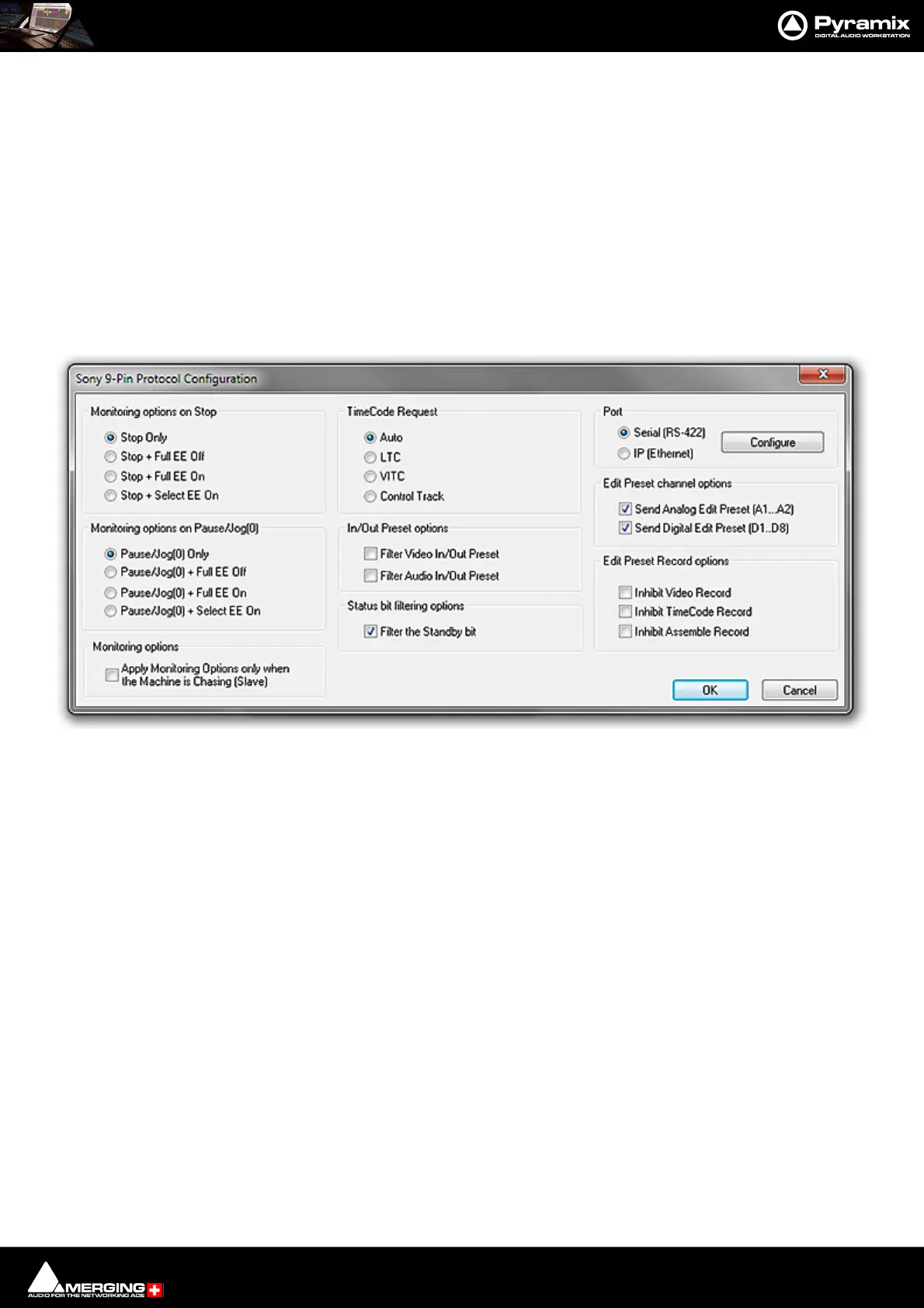
Sony 9-Pin Protocol Configuration (Machine)
This dialog determines Monitoring Options on Stop, Monitoring Options on Pause/Jog, Preset Channel and
Record Options the type of TimeCode Request, In/Out Preset options and gives access to the Serial Port con-
figuration dialog.
Port
• Serial (RS422) Select this option if the connection uses conventional 9-pin cabling
• IP (Ethernet) Select this option if connecting to remote Pyramix or VCube machine(s) using Sony P2 over
IP.
Configure
Clicking the Configure button (Serial (RS-422 only) opens the configuration dialog.
Sony 9-Pin Protocol Configuration dialog



 To Next Page