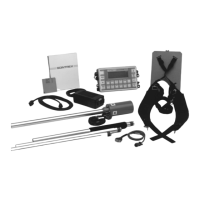
ENVI-MAG Manual A-iii
Table of Contents
Setting-up the ENVI-MAG .............................................. A4-1
First time operation ........................................................ A4-1
Cold Boot ....................................................................... A4-2
Configuration menu ......................................................... A4-3
General setup principles ................................................. A4-4
How to:.............................................................................. A4-5
Access the main operating display .................................... A4-5
Access display sub-panels/blocks ...................................... A4-5
Access the parameter fields ............................................ A4-5
Change parameters......................................................... A4-5
Select! and Enter! ........................................................... A4-6
Select! ..................................................................... A4-6
Enter! ...................................................................... A4-6
Line and Station setup.................................................... A4-7
Entering the starting station ........................................... A4-8
Entering the starting line................................................. A4-8
Basic Mode ....................................................................... A4-9
Sample total-field setup................................................... A4-9
Search Mode .................................................................. A4-11
Sample search mode setup ............................................ A4-11
Advanced Mode .............................................................. A4-12
Instrument setup.......................................................... A4-12
Sample total-field setup
(WALKMAG or WALKGRAD) ........................................... A4-14
Sample stop-and-go gradiometer setup .......................... A4-17
Sample base-station setup ............................................ A4-20
Information display ........................................................ A4-23
Note entry.................................................................... A4-25
Display intensity control ................................................ A4-27
Parameter lock ............................................................. A4-28
Reprogramming the operating system ............................ A4-29
At the computer ..................................................... A4-29
At the ENVI-MAG .................................................... A4-29


 To Next Page
 Loading...