161
LOGO! Manual
A5E00380835-01
4.4.11 Weekly timer
Short description
The output is controlled by means of a configurable on/off
date. The function supports any combination of weekdays.
You select the active weekdays by hiding the inactive days.
Note
Because the LOGO! 24/24o does not have a real-time
clock, the weekly timer function is not available for this ver-
sion.
Symbol in
LOGO!
Wiring Description
Cam
parameters
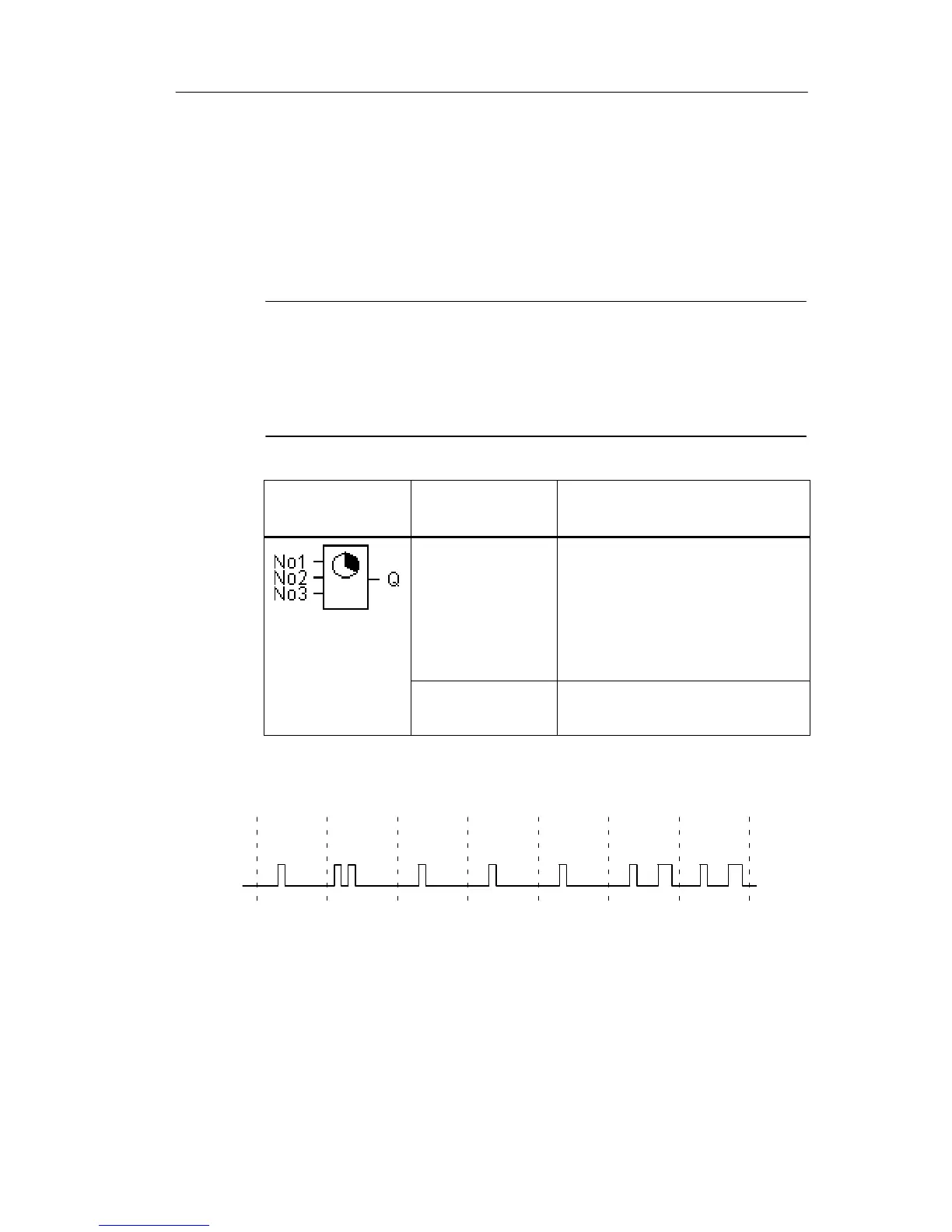
No1, No2, No3
At the Cam parameters, you
set the on- and off-times of
the weekly timer for each
Cam switch. Here you also
configure the days and the
time-of-day.
Output Q Q is set when the config-
ured cam is actuated.
Timing diagram (three examples)
Monday Wednesday
Tuesday Saturday
Friday
Thursday
Sunday
Q
1
Cam
13
1
231111
Cam No1: Daily: 06:30 h to 08:00 h
Cam No2: Tuesday: 03:10 h to 04:15 h
Cam No3: Saturday and Sunday: 16:30 h to 23:10 h
LOGO! functions







 To Next Page