LOGO! Manual
A5E00380835-01
24
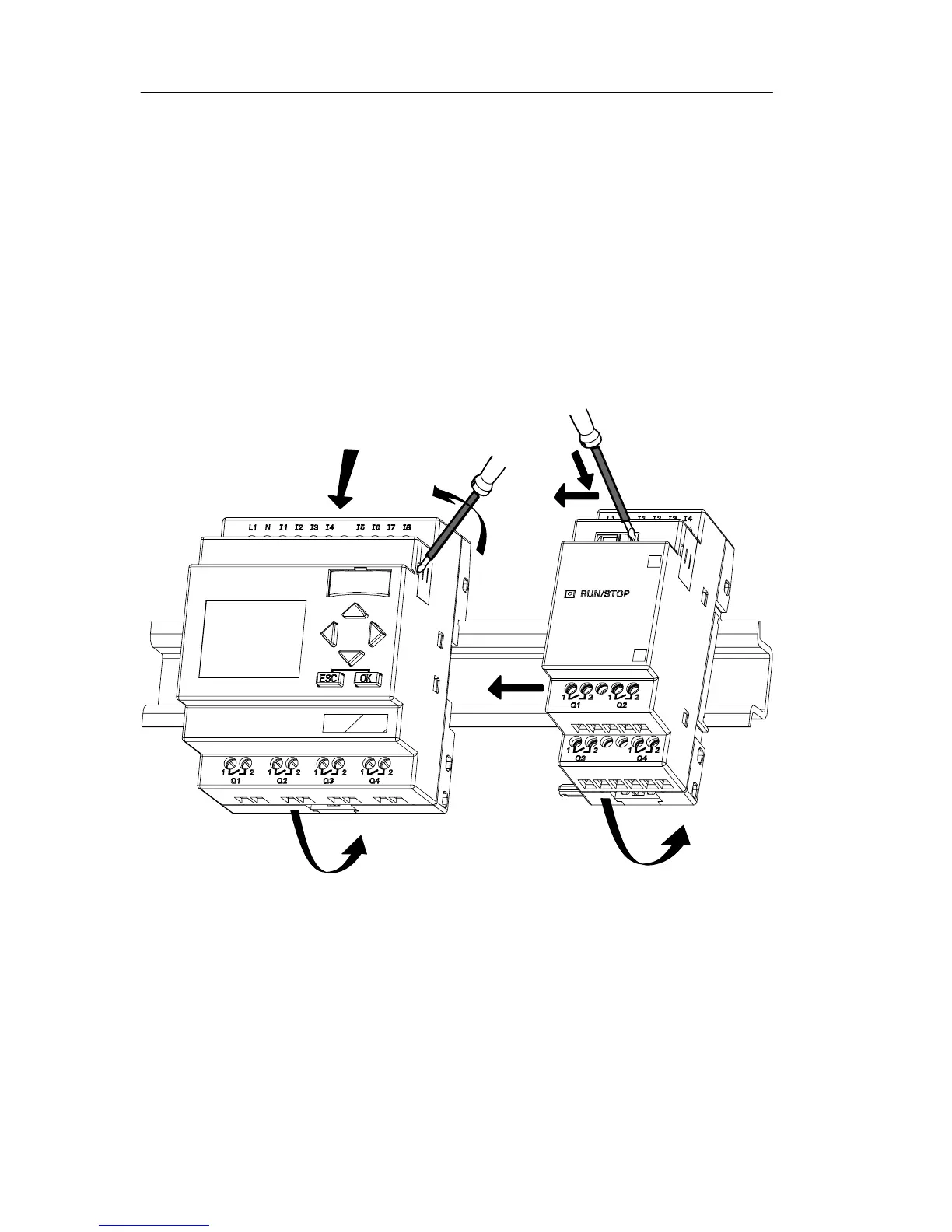
2.2.1 DIN rail mounting
Mounting
How to mount a LOGO! Basic and a digital module onto a
DIN rail:
LOGO! Basic:
1. Hook the LOGO! Basic module onto the rail and
2. then push down the lower end to snap it on. The
mounting interlock at the rear must engage
1
2
3
4
5
6
LOGO! digital module:
3. On the right side of the LOGO! Basic/LOGO! expansion
module, remove the connector cap
4. Place the digital module onto the DIN rail on the
right-hand side of the LOGO! Basic
5. Slide the digital module towards the left until it contacts
the LOGO! Basic
LOGO! installation and wirin







 To Next Page