251
LOGO! Manual
A5E00380835-01
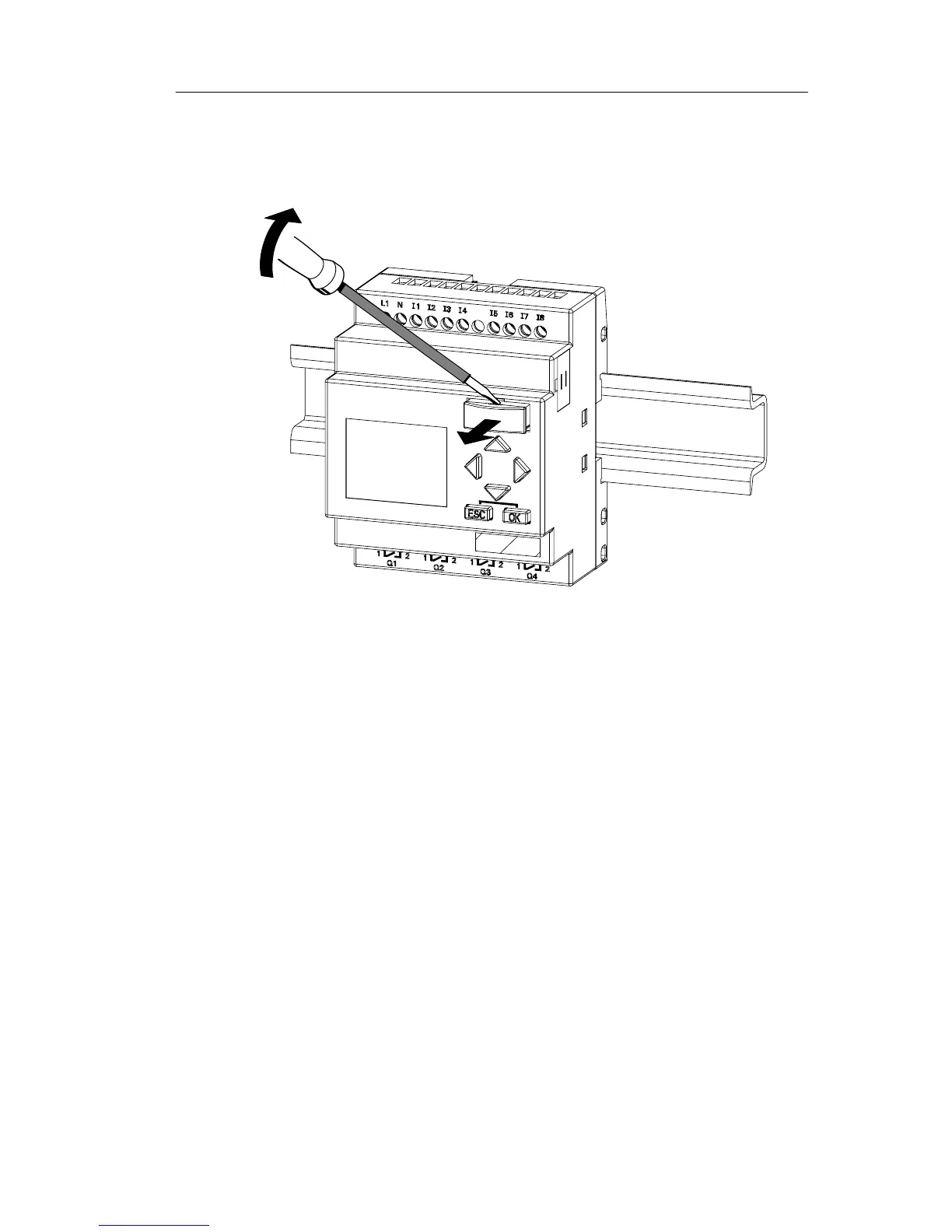
Removing the program module (card)
To remove the program module (card):
Carefully insert a screwdriver into the groove on the upper
end of the program module (card) and lever the module
partially out of the slot.
You can now remove the program module (card).
Inserting a program module (card)
The entry of the program module (card) slot is chamfered
on its bottom right. The edge of the program module (card)
is chamfered accordingly. This encoding prevents you from
inserting the program module (card) the wrong way round.
Insert the program module (card) into the slot and push it in
until it engages.
LOGO! program module (card)







 To Next Page