EasyManua.ls Logo

Siemens LOGO! - D LOGO! Menu Structure

Siemens LOGO!
332 pages
Print Icon
To Next Page IconTo Next Page
To Previous Page IconTo Previous Page
Loading...
309
LOGO! Manual
A5E00380835-01
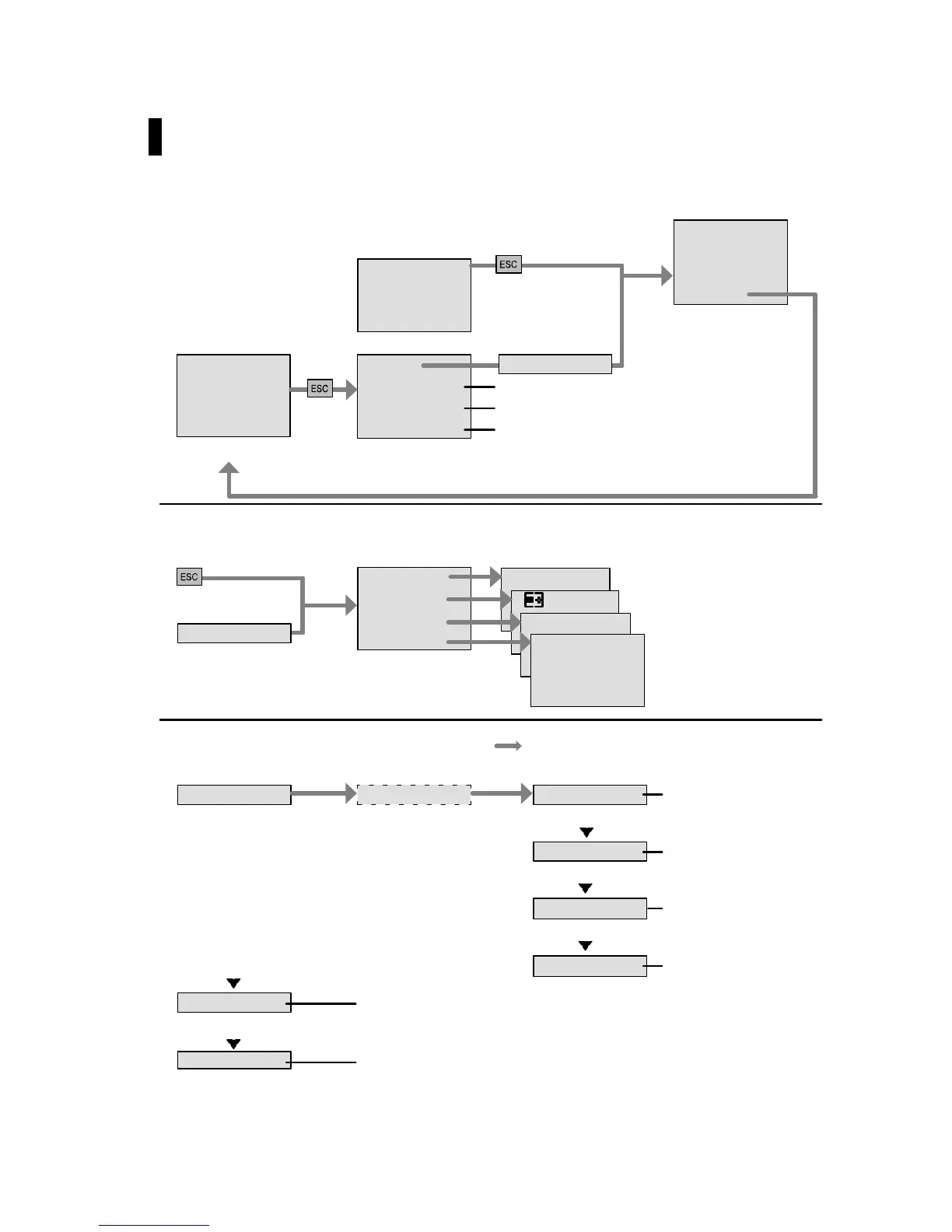
D LOGO! menu structure
>Stop
Set Param
Set..
Prg Name
>Program..
Card..
Setup..
Start
Menu overview
See “Main menu”
Mo 09:00
2005-01-27
See “Start menu“
Press ESC
No Program
Circuit program is
busy (RUN)
No Program
Parameter setting (Chapter 5.1.1 cont.)
Default values setting (Chapter 5.2 cont.)
Display of the program name
>Program..
Card..
Setup..
Start
>Yes
Parameter assign-
ment menu
Main menu (ESC / >Stop)
See “Programming menu”
>Edit..
> –>Card
>Clock
See “Transfer menu”
See “Setup menu”
See “Start menu“
>Stop/>Yes
Mo 09:00
2005-01-27
Programming menu (ESC / >Stop >Program)
>Edit..
>Clear Prg
>Password
>Edit PrgPassword?
Editing the program
(Chapter 3.7 cont.)
>Edit Name
>AQ in Stop
Editing the program
name (Chapter 3.7.4)
Selecting analog
output values
(Chapter 3.7.11)
Deleting the program
(Chapter 3.7.12)
Input/change of pass-
word (Chapter 3.7.5)
>Memory?
Show available
memory space
(Chapter 3.8)

Table of Contents

Other manuals for Siemens LOGO!

Related product manuals