Network eManager®
Connection Entry for Dial-up
Strata CIX Programming Vol.1 12/09 2-65
6. You must leave the Phone number empty, the phone number will be configured later in the Network eManager
equipment profile. Click on Next.
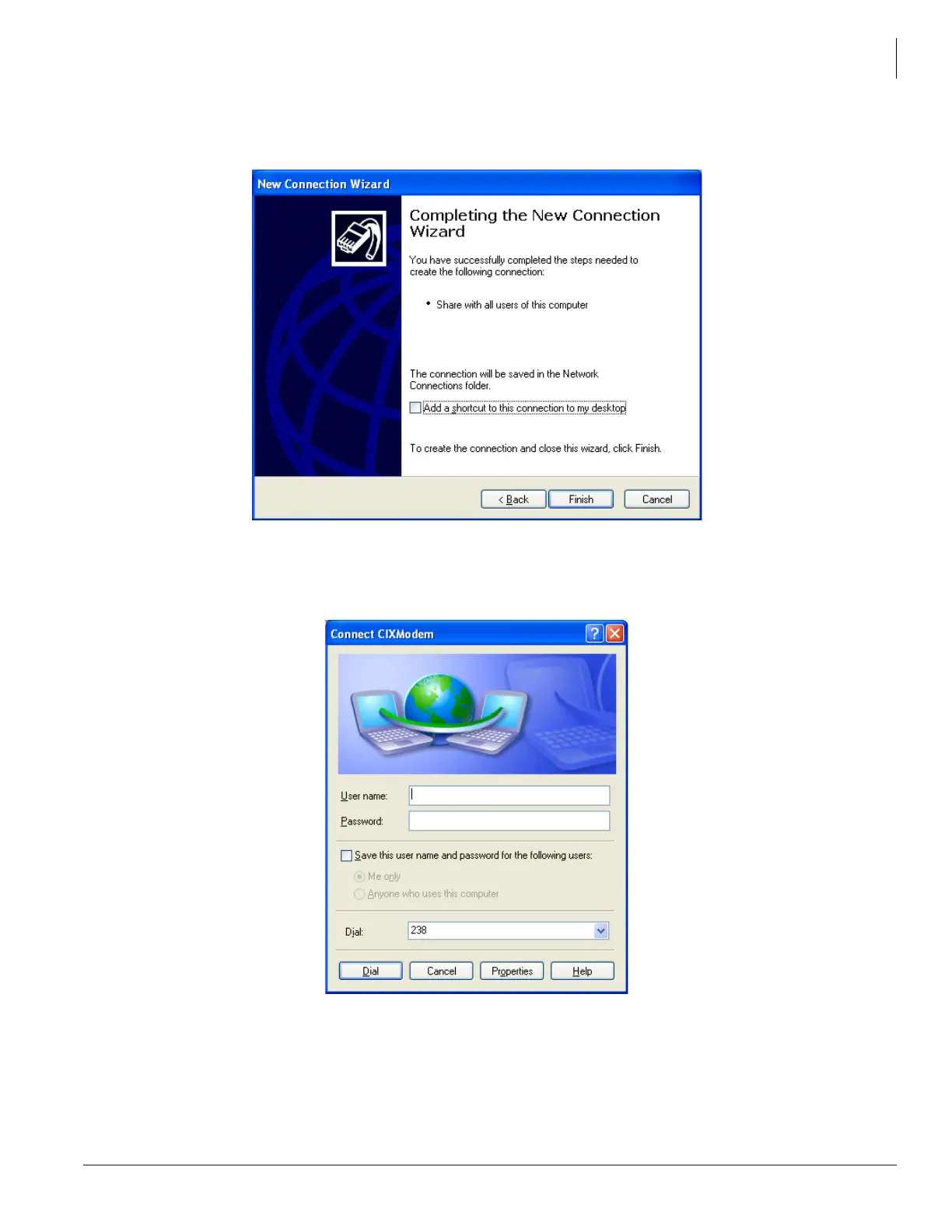
7. Do not click on the ‘Add a shortcut’ box.’ Click Finish, it will create the new entry and pop up the Connect
dialog.
8. Do not make any entries in this dialog box. Click on Properties to continue with the setup:



 To Next Page