Network eManager®
Connection Entry for Dial-up
2-66 Strata CIX Programming Vol.1 12/09
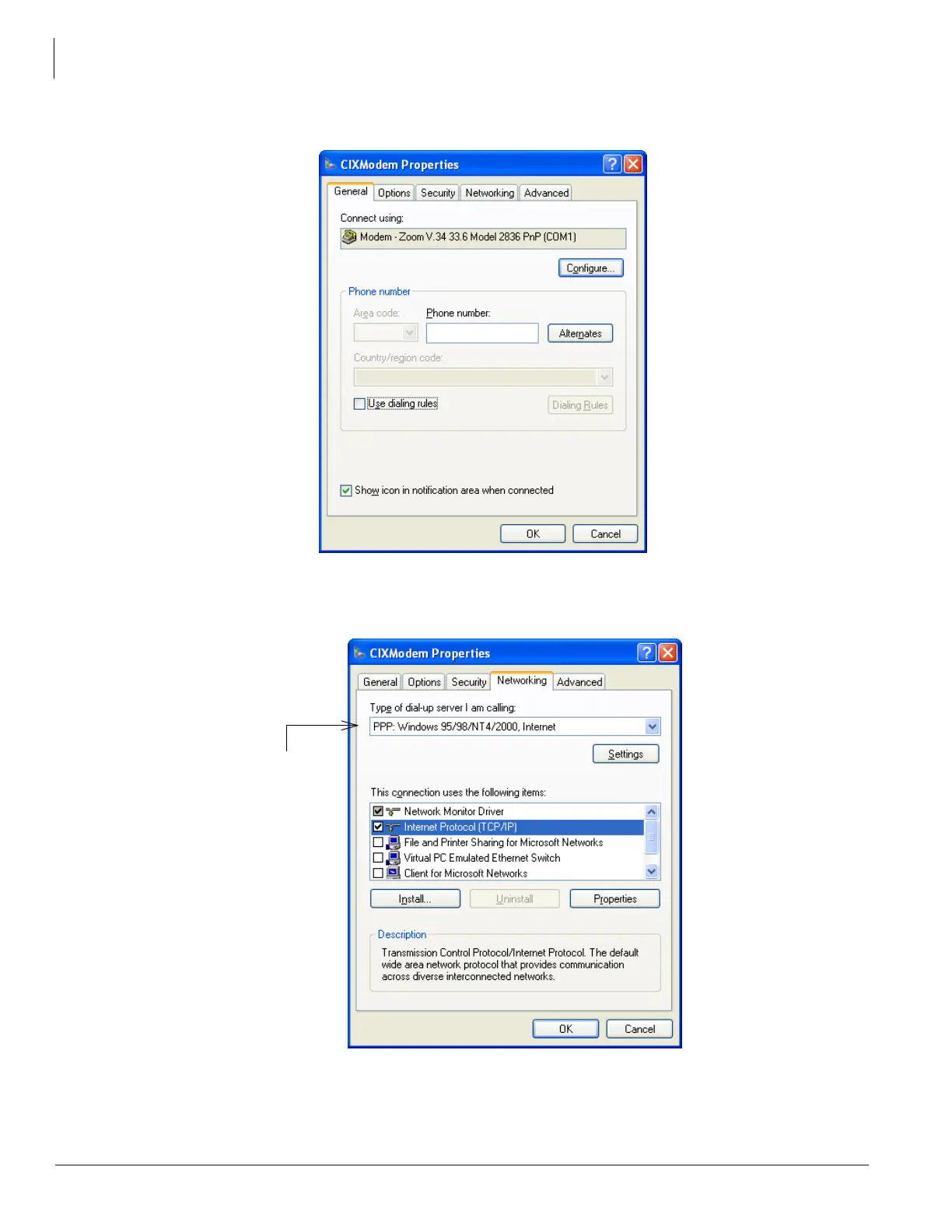
The CIXModem Properties dialog box will open.
9. Select your modem and configure if necessary, otherwise leave the default values for other fields including the
Options Security and Advanced tabs. You must leave the Phone number empty for now. The phone number
will be configured later in the Network eManager equipment profile. Click on the Networking tab.



 To Next Page