Data Backup and Restore
Remote (Network eManager) Software Update
Strata CIX Programming Vol.1 12/09 14-13
Update the System Software
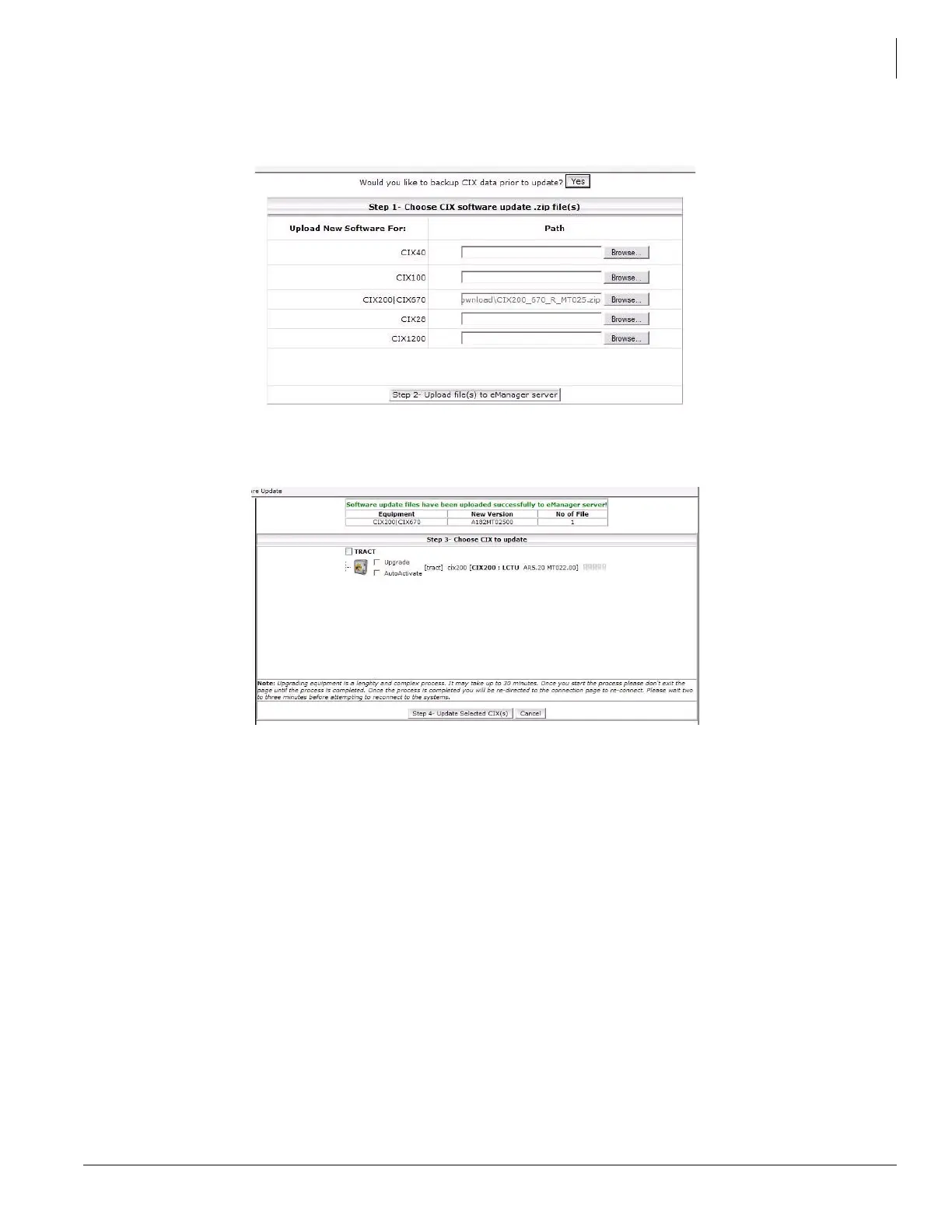
7. Use the Browse button to open the folder with update file downloaded from the FYI web site.
8. Click on the Step 2 - Upload file(s) to eManager server button.
9. Click to check-mark the Upgrade and AutoActivate boxes.
Note Calls will drop during the database restore process. Depending on system size this may that several
minutes.
10. When the Connect to Client screen appears; Wait until the telephones connected to the system reset
(this may take approximately 30 minutes).
11. Connect to the system to verify the equipment version.



 To Next Page