Network eManager®
Features of Network eManager
Strata CIX Programming Vol.1 12/09 2-29
Network eManager®
Example 1
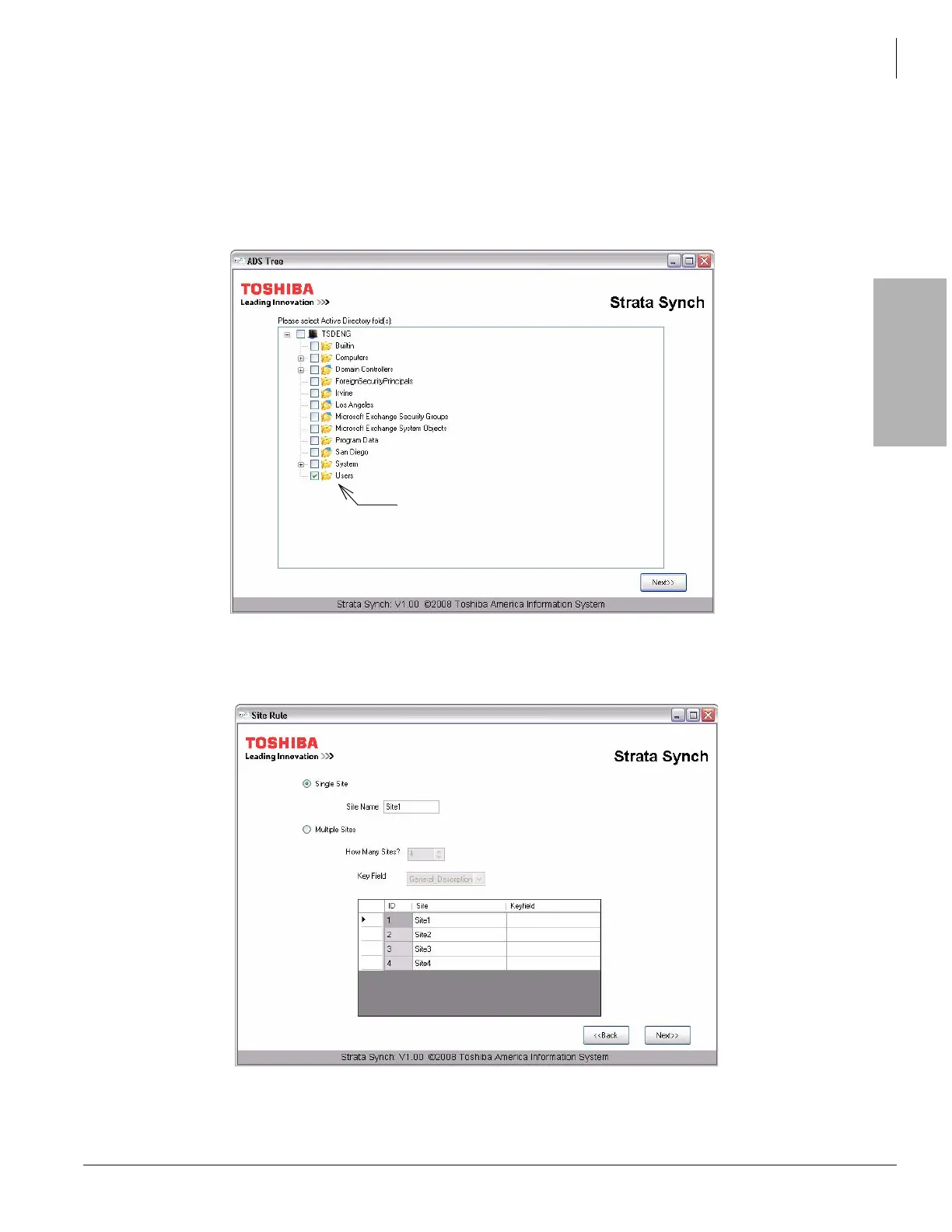
1. After a successful login, Strata Synch connects to the Active Directory Server and displays a real-time view of
all the folders or organizational units from the Active Directory Users and Computers screen as shown here.
From this screen, the technician or Network Administrator can select multiple folders from which to export
users. From our previous case example where there is only one CIX system and all the users are stored in the
default users folder, the technician can simply select the Users folder.
2. Click the Next button and the site configuration dialogue box appears. Because our first example is for a single
node CIX system, select the default single site as shown here. The Site Name field value is user configurable.
The value for this field is used for the file name of the export file.
Click to check-mark the Users folder
to use this folder for the export.



 To Next Page