Network eManager®
Features of Network eManager
2-40 Strata CIX Programming Vol.1 12/09
With a file uploaded the following functions are available:
- Delete – Deletes the uploaded XML file.
- Ongoing Change – see “Ongoing Change” later in this section.
- Initial Install – Used to import the first file into the system database. This function allows the
technician to load all of the station data without the need to manually enter all the station names into
the CIX system database.
Note Strata Synch assumes that there are no users in the system database, not even the default
extensions created on first power-up. If there are any station cards in the system during the first
power-up and the CIX system creates the default extensions, they must be removed so the
resources can be freed from the xIPU cards to be used by the Strata Synch application. Do not use
the Strata Synch application on a Strata CIX system that already has an existing database.
If this is a new installation (no system data saved) click the Initial Install button.
Note If using multiple XML files:
1. Select one XML then, select Initial Install.
2. Select the next XML file and select Ongoing Change.
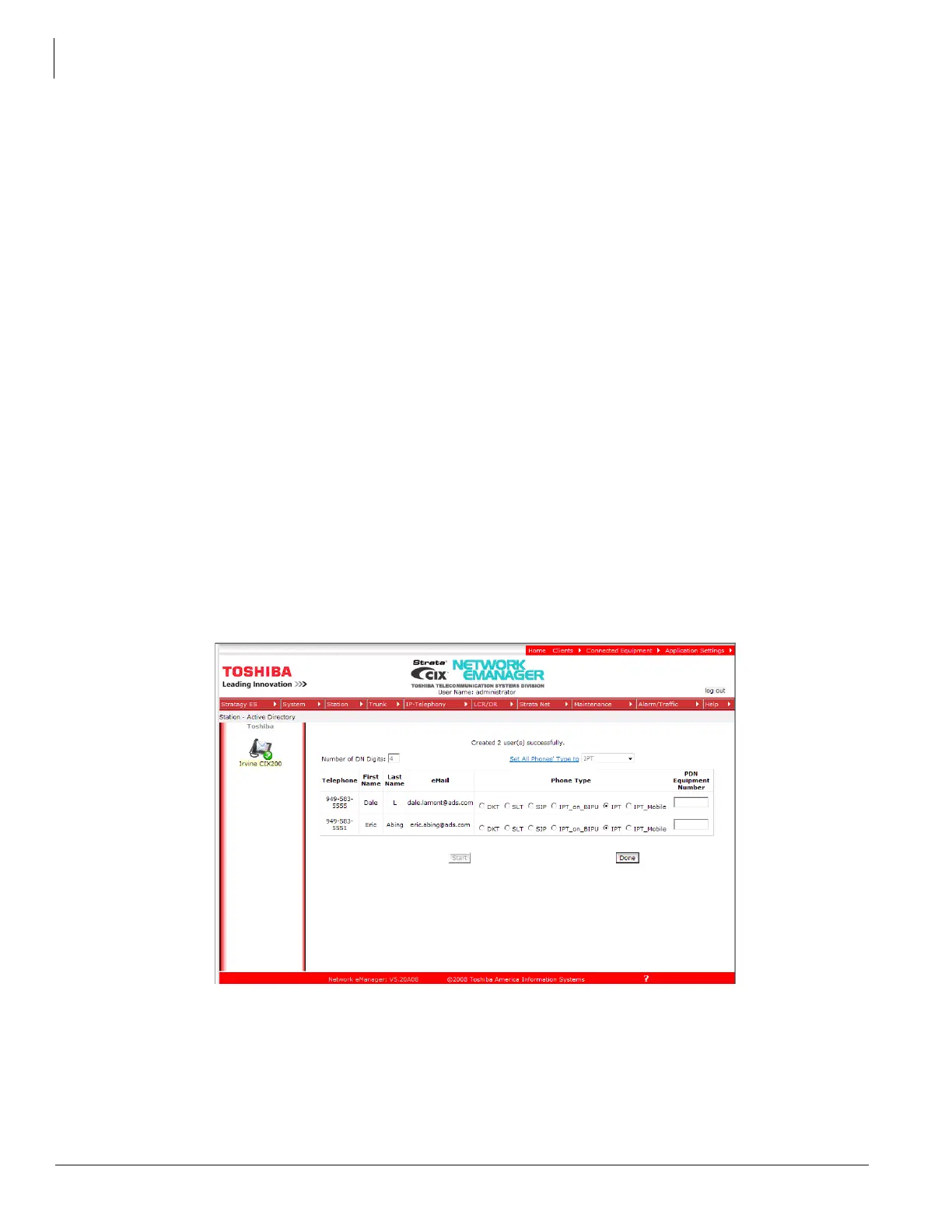
• Clicking Initial Install displays the screen shown here. Notice that the XML file has been parsed and
Network eManager displays the following information extracted from the XML file:
• Telephone number
• First Name
•Last Name
• eMail Address
When the XML file has been parsed, the technician can select the station type of each DN. By default, all the
extensions are created as DKT-type. Select the type of phone all of the extensions by clicking on the drop-down
box to select the correct phone type and then clicking the Set All Phones Type to command. In the example given
above the two extensions were set to be IPTs.



 To Next Page