Network eManager®
Network eManager Data Import/Export Features
Strata CIX Programming Vol.1 12/09 2-57
Network eManager®
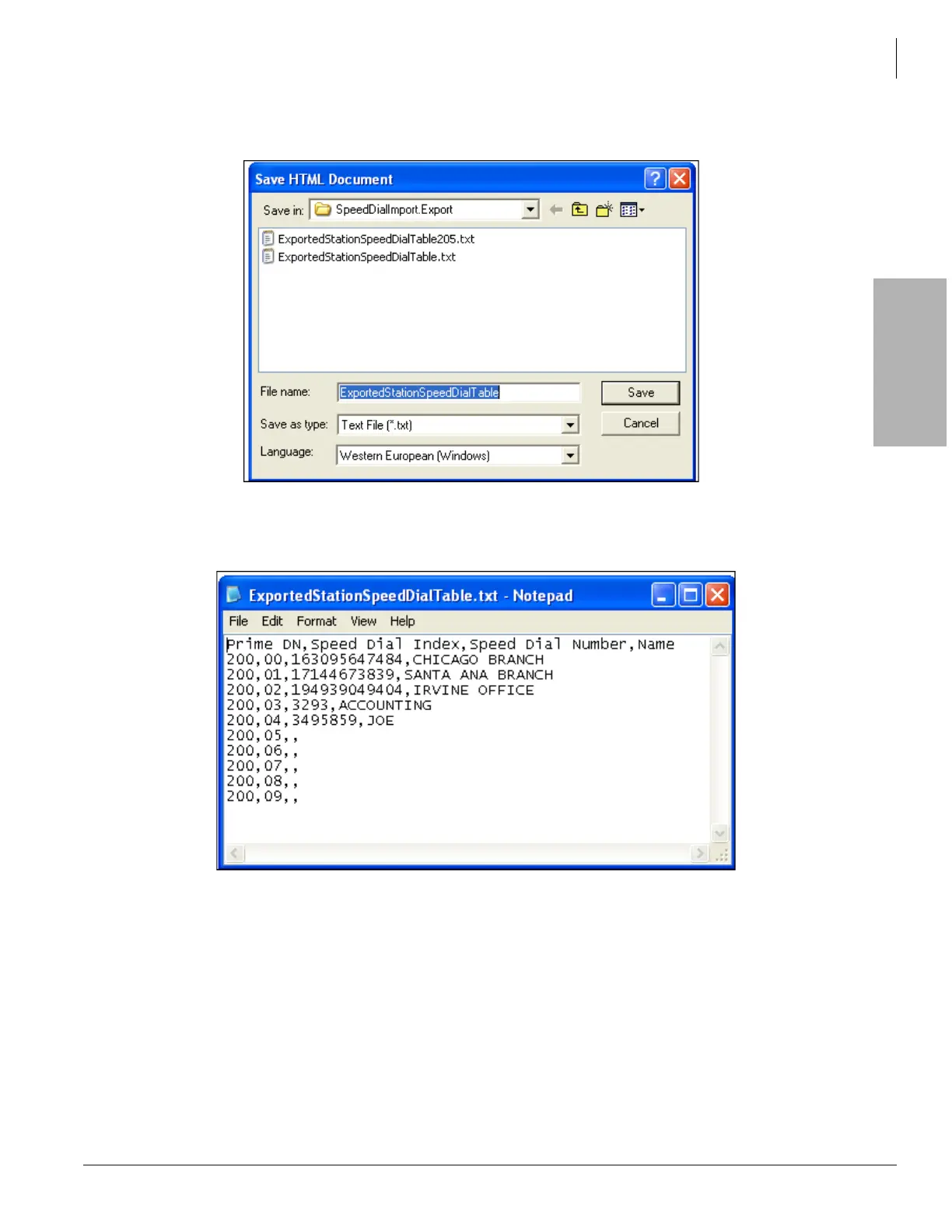
4. Select or create the folder where the station speed dial assignment file for station 200 will be saved,
then click Save. This will save the station speed dial names and numbers as a CSV text file.
5. Make sure that station 205 has speed dial number memory assigned in Program 200-35.
6. Open the exported station 200 speed dial CSV text file saved in Step 4, using Word Pad.



 To Next Page