Automatic files saving
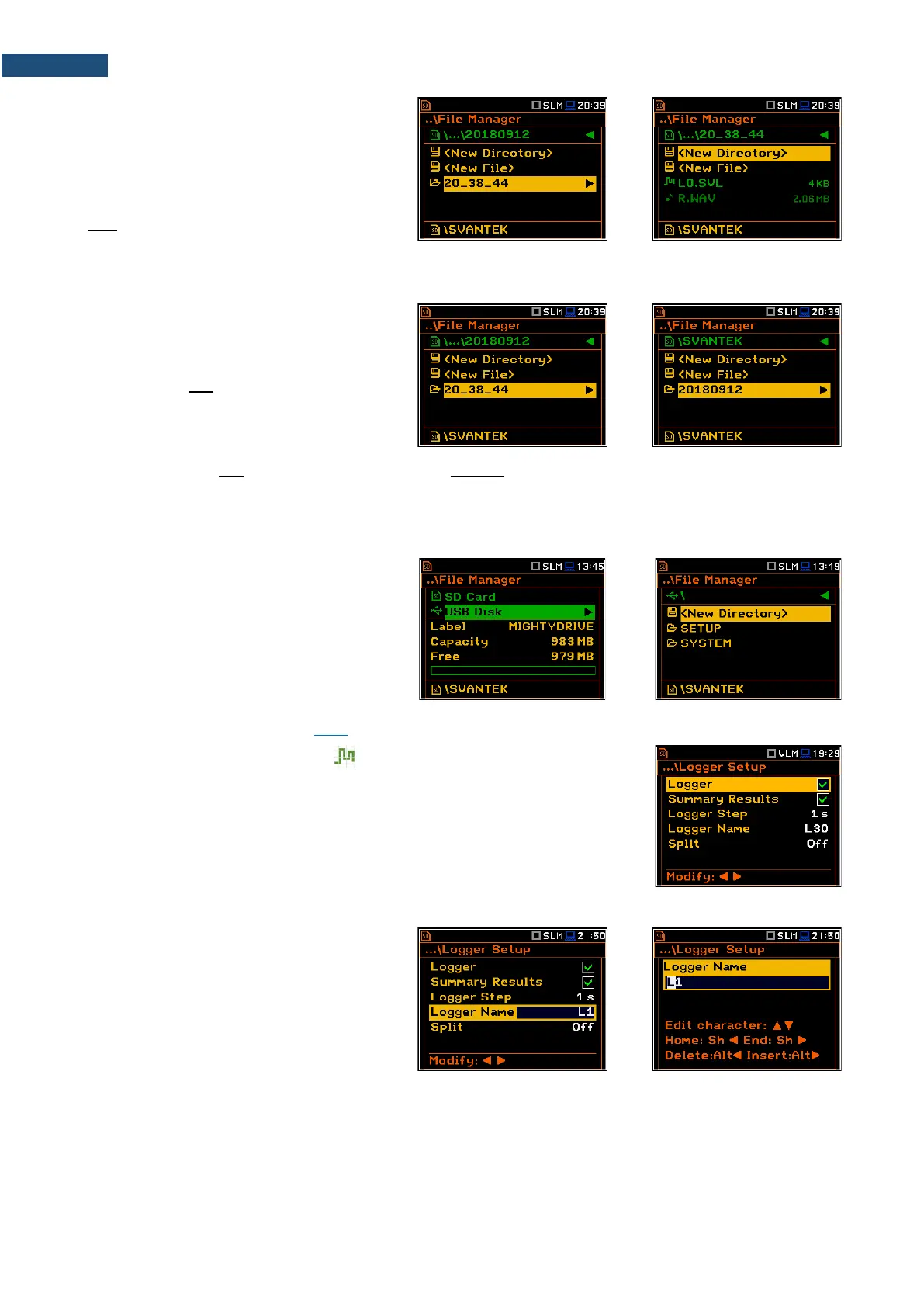
Logger files and wave files (SVL and WAV)
are always saved automatically in the
directory, which is created each time you
press the <Start> key or start measurement
remotely. The name of the measurement
time directory is: hh-mm-ss, where hh is an
hour, mm is a minute and ss is a second of
the measurement start.
You can open this directory with the ► key.
The measurement directory is created in the
parent directory, which is created
automatically when you perform the first
measurement on this day. The name of the
measurement day directory is: YYYMMDD,
where YYYY is a year, MM is a month and
DD is a day of the first measurement.
The measurement day directories are created in the working directory, which can be of predefined SVANTEK
name or can be created by the user with the user name.
The working directory is displayed in the bottom line of the File Manager screen together with the memory icon.
Directories are created manually with the use of <New Directory> position.
If you wish to save files on the USB disc:
• enter the USB Disc catalogue
system,
• select the pre-defined SYSTEM
catalogue or create new catalogue
and
• make the selected catalogue as a
working one (see Chapter 6.1.1).
Automatic logger files saving ( )
Files which contain the logger data are saved automatically in the SD Card or
USB Disk memory with an extension SVL and the mechanism described above.
To enable automatic saving next conditions should be fulfilled:
• SD card or USB disc should be inserted and there should be enough
space for new files.
• The Logger (path: <Menu> / Measurement / Logging / Logger Setup)
should be switched on.
The logger file name may have up to 8
characters and is shown in the
Logger Name position (path: <Menu> /
Measurement / Logging / Logger Setup).
The default name for the logger files is “L”.
You can change the file name in the special
screen, which is opened when you select the
Logger Name position and press the ◄ / ►
key.
Since every logger file is saved in the special directory as described above there will never be a conflict of the
same names, so you can always save new measurements to the files with the same names. But if you don’t
use manual naming the instrument will always be increasing automatically the number of the file for new created
files.



 To Next Page