Edit injection group run settings
In the Results screen:
1.
Select Actions4Edit injection group.
2.
Edit seings as needed, then click OK.
Re-inject or delete an injection group
In the Results screen:
Select Actions4Re-inject group or Actions4Delete injection group.
Export a QC report
The QC Report command is not available for an injection until the injection is
complete. The QC Report command is not available for any injections if the plate
setup Save location does not specify Cloud.
In the Remote Monitor screen:
Select Actions4QC Report.
A PDF of the plate QC report is generated.
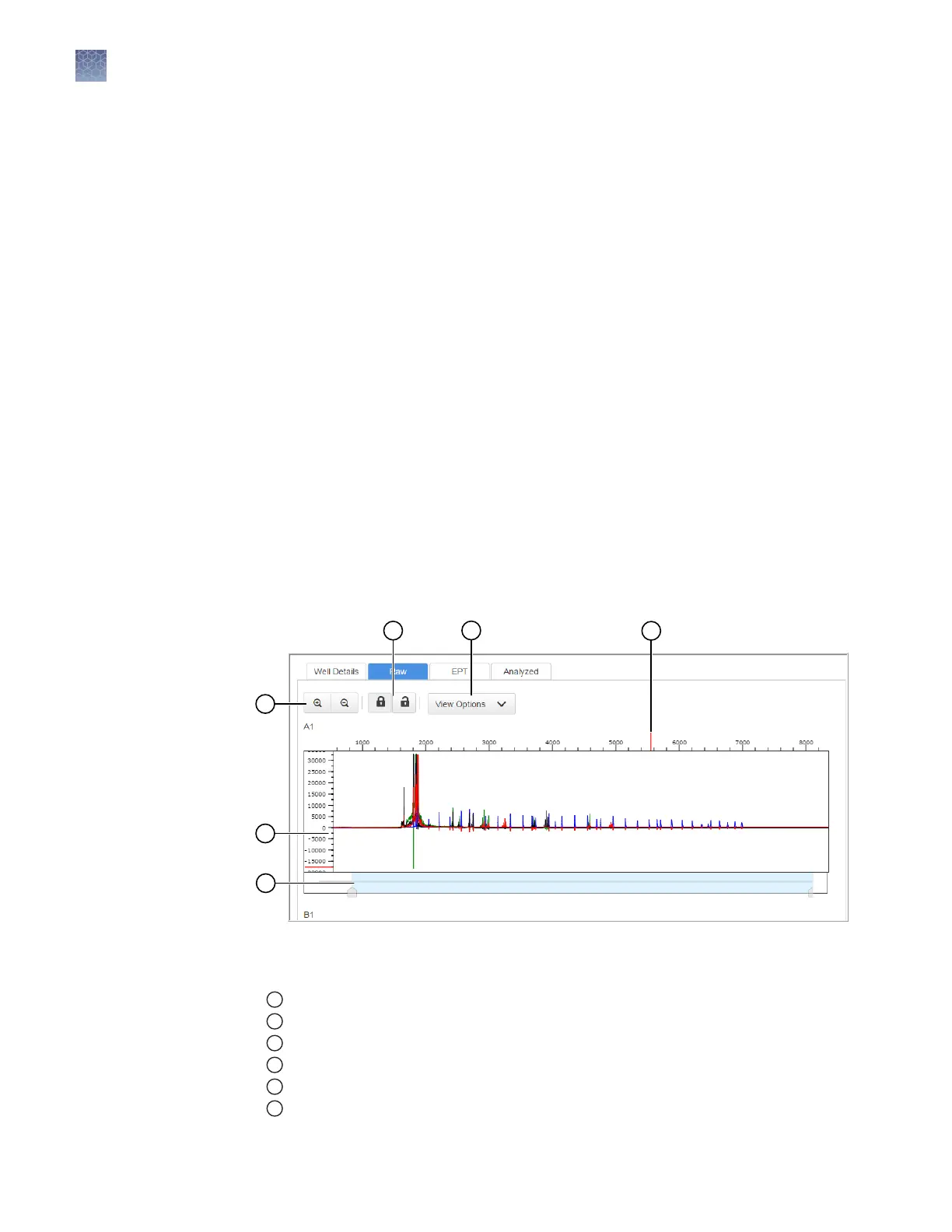
Remote Monitoring App raw trace
Figure 13 Fragment analysis raw trace
1
Zoom in/out.
2
Raw trace.
3
Thumbnail trace—Click-drag to view another region of the trace.
4
Lock/unlock trace zooming for all traces in the injection group.
5
View Options—Select the dye color to display; set vertical scaling.
6
Cursor position indicator (red line).
Chapter 7 Start and monitor a run
Monitor a run from the Connect cloud-based platform
7
100
SeqStudio
™
Genetic Analyzer Instrument and Software User Guide













 To Next Page