Maintain the instrument
■
Regular maintenance tasks ........................................... 156
■
Manage the cartridge ................................................ 158
■
Install cathode buer ................................................ 166
Regular maintenance tasks
When a cartridge is installed in the instrument, the volume of buer in the Cathode
Buer Container (CBC) must be above the ll line.
Check the cathode buer ll level before each run. It is recommended to check one
time each week if the instrument is not in use.
In the home screen:
1.
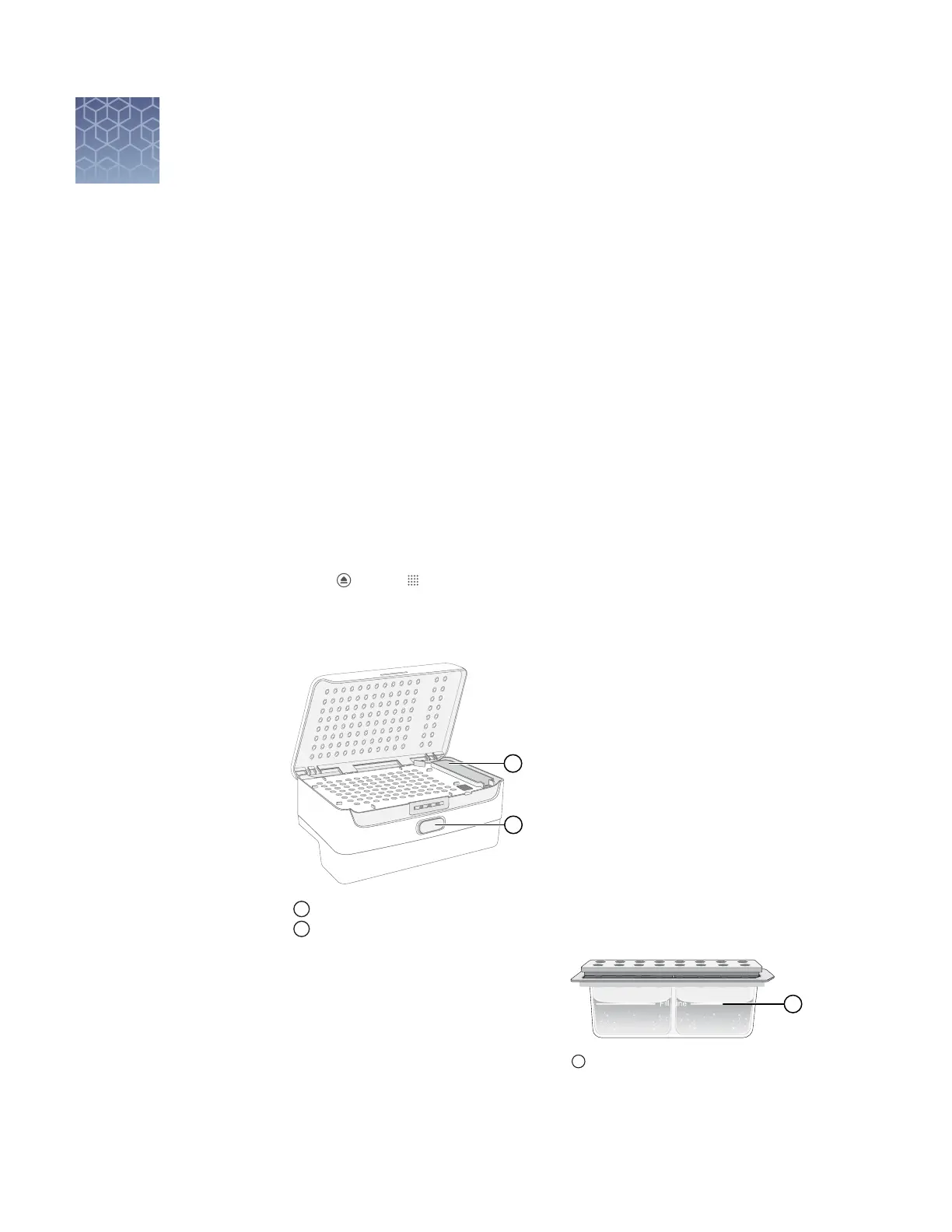
Touch , touch Eject plate, then open the instrument door when prompted.
2.
Press the release buon on the autosampler to open the lid, then remove the
CBC.
1
Release button
2
CBC
3.
Ensure that the level of buer is
above the ll line.
If the buer is at or below the ll
line, see “Assemble the SeqStudio
™
Genetic Analyzer Cathode Buer
Container (CBC)“ on page 166 and
“Insert the Cathode Buer
Container“ on page 167.
11
Check the cathode
buffer fill level
1
Replace if buffer is at or below the fill
line
156
SeqStudio
™
Genetic Analyzer Instrument and Software User Guide













 To Next Page