Any user with a Connect cloud-based platform administrator prole can manage
users for an instrument or disconnect an instrument from InstrumentConnect.
If a Connect cloud-based
platform administrator...
The software...
Assigns Admin role to a user Allows the user to perform all Connect cloud-based
platform administrator functions (see “Connect cloud-
based platform administrator functions“ on page 48).
Removes a user Unlinks the instrument from their Connect cloud-based
platform account.
Disconnects the instrument
• Unlinks the instrument from all user Connect cloud-
based platform accounts.
• Removes the instrument from InstrumentConnect.
1.
Sign in to apps.thermosher.com.
2.
Click
to access InstrumentConnect.
3.
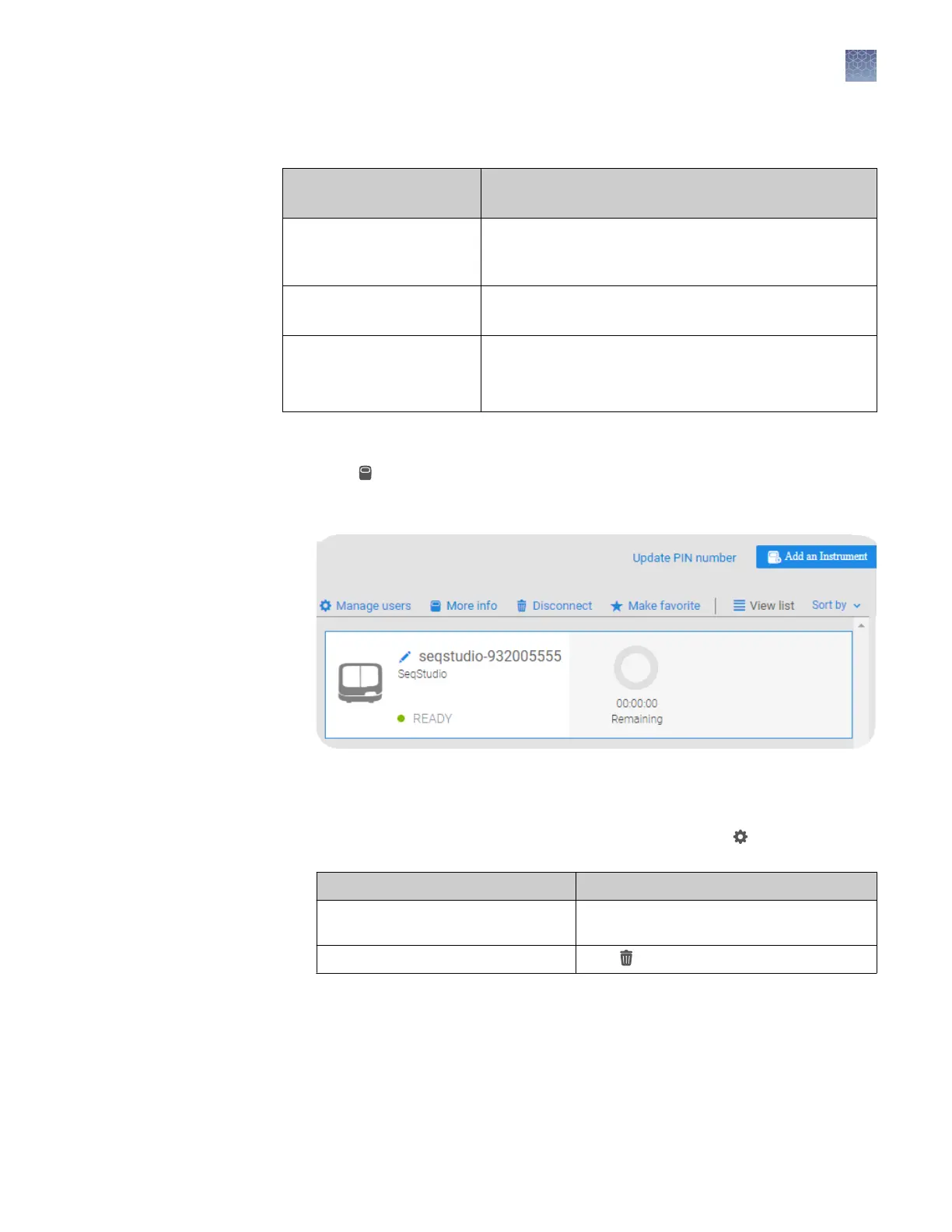
Select the instrument.
Note: The Manage users and other administrator functions are not displayed
until you select an instrument.
4.
To assign the Admin role to a user or to remove a user, click Manage users,
then:
To... Do this...
Assign the Admin role to an additional
user
Select the Admin checkbox, then click
Close.
Remove a user Click , then click Confirm.
Manage the users
and
administrators of
your instrument
Chapter 3 Use the instrument with the Connect cloud-based platform
Connect cloud-based platform administrators for an instrument
3
SeqStudio
™
Genetic Analyzer Instrument and Software User Guide
49













 To Next Page