View and analyze results
■
View results in the Remote Monitoring App on the Connect cloud-
based platform ...................................................... 110
■
View results on the instrument ........................................ 111
■
Export results from the instrument (sample data les and QC reports) ...... 121
■
Analyze data ....................................................... 121
View results in the Remote Monitoring App on the Connect cloud-
based platform
1.
Open the Remote Monitoring App (see “Open the Remote Monitoring App from
Instrument Connect App“ on page 95).
2.
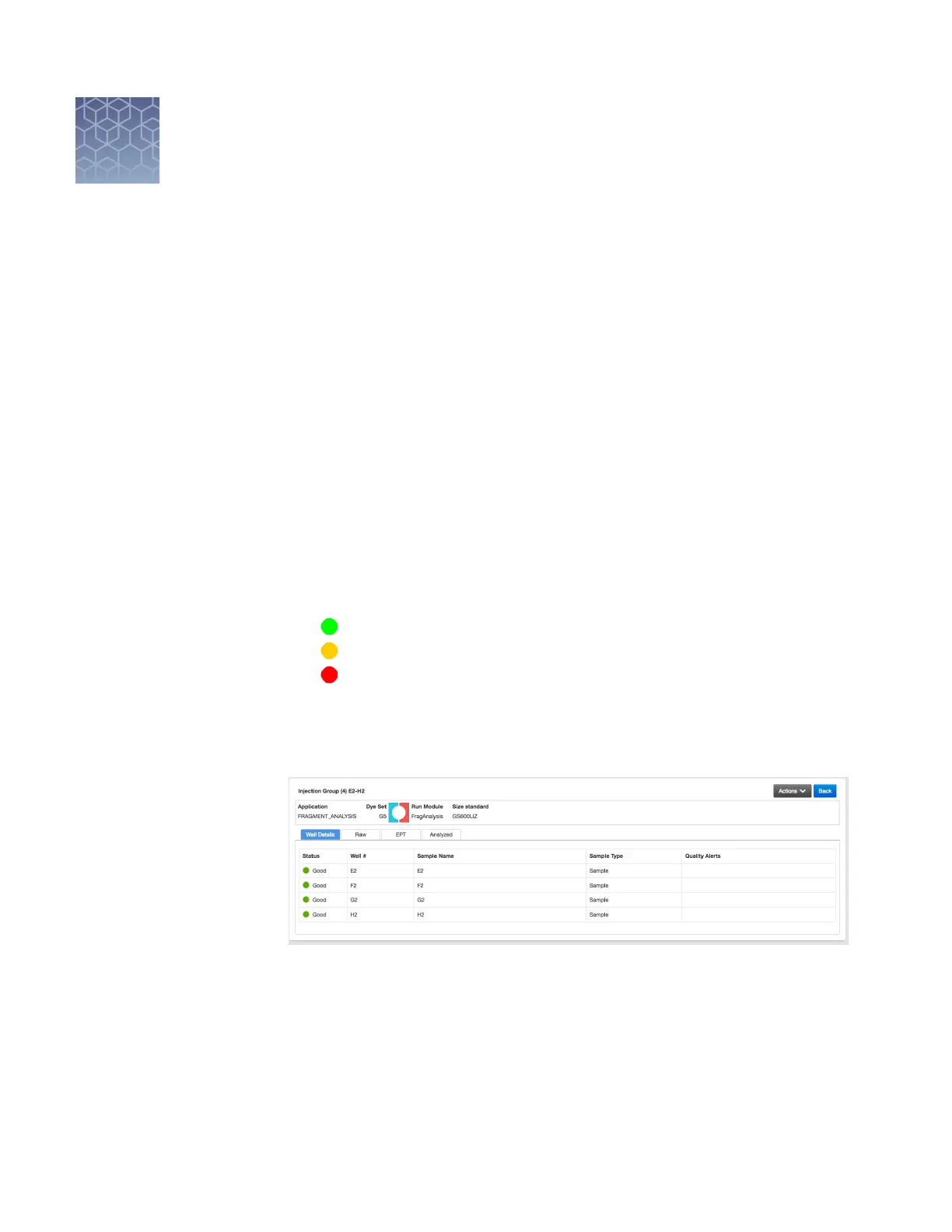
Click an injection group in the injection list or the plate view.
The status dials are color-coded for quality alerts:
•
—All QC tests passed.
• —At least 1 warning quality alert was triggered.
• —At least 1 failing quality alert was triggered.
For information on quality alerts, see:
• “Data quality alerts“ on page 119
• “Sizecalling and basecalling quality alerts“ on page 119
Note: The Analyzed tab is disabled if the Save location for the plate setup is not
set to Cloud or if the injection group has not nished running.
3.
In the Quality alerts screen, click the Raw, EPT, or Analyzed tab to view data.
4.
As needed, select Actions4Re-inject group, select the Run module and seings,
then click Inject.
8
110
SeqStudio
™
Genetic Analyzer Instrument and Software User Guide













 To Next Page