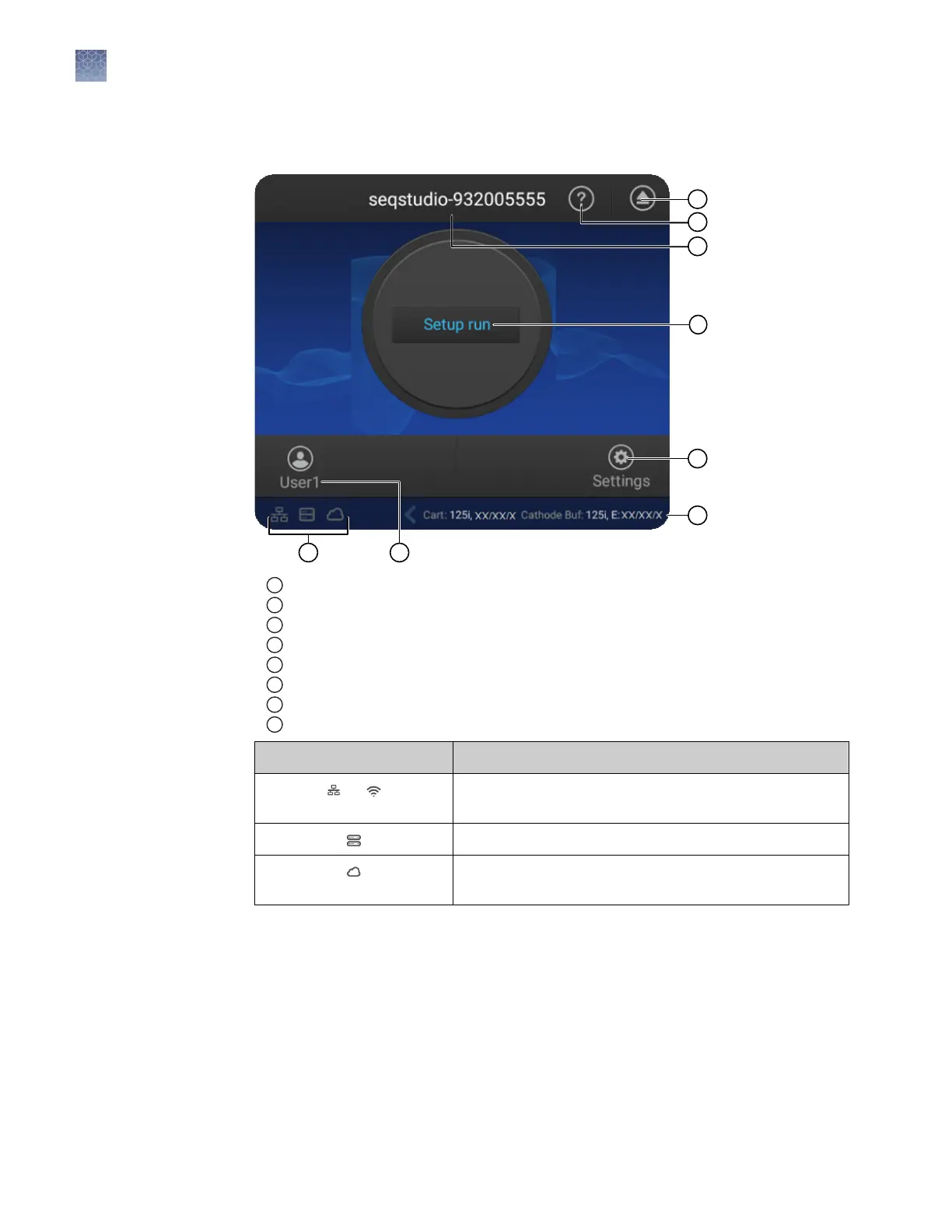
Parts of the home screen
1
Eject icon
2
Help
3
Instrument name
4
Status dial—Touch to create a plate setup.
5
Settings—Touch to view previous results (Run History) or configure the instrument.
6
Status of consumables—See “Check the consumables status“ on page 39.
7
Current user
8
Connectivity icons
Connectivity icon Status
or The instrument is connected to a wired or wireless
network.
The instrument is connected to network drive.
The current instrument profile is linked to the Connect
cloud-based platform.
Chapter 2 Prepare the samples and the instrument
Parts of the home screen
2
36
SeqStudio
™
Genetic Analyzer Instrument and Software User Guide













 To Next Page