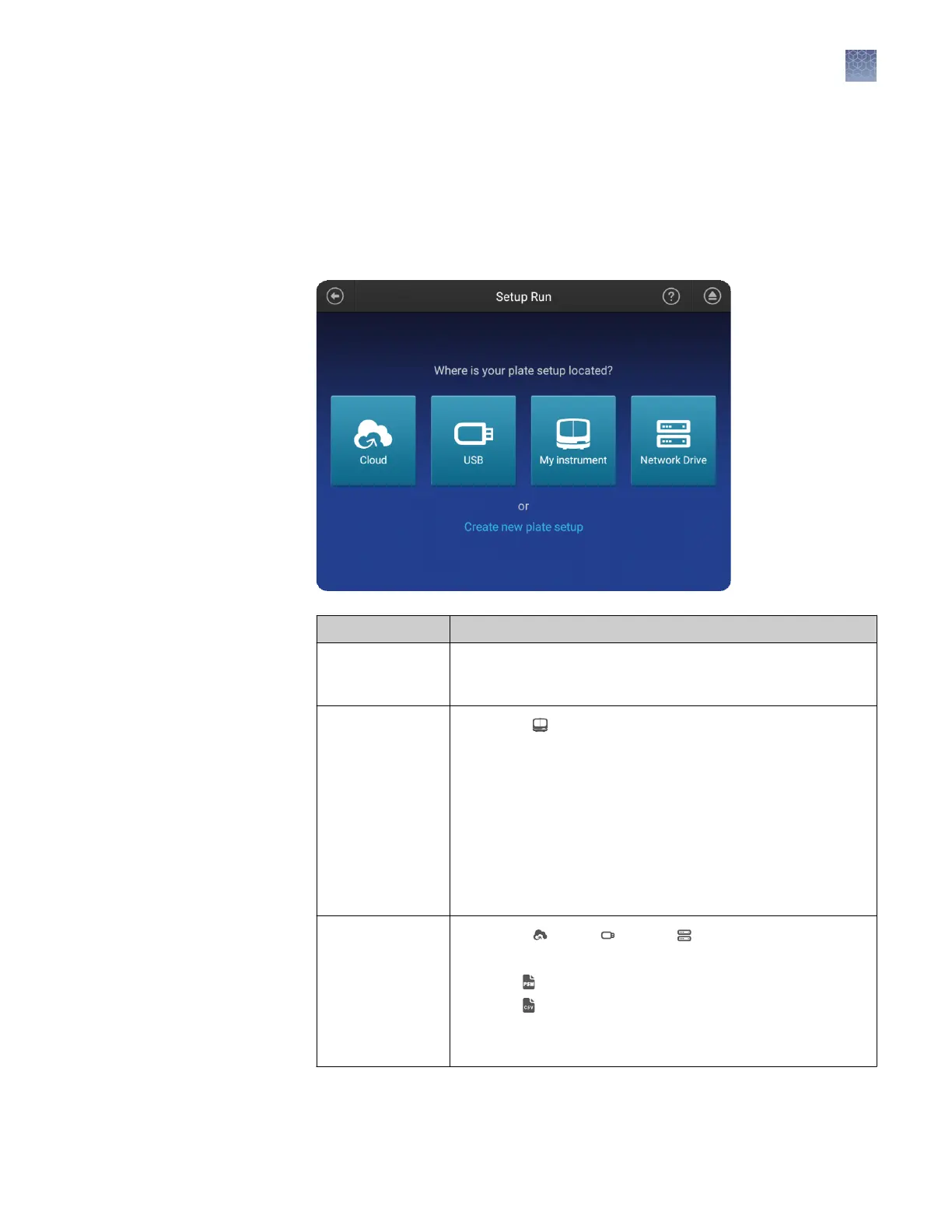
Set up a plate using default settings (instrument)
In the home screen:
1.
Touch Set up run.
2.
Create, open, or import a plate setup:
To Procedure
Create a new plate
setup
1. Touch Create new plate setup.
2. See “Enter plate properties“ on page 82.
Open an existing
plate setup on the
instrument
1. Touch My Instrument.
2. Touch:
• My plates folder to select hidden plates that you have
created.
• Public folder to select (1) shared plates that were
created by any user or (2) any plates that were
created by a Guest user.
For more information, see “Shared (public), hidden (my
plates), and guest plate setup files“ on page 79.
Import a plate
setup
1. Touch Cloud, USB, or Network Drive.
2. Select:
• PSM file
• CSV file
For more information, see “PSM and CSV plate setup files for
import into the instrument“ on page 78
Create or import a
plate setup
Chapter 6 Create or modify a plate setup from the instrument
Set up a plate using default settings (instrument)
6
SeqStudio
™
Genetic Analyzer Instrument and Software User Guide
81













 To Next Page