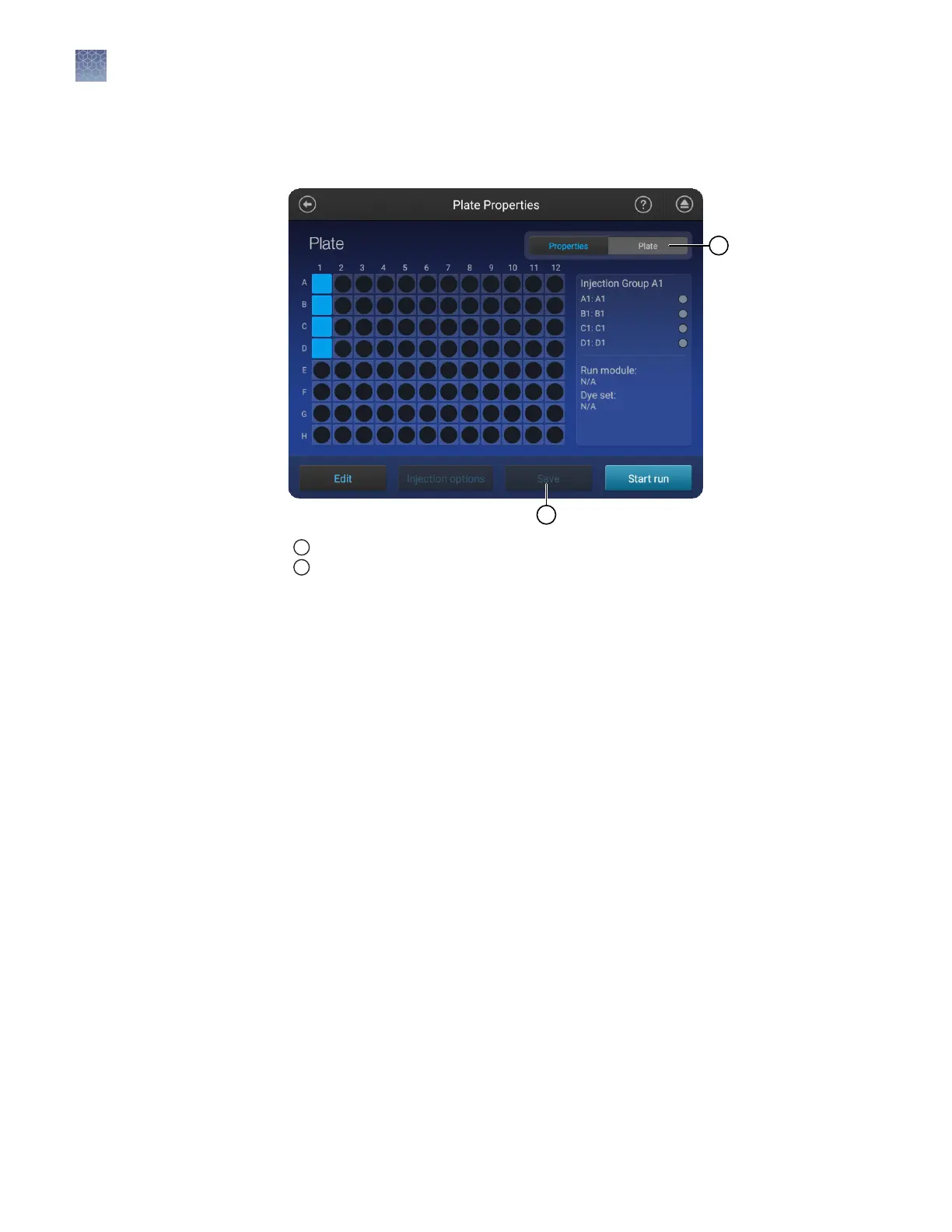
Note: You can assign these seings to one or more injection groups at the same time.
1.
In the Plate properties screen, touch Plate at the top-right of the screen.
1
Plate tab
2
Save button is not enabled until you create an injection group
Each set of 4 wells on the plate is referred to as an injection group.
An injection group is identied by the rst well in the set of 4 (for example,
Injection Group A1 contains wells A1–D1).
The default injection order is: A1-D1, E1-H1, A2-D2, E2-H2....A12-D12, E12-H12.
2.
Select injection groups, then touch Edit.
• Touch a well to select a single injection group.
• Touch and drag to select multiple injection groups or the entire plate.
Assign wells: run
module, size
standard, dye set,
and kit
Chapter 6 Create or modify a plate setup from the instrument
Set up a plate using default settings (instrument)
6
84
SeqStudio
™
Genetic Analyzer Instrument and Software User Guide













 To Next Page