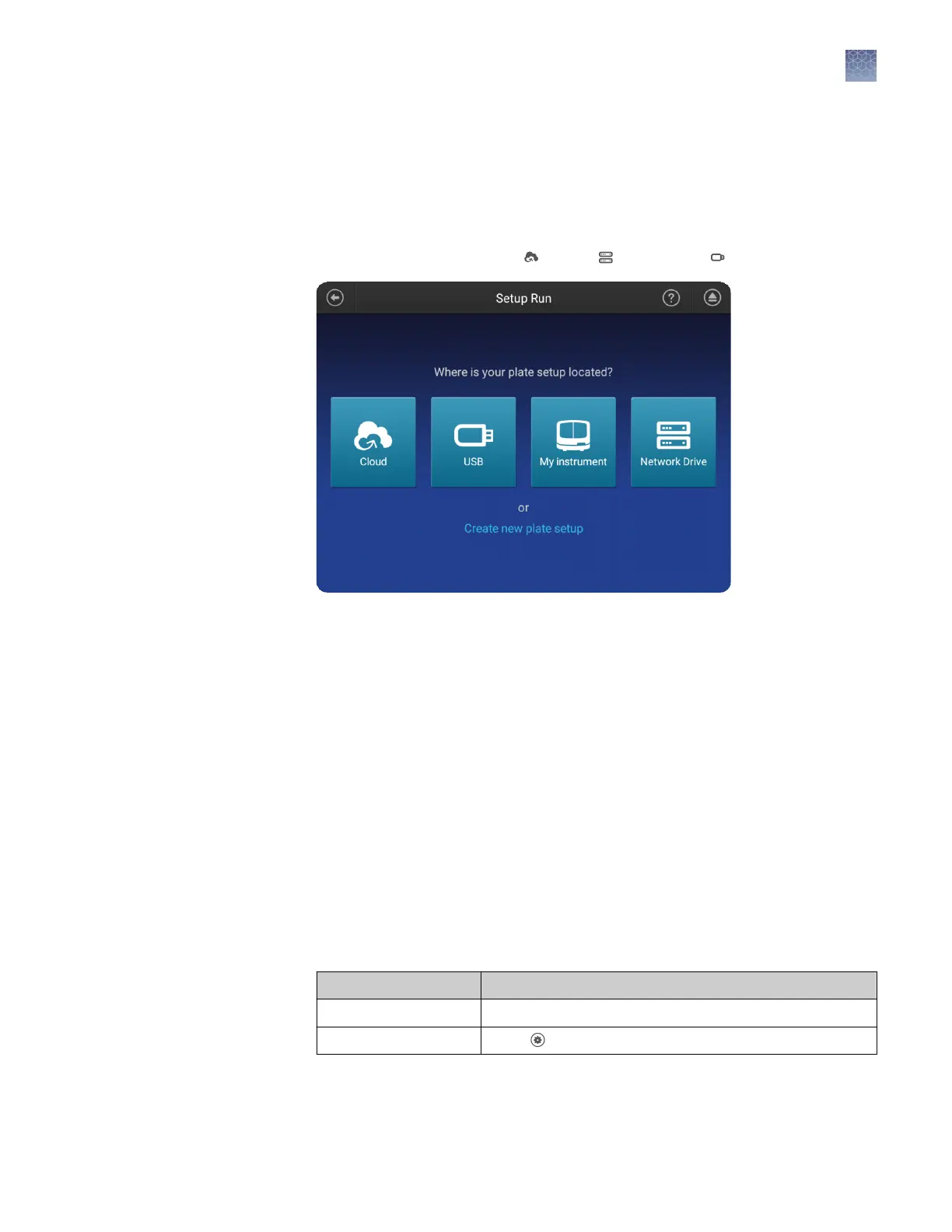
Note: You can create a plate setup in CSV or PSM le in the Plate Manager (desktop
or Connect cloud-based platform).
Before importing a CSV le, see “PSM and CSV plate setup les for import into the
instrument“ on page 78.
In the home screen:
1.
Touch Set up run, then touch Cloud, Network, or USB.
2.
Navigate to, then select a CSV or PSM le.
Manage run settings (instrument)
This function manages the list of run modules that you can select from when you
create a plate setup.
To assign a run module to a plate, see “Assign wells: run module, size standard, dye
set, and kit“ on page 84.
Factory-installed items cannot be edited or deleted. To create a new item from a
factory-installed item, copy, edit, then save the new item.
Run modules are accessible only to the user who creates them.
For more information, see “Run modules, read lengths, size ranges, and run times“ on
page 140.
1.
Access the Manage run modules screen:
From Action
Plate properties tab Touch More options4Manage run modules.
Home screen Touch Settings4Run settings 4Run modules.
Import a plate
setup from a CSV
or PSM file
Manage run
modules
Chapter 10 Manage the software (instrument)
Manage run settings (instrument)
10
SeqStudio
™
Genetic Analyzer Instrument and Software User Guide
139













 To Next Page